
In aviation MRO operations, it's common to receive several units of the same part number from a customer under a single repair order. When the part is serialized, each unit has its own history: its own inspection, findings, parts, labor, and release certificate. Tracking all of them under one Work Order makes it hard to keep each serial number's records separate and traceable.
Smart 145 now creates one Work Order per serial number automatically. When you create a Work Order for a serialized part with a quantity greater than one, you enter the serial number of each unit, and the system generates a separate Work Order for each one, with all the information you entered.
Step 1: Make Sure the Part Number Is Serialized
This option applies to part numbers marked as serialized. Go to Inventory → Manage Inventory, search for the part number, and in the Main tab confirm that the It's Serialized? checkbox is selected. If it isn't, select it and save the part number.
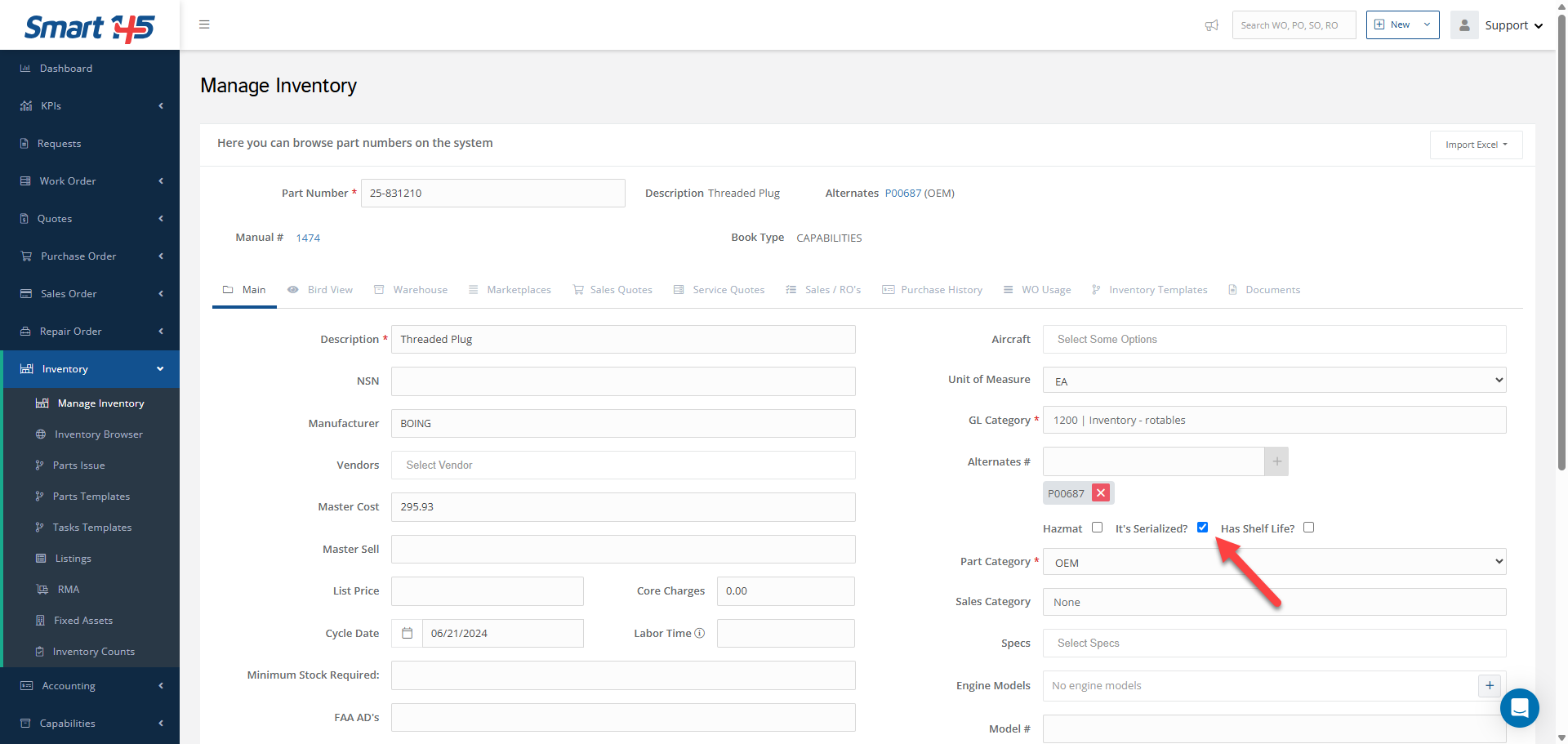
Step 2: Create the Work Order and Enter the Serial Numbers
Go to Work Order → Work Order and click New Work Order. Fill in the Work Order as usual: Unit Type, Part Number, Description, Customer, Shop, Work Requested, Customer RO #, and the rest of the required fields.
In Quantity, enter the number of units received, for example 5. The Serial Number field then shows Click to enter 5 serial numbers, with a counter of the serial numbers entered (0/5).
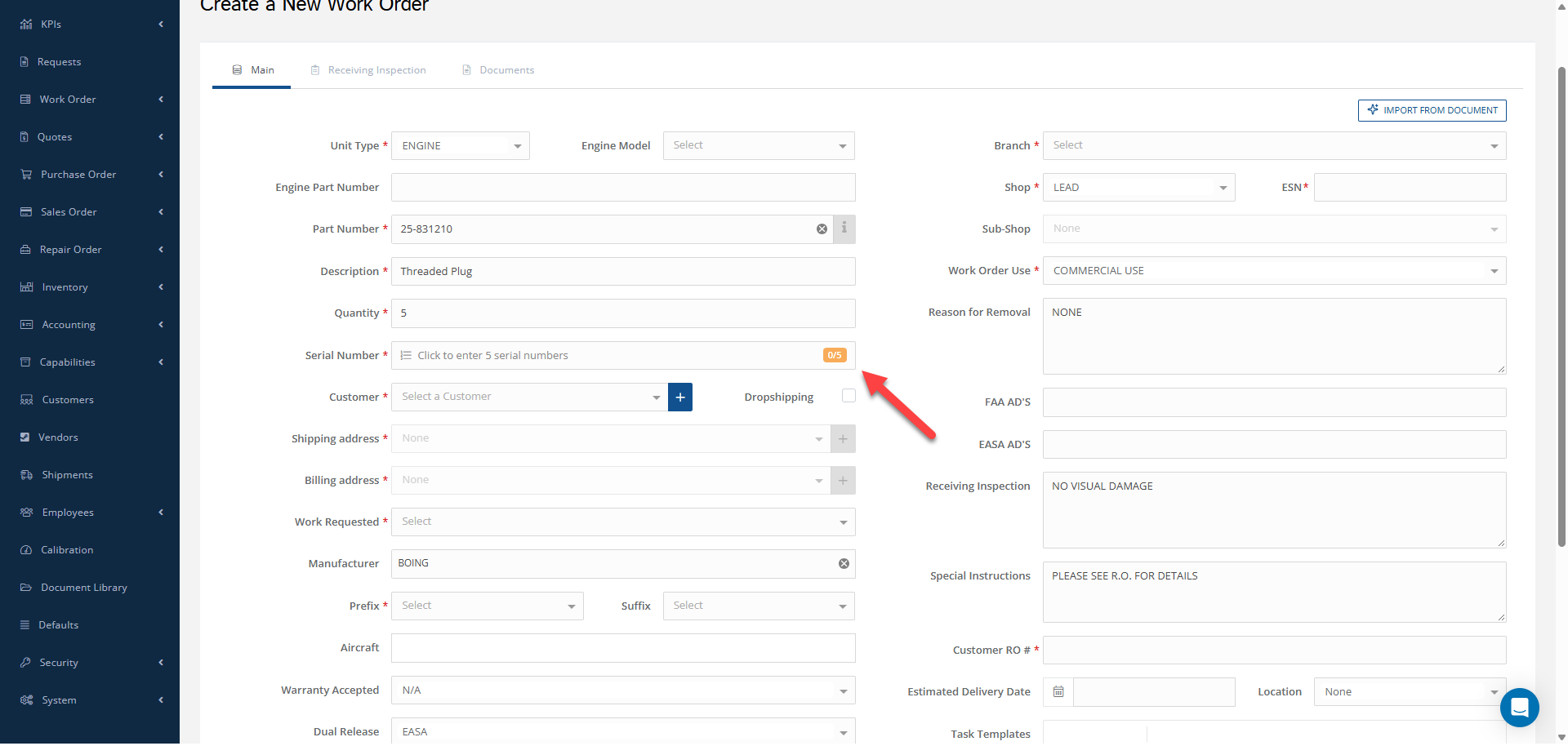
Click the Serial Number field to open the Serial Numbers window. Type each serial number and click + to add it to the list. The window shows how many serial numbers you must enter and how many you've entered so far. To remove a serial number, click the trash icon next to it.
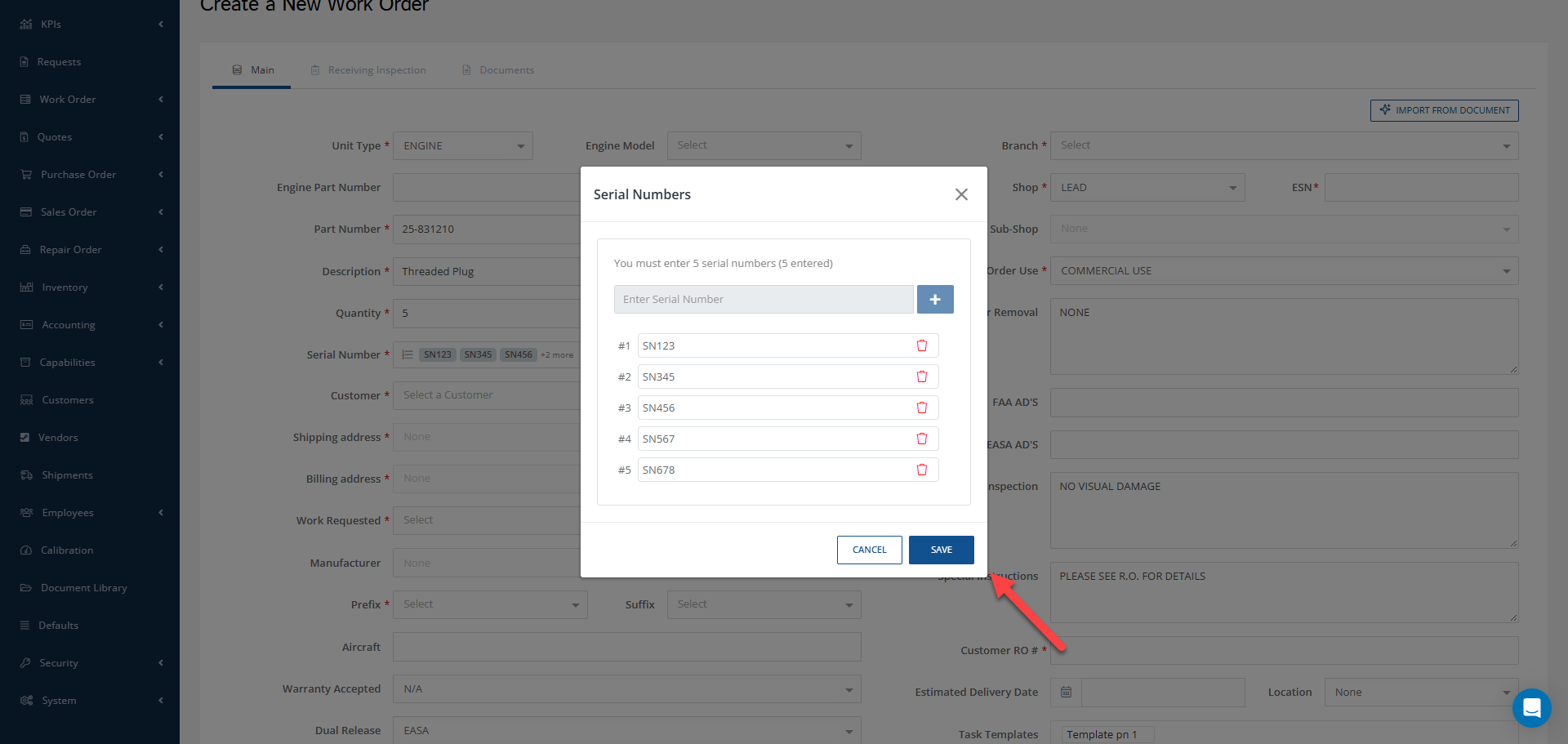
When all the serial numbers are entered, click SAVE. The field shows the serial numbers you entered. Then save the Work Order.
Note: If the part number isn't marked as serialized, the Serial Number field isn't required and Smart 145 creates a single Work Order for the full quantity, as usual.
Step 3: Review the Work Orders Created
Smart 145 creates one Work Order for each serial number, with consecutive Work Order numbers and a quantity of 1 each. Each Work Order keeps the information you entered (customer, part number, Customer RO #, shop, and service type), and shows its own serial number in the S/N column of the Work Order list.
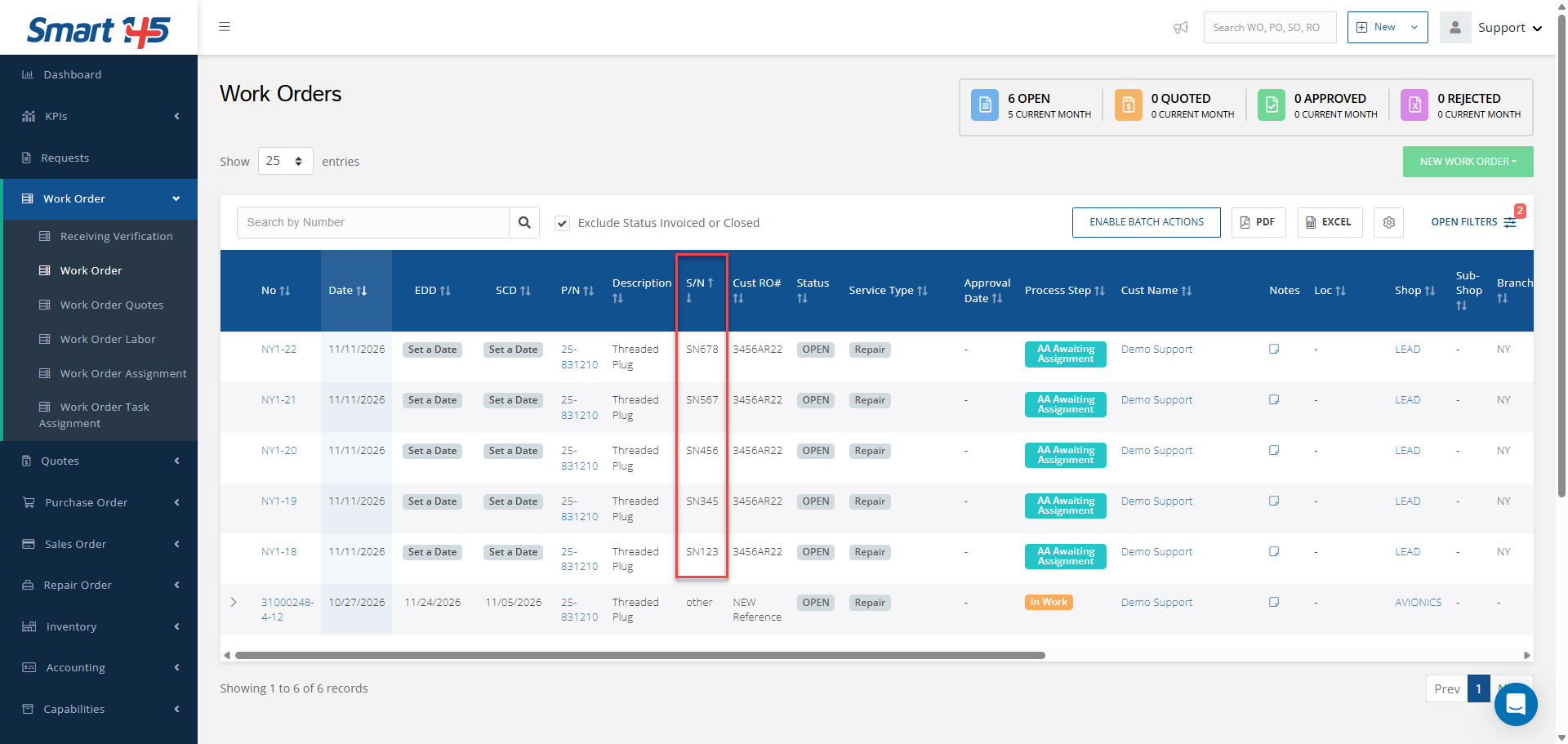
From here, each unit follows its own process: receiving inspection, teardown, parts, labor, quotation, and release, each recorded on its own Work Order.
Why This Matters for Aviation MRO Operations
Each serialized unit needs its own traceable record. With one Work Order per serial number, findings, parts, labor hours, and the 8130 for each unit stay separate, so there's no risk of mixing records between units.
It also saves time at receiving: instead of creating the same Work Order five times, your team enters the information once and adds the serial numbers. Each unit can then move at its own pace, be quoted and invoiced separately, and have its own TAT and Days in Shop.