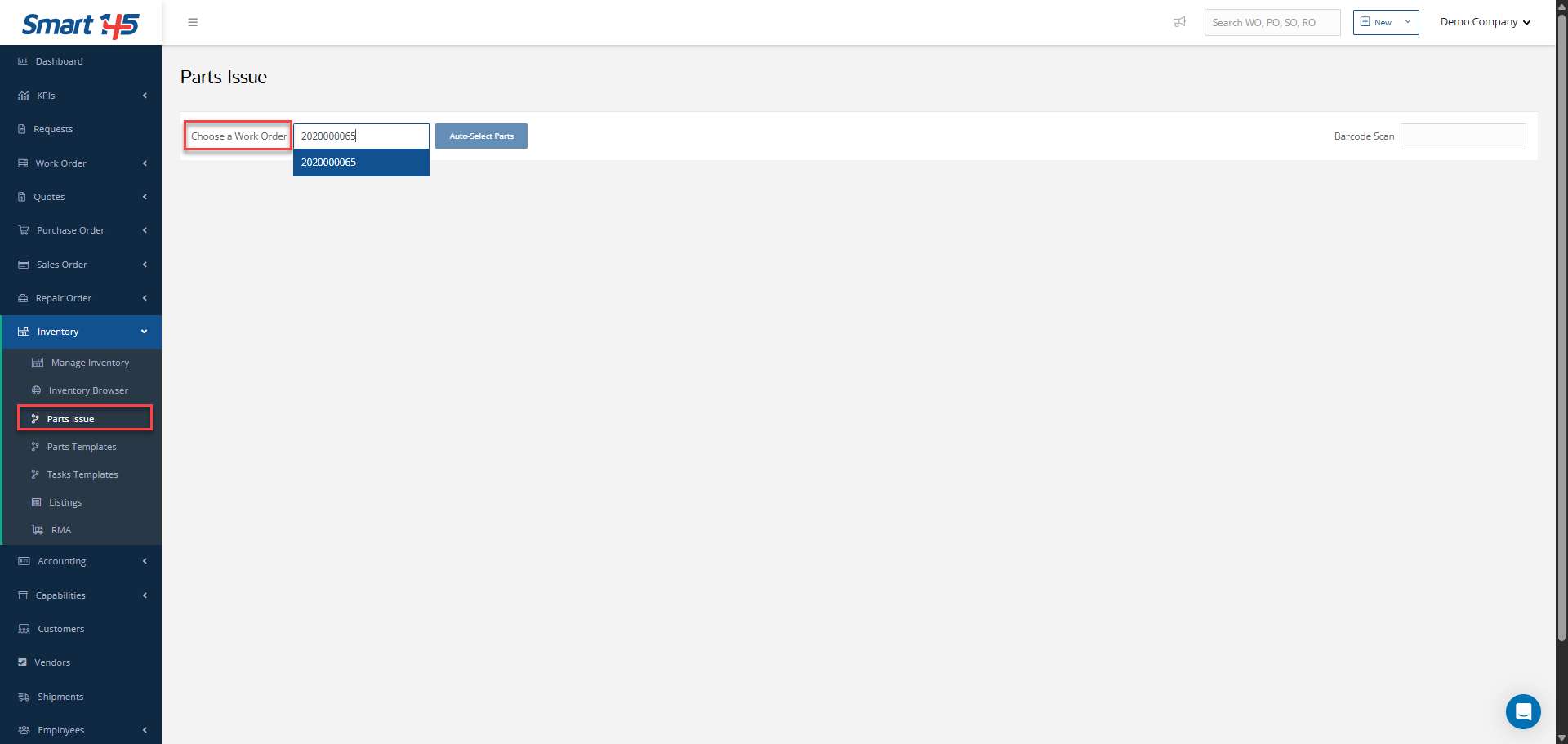
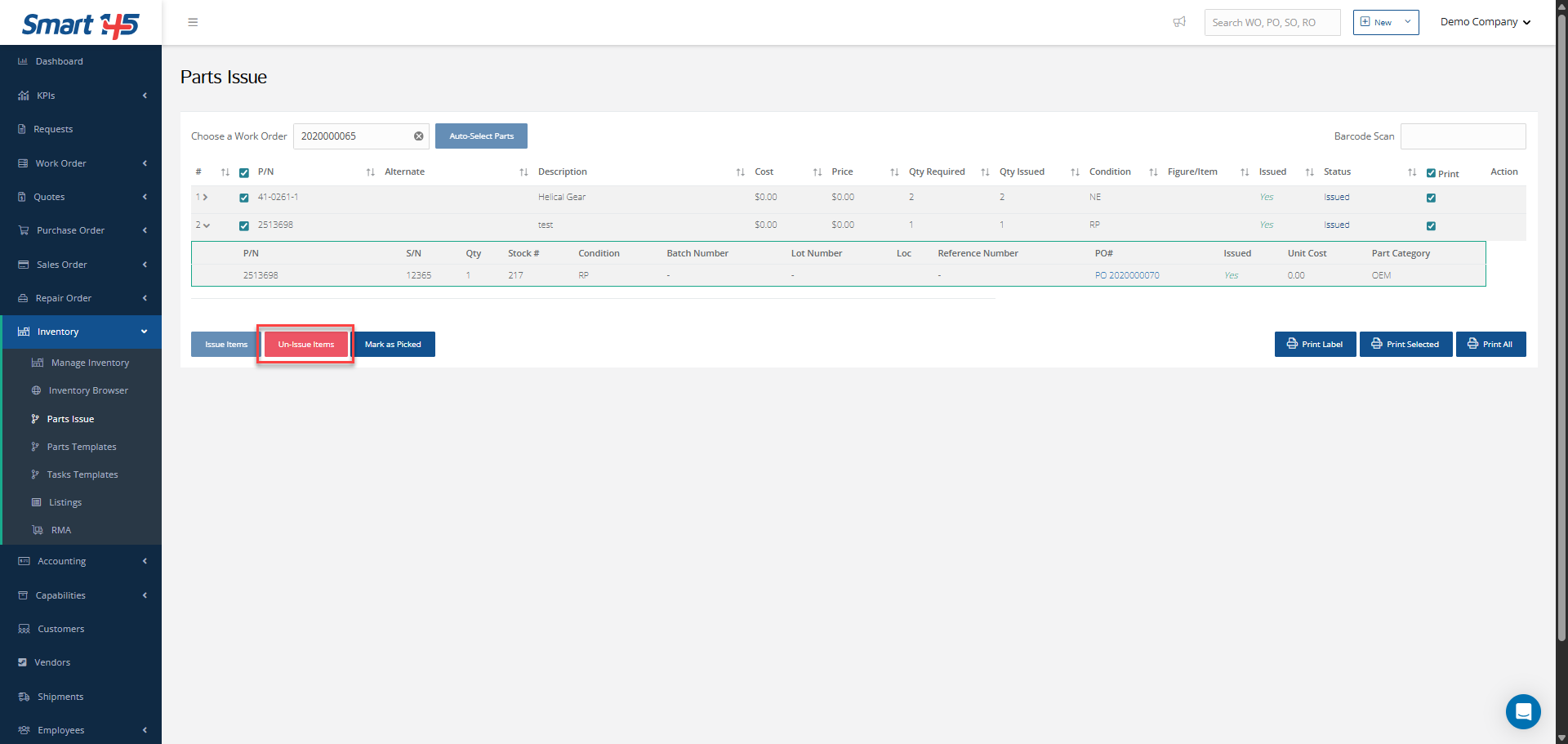
Issuing an item to a Work Order refers to the action of removing the unit from the warehouse. However, it is also possible to perform an un-issue for these units, and this can be done both from the Inventory module and the WO module. Below, we explain both processes.
Un-issuing Items from the WO Module
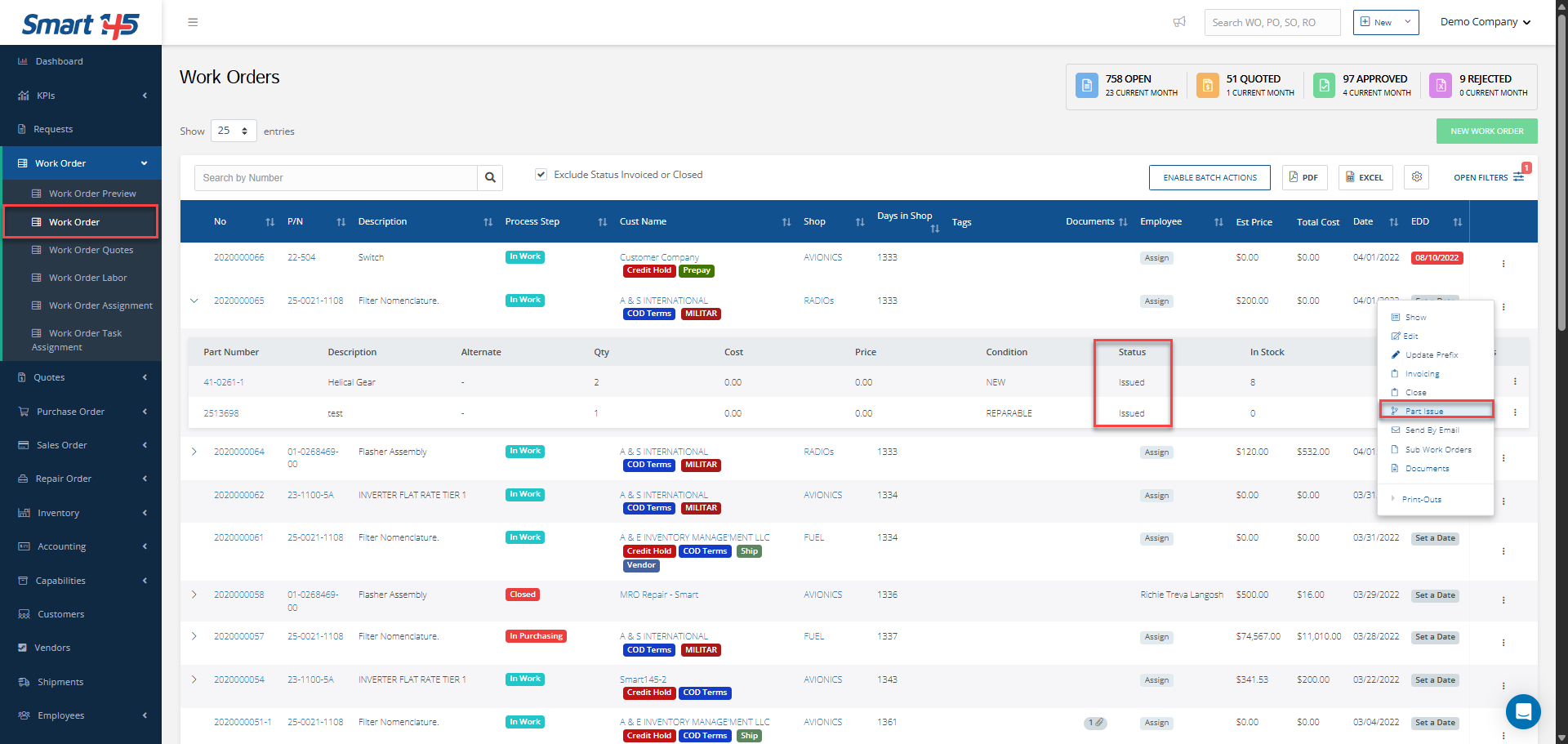
From the WO module, simply open the three-dot menu and select Part Issue.
Then, choose the issued items you want to un-issue.
Once the items are selected, click the Un-issue Item button.
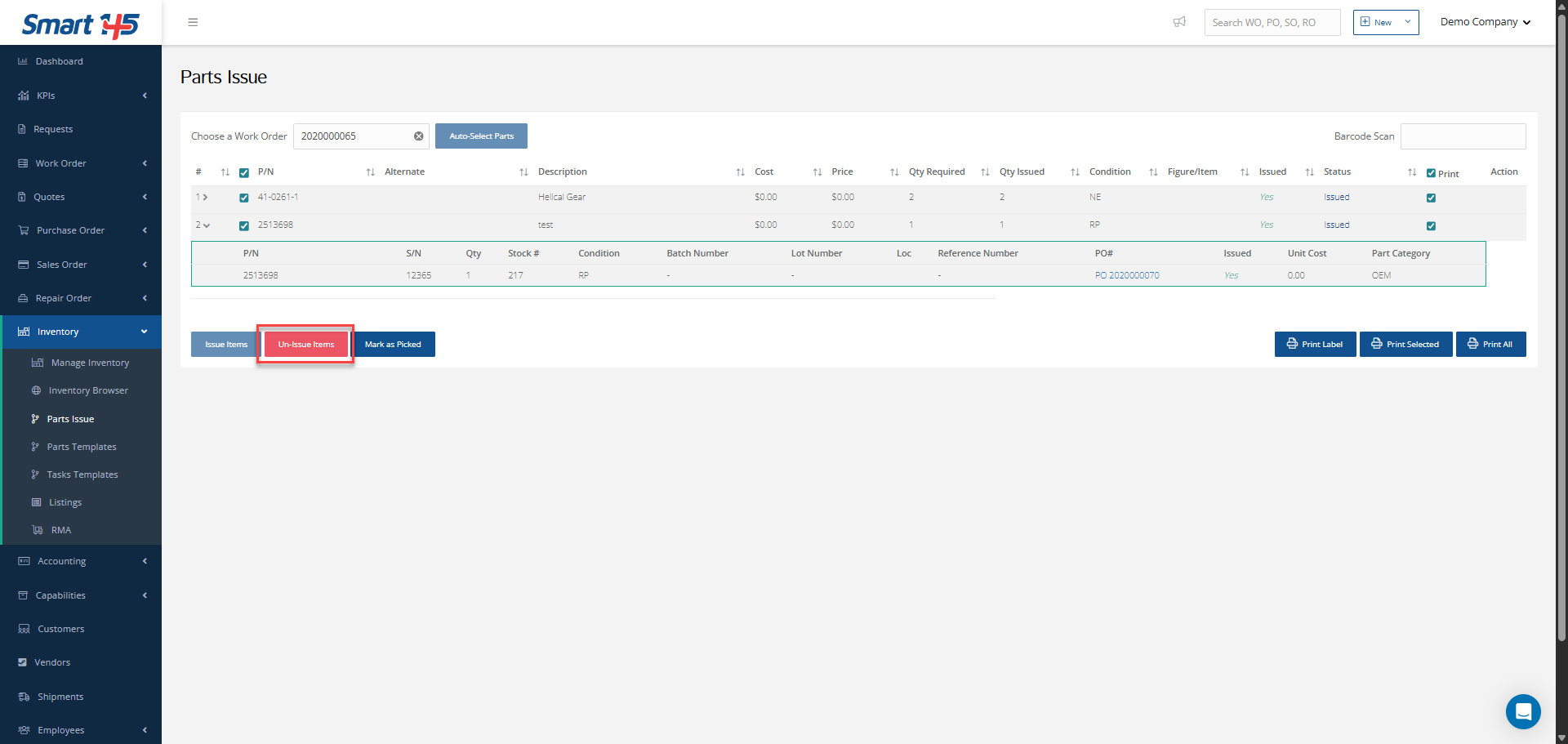
Then, choose the issued items you want to un-issue.
Once the items are selected, click the Un-issue Item button.
Un-issuing Items from the Inventory Module
From the Inventory module, go to the Part Issue submodule and search for the desired Work Order. Select the items you want to un-issue and then perform the Un-issue action.