How to set a default Task Template for Work Orders
Setting a Default Task Template allows predefined tasks to be automatically added when creating Work Orders. This helps standardize the work process, reduces manual setup, and ensures the appropriate tasks are consistently included from the start.
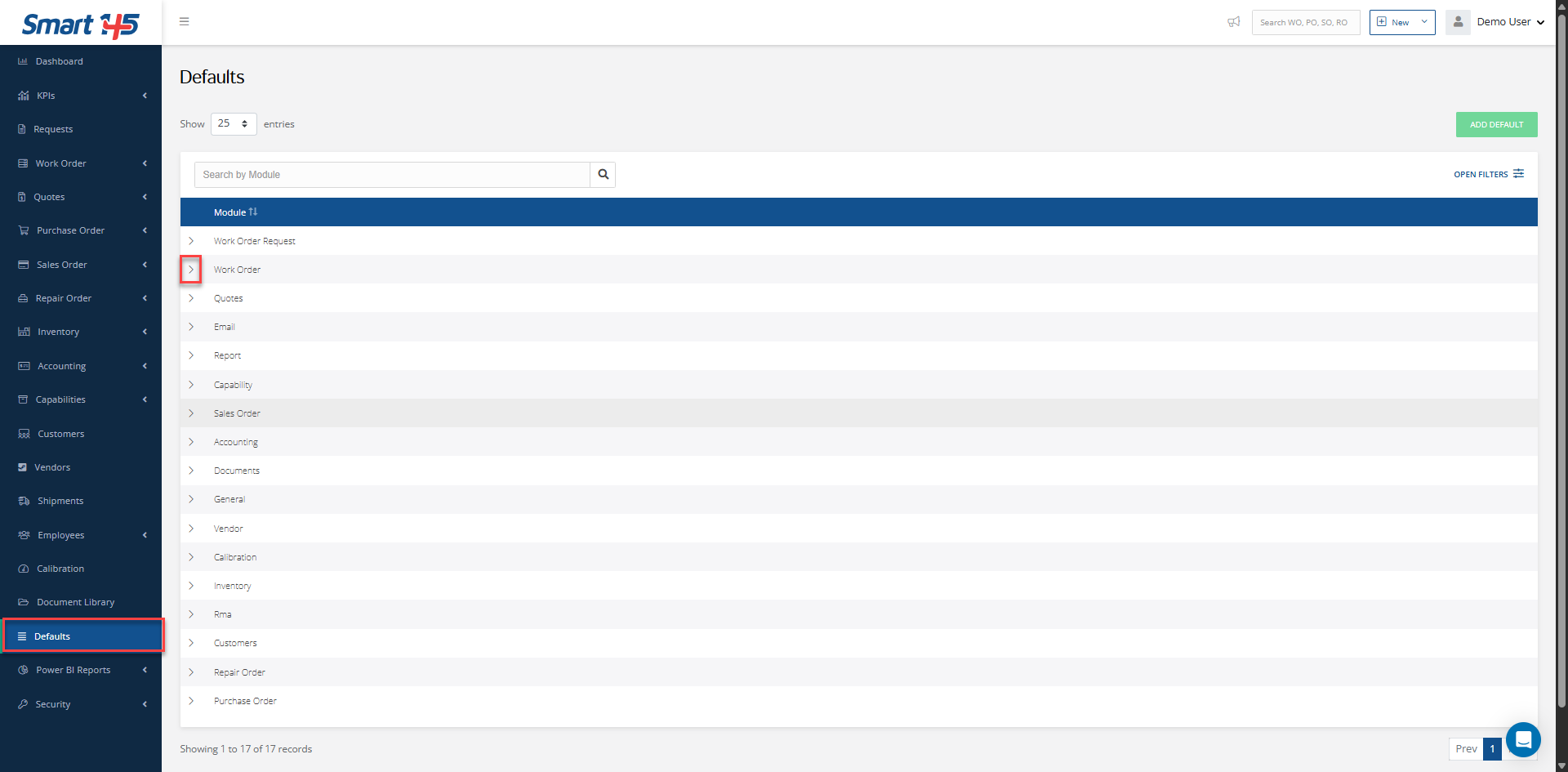
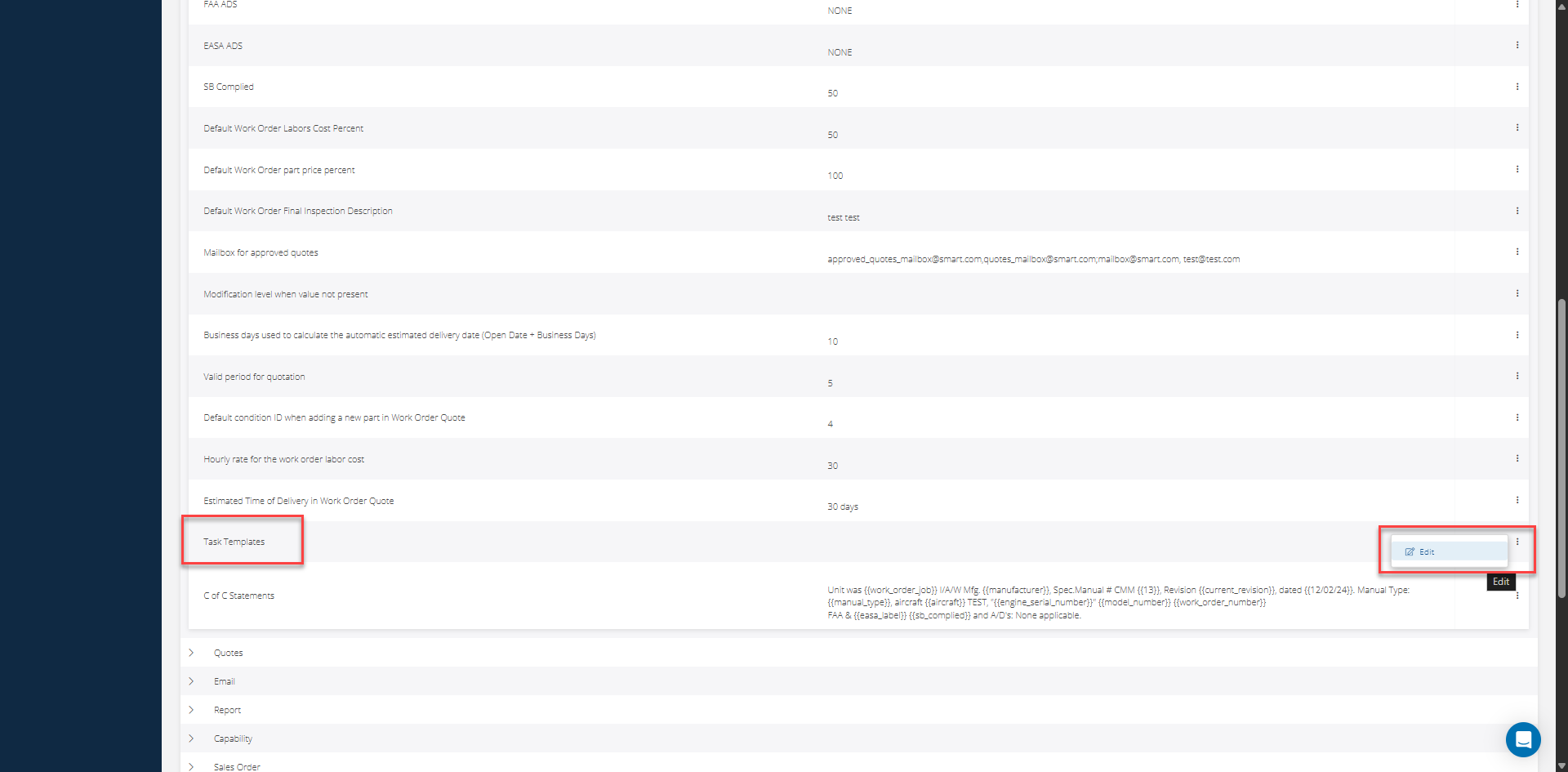
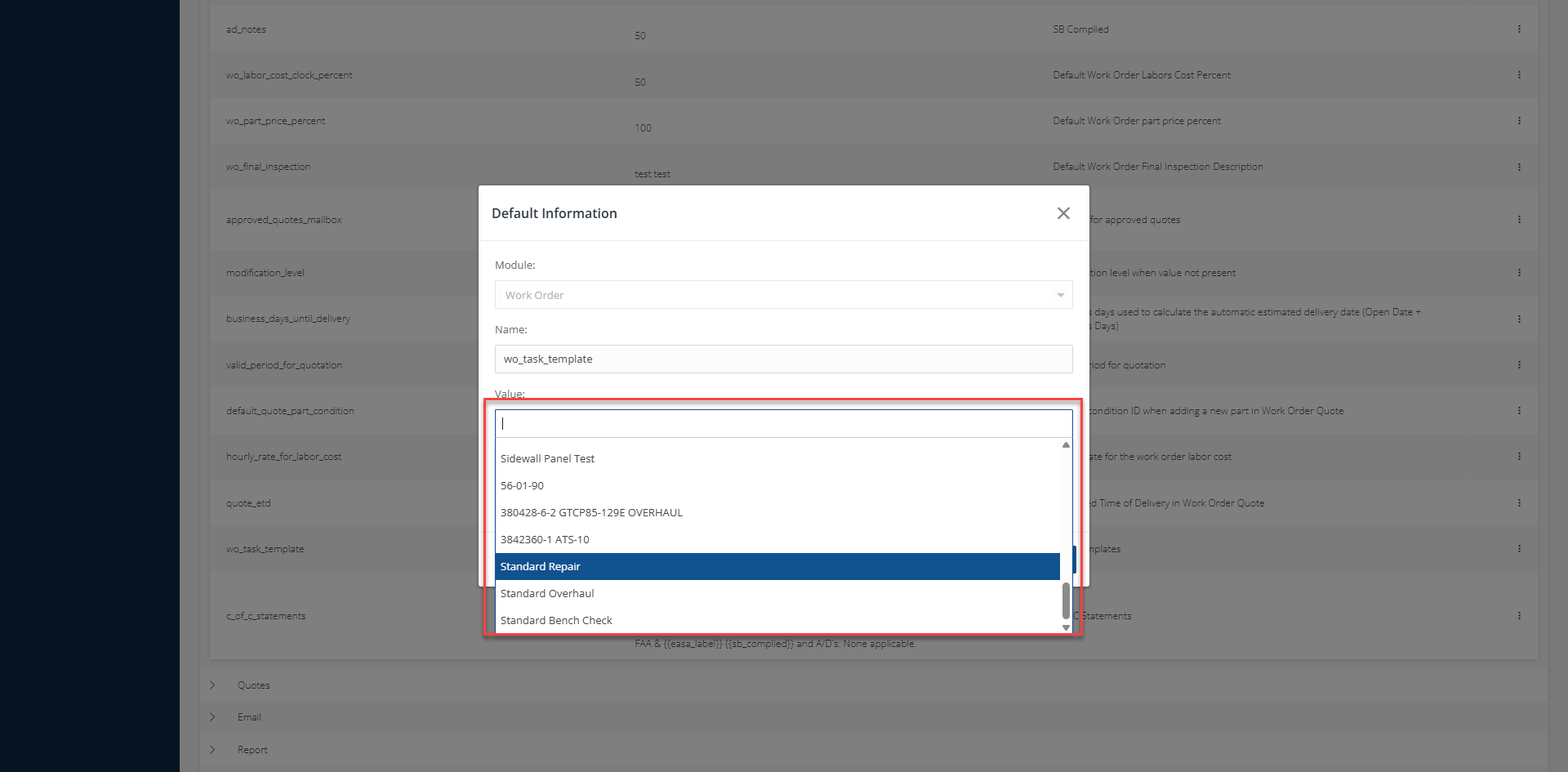
To enable the Task Templates field in the Work Order create view, you must first contact our support team for them to activate this feature for you at support@smart145.com. Once done, you can set everything up by moving to the "Defaults" module, then locating the WO section and expanding it. Then, locate the wo_task_template entry and select Edit on it. On the panel that appears, select the desired template in the Value field, then Save.
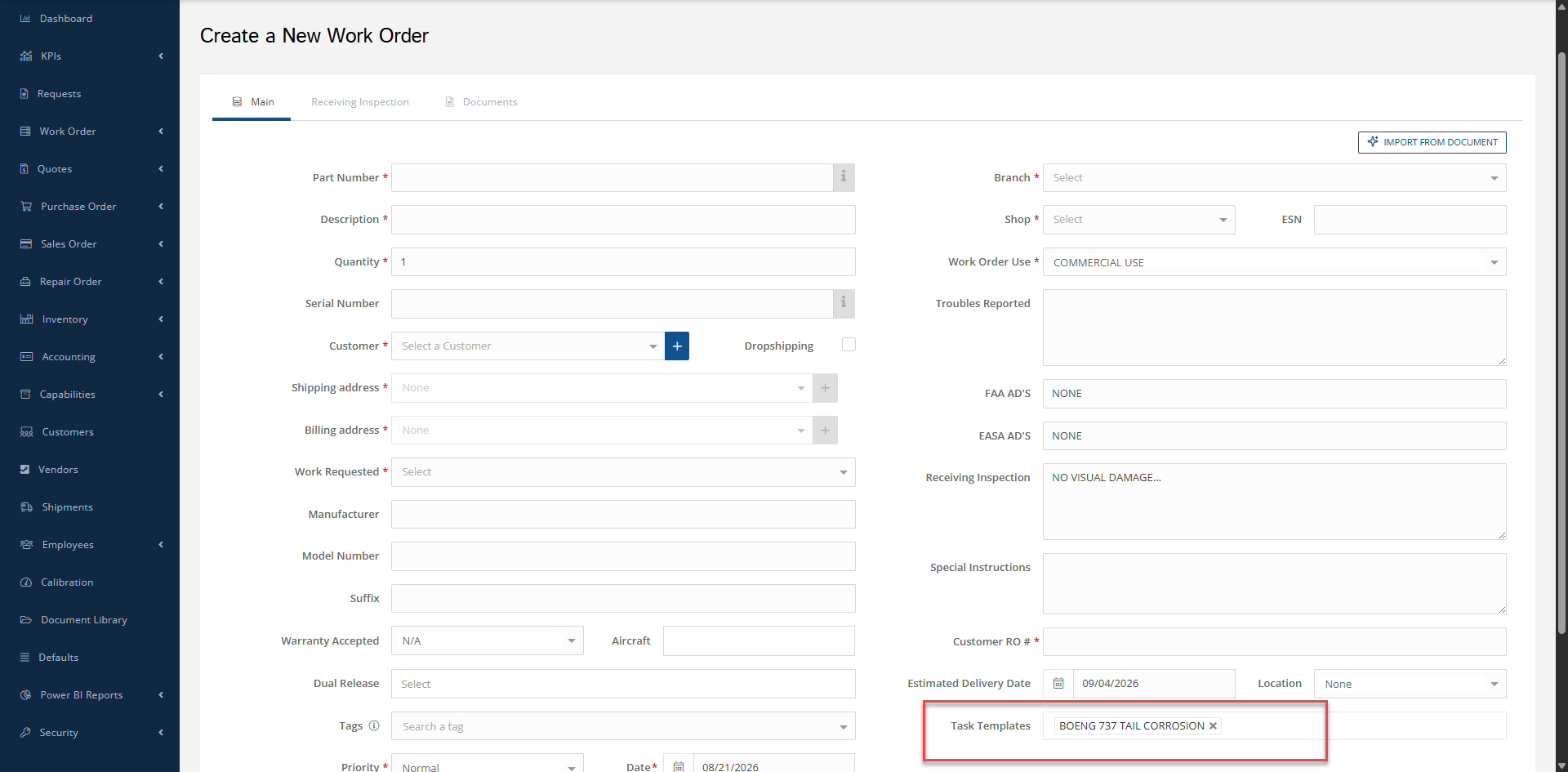
The task template will now be selected for every New WO created.