Defining ADs and SBs by Part Number allows you to associate applicable regulatory and maintenance requirements with specific parts, making this information readily available when the Part Number is used in a Work Order. This helps improve compliance, traceability, and maintenance efficiency.
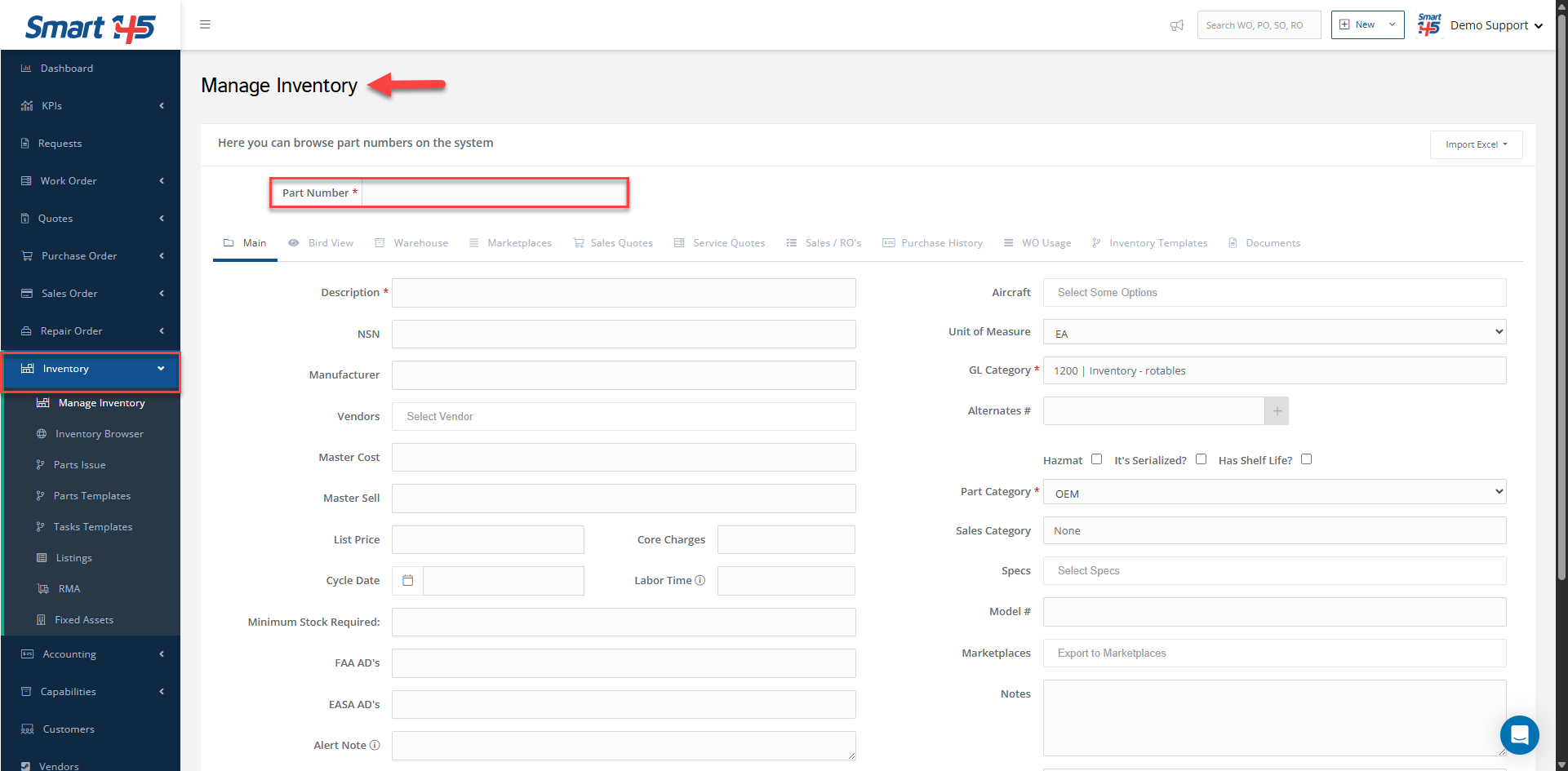
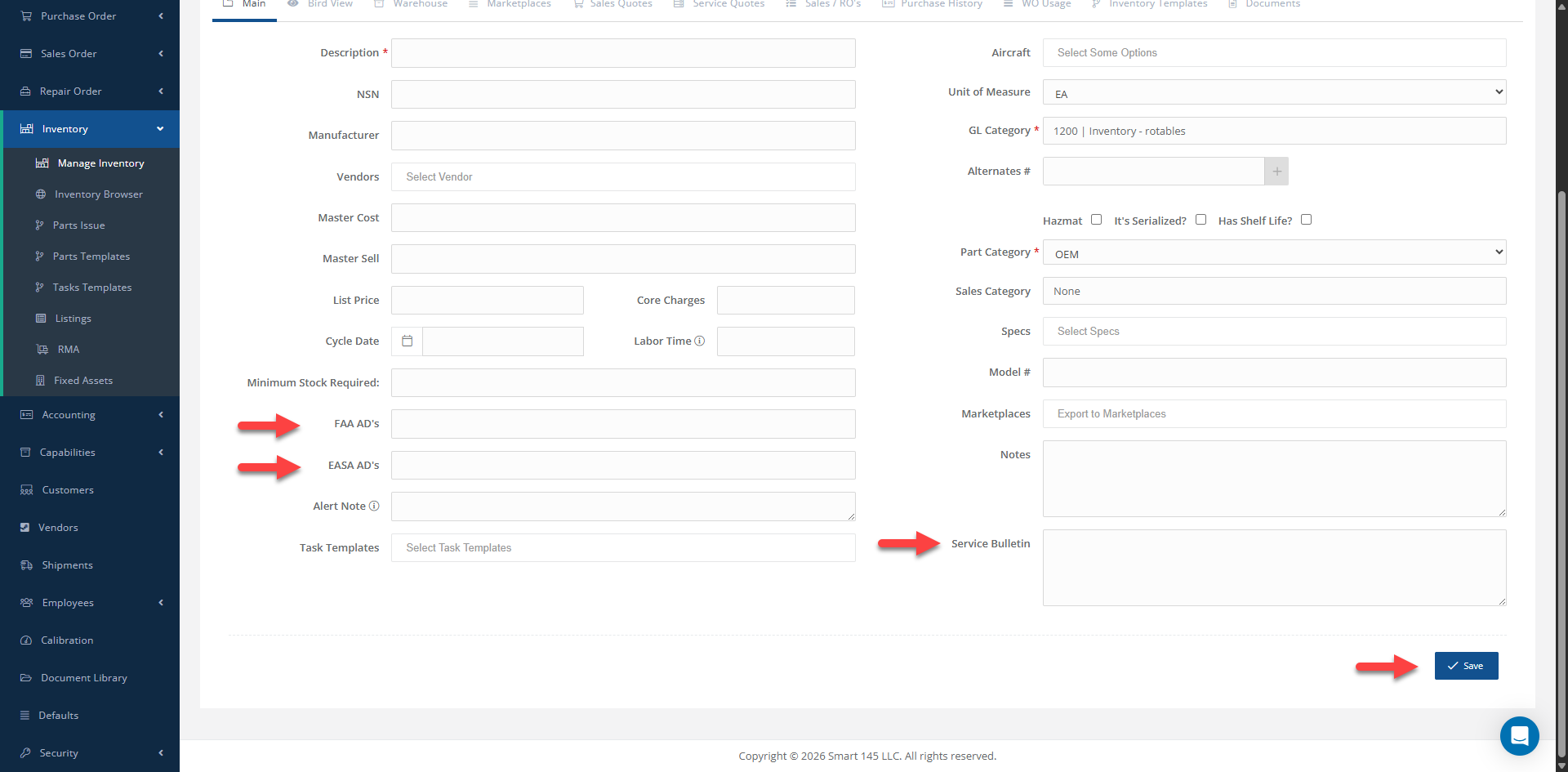
To define ADs and SBs for a Part Number, follow these steps:
1- Go to Inventory > Manage Inventory. 2- Enter the desired Part Number in the Part Number search field. 3- Add the applicable information in the corresponding fields: - EASA AD's - FAA AD's - Service Bulletin 4- Save the changes. Once the information has been saved, the ADs and SBs entered for the Part Number will be automatically reflected when a Work Order is created for that Part Number.