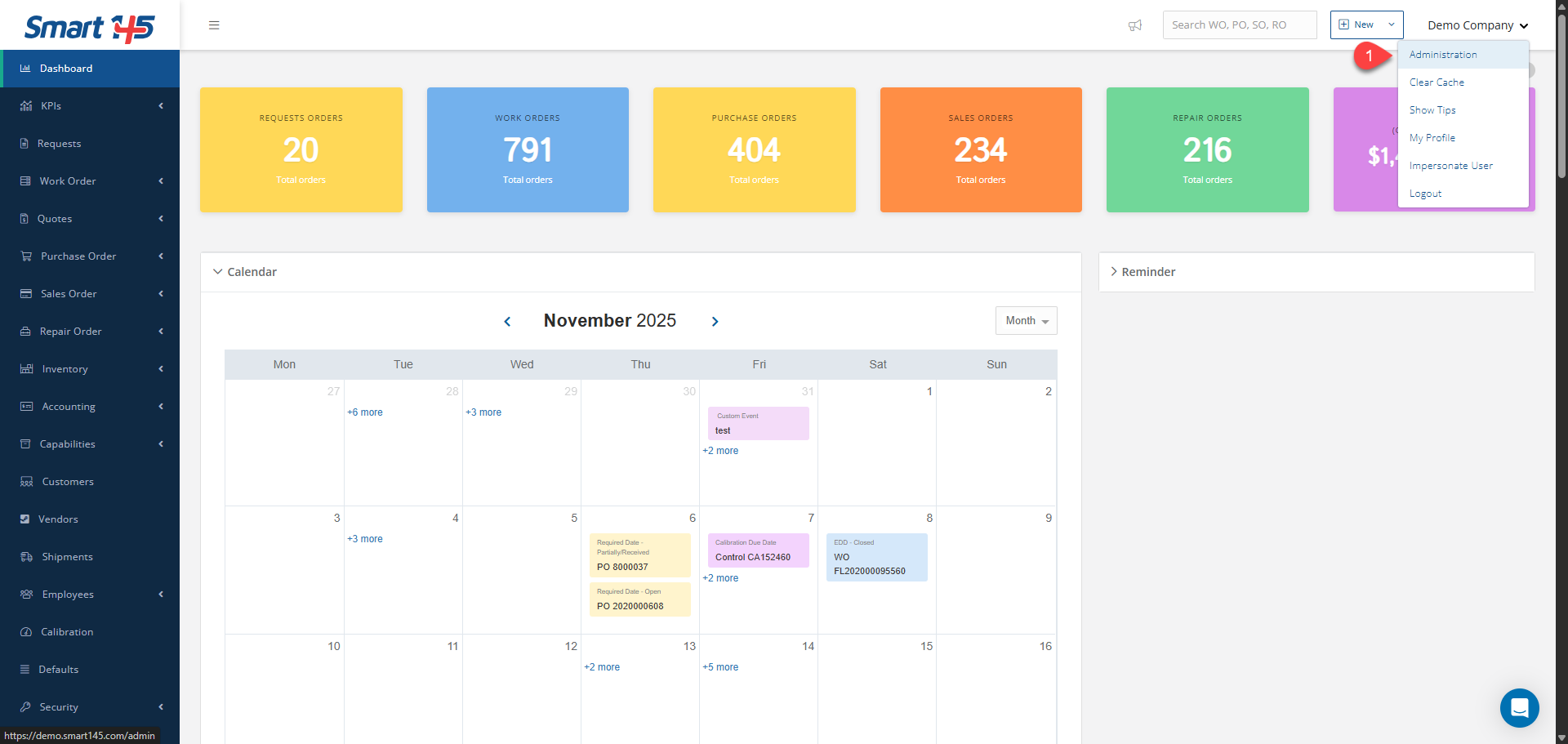
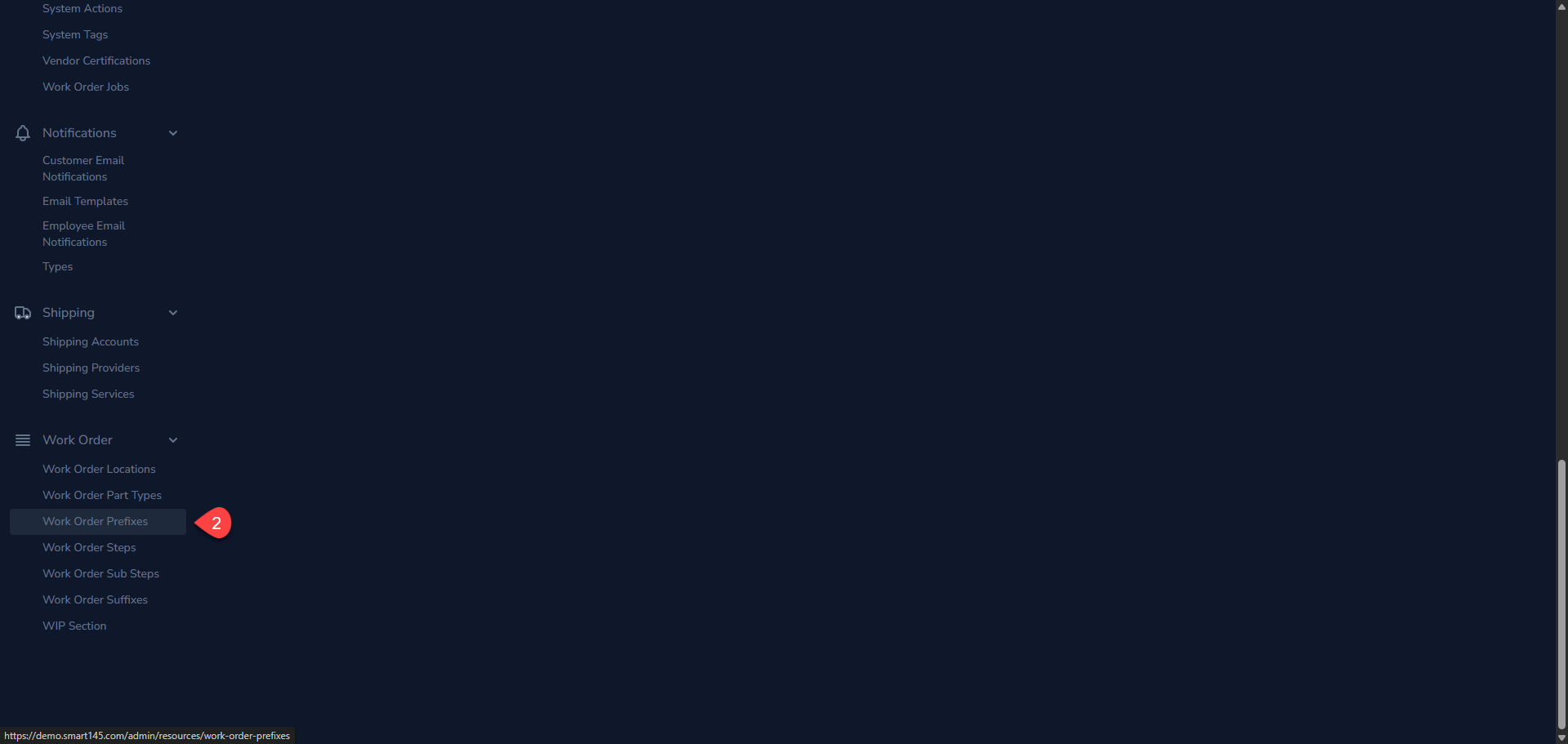
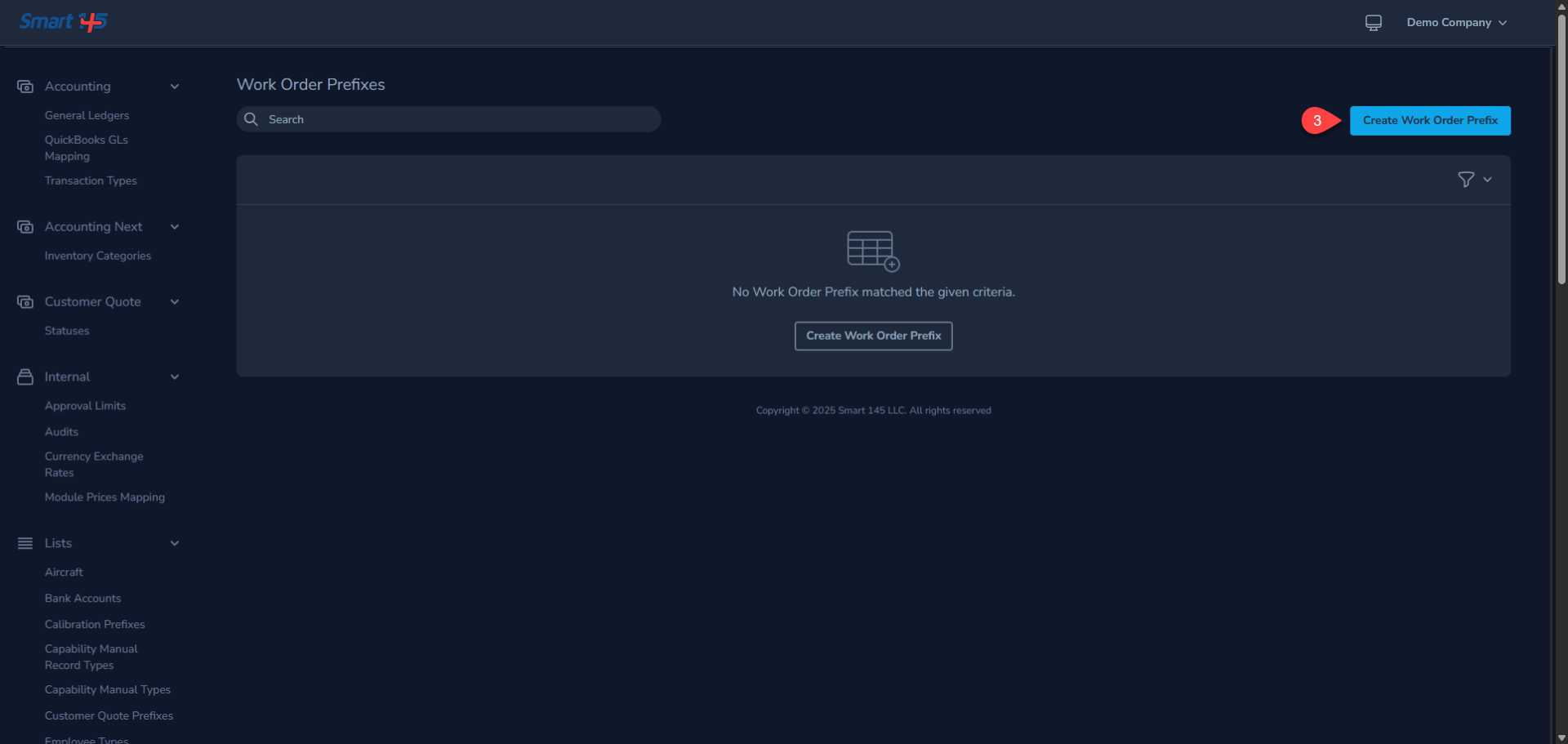
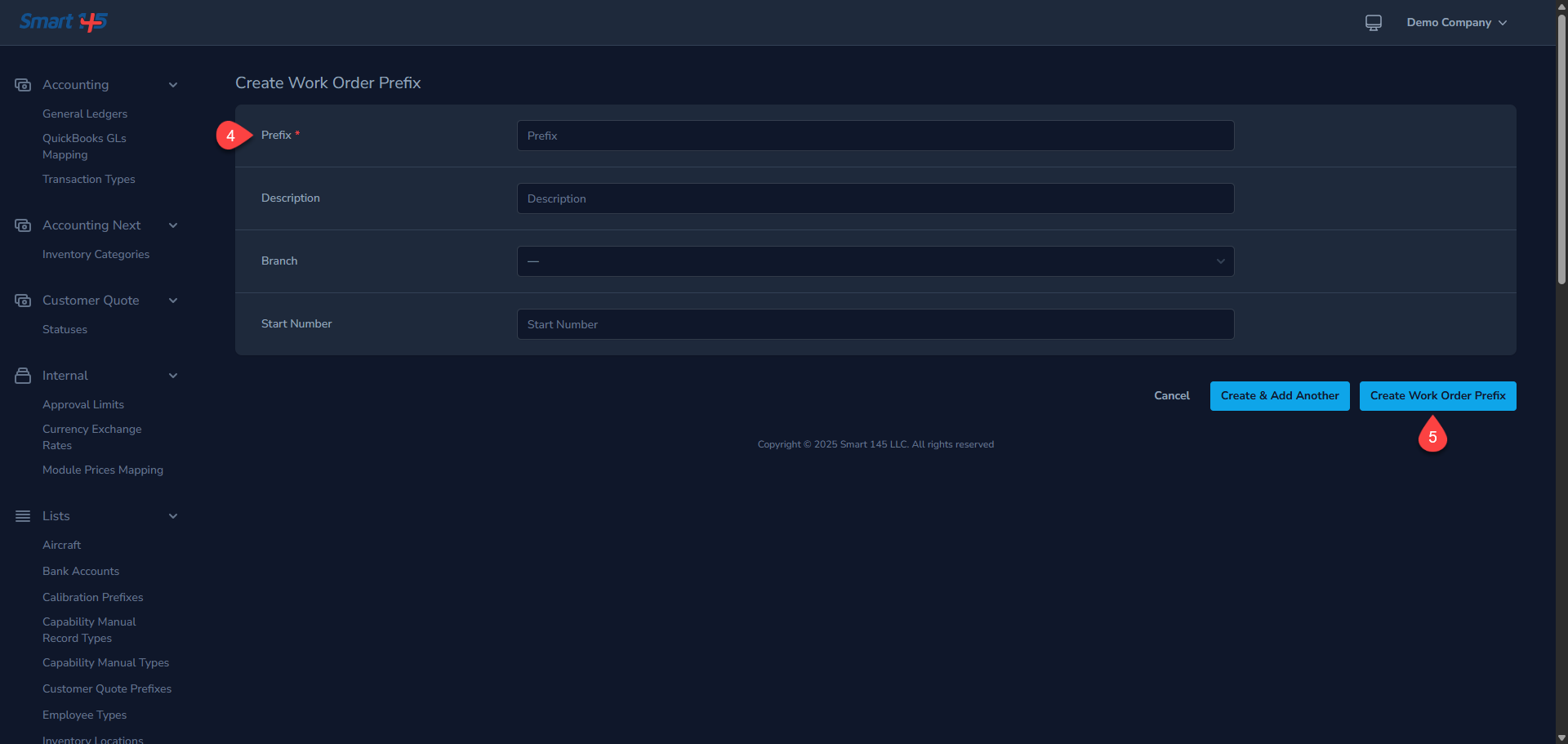
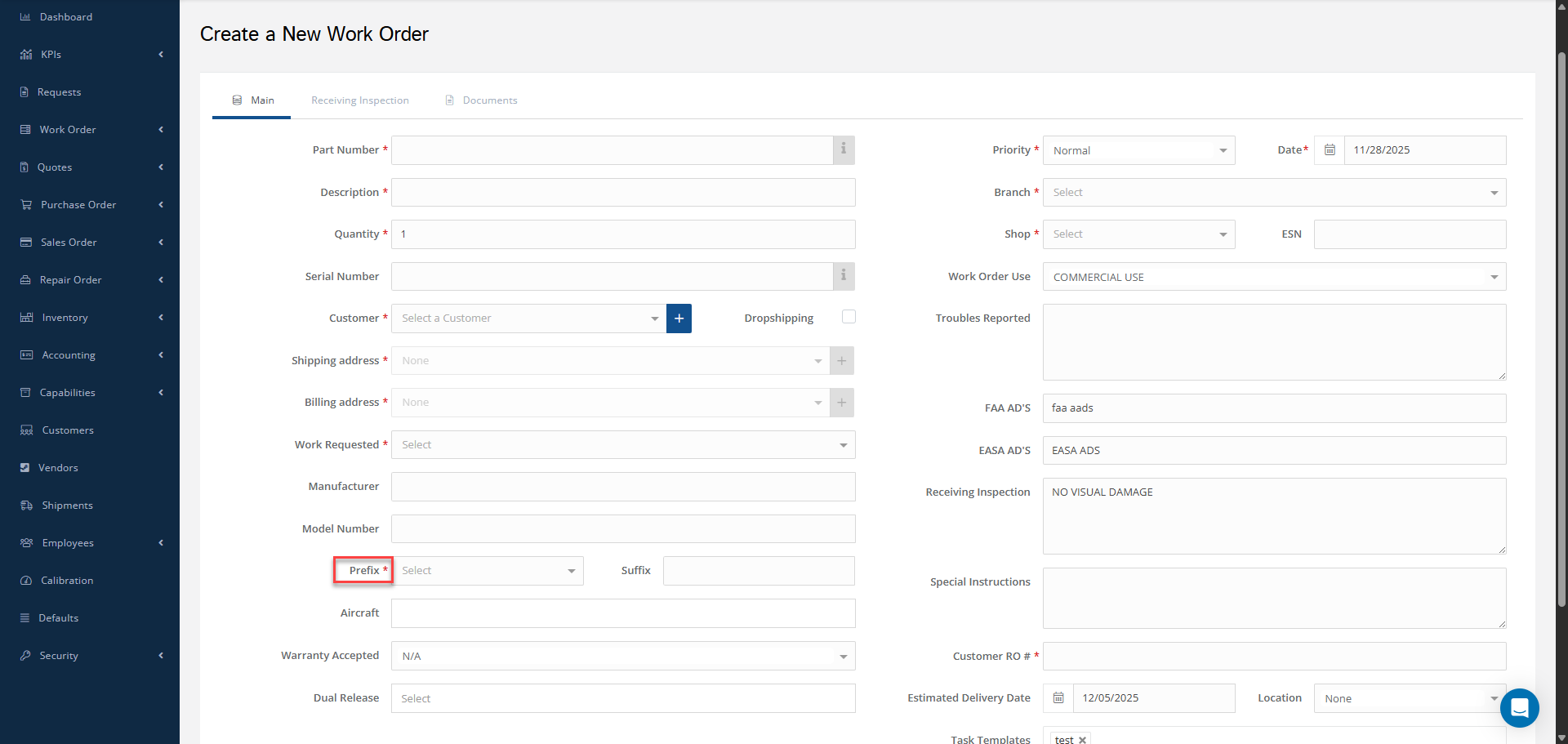
Work Order Prefixes are a great way to keep better track of your workflow as they allow you to classify WOs. The system allows you to create them to fit your needs. In order to add a WO Prefix, first click on the Administration tab under your name. Scroll down and choose the option called Work Order Prefixes on the left-side menu and then click on the "Create Work Order Prefix" button. Once in this tab, you can also add a brief description if necessary. Additionally, there is an option to set a start number. By doing this, all new WOs created with the new prefix will begin a new numeric sequence, starting from the specified value. after adding the necessary information click on "Create Work Order Prefix" to save the changes After creating the prefix, it will be available for use when opening a Work Order or a Work Order Preview. Bonus: It will be possible to edit or delete the prefixes in the future if they are not being used by any work orders.