How Can I See Who Added or Last Modified Tasks and Quotation Parts in a Work Order?
Smart 145 allows you to see which user added a Task or Quotation Part to a Work Order and which user last modified it. This information can be useful for tracking changes and maintaining proper traceability.
To view this information, follow these steps:
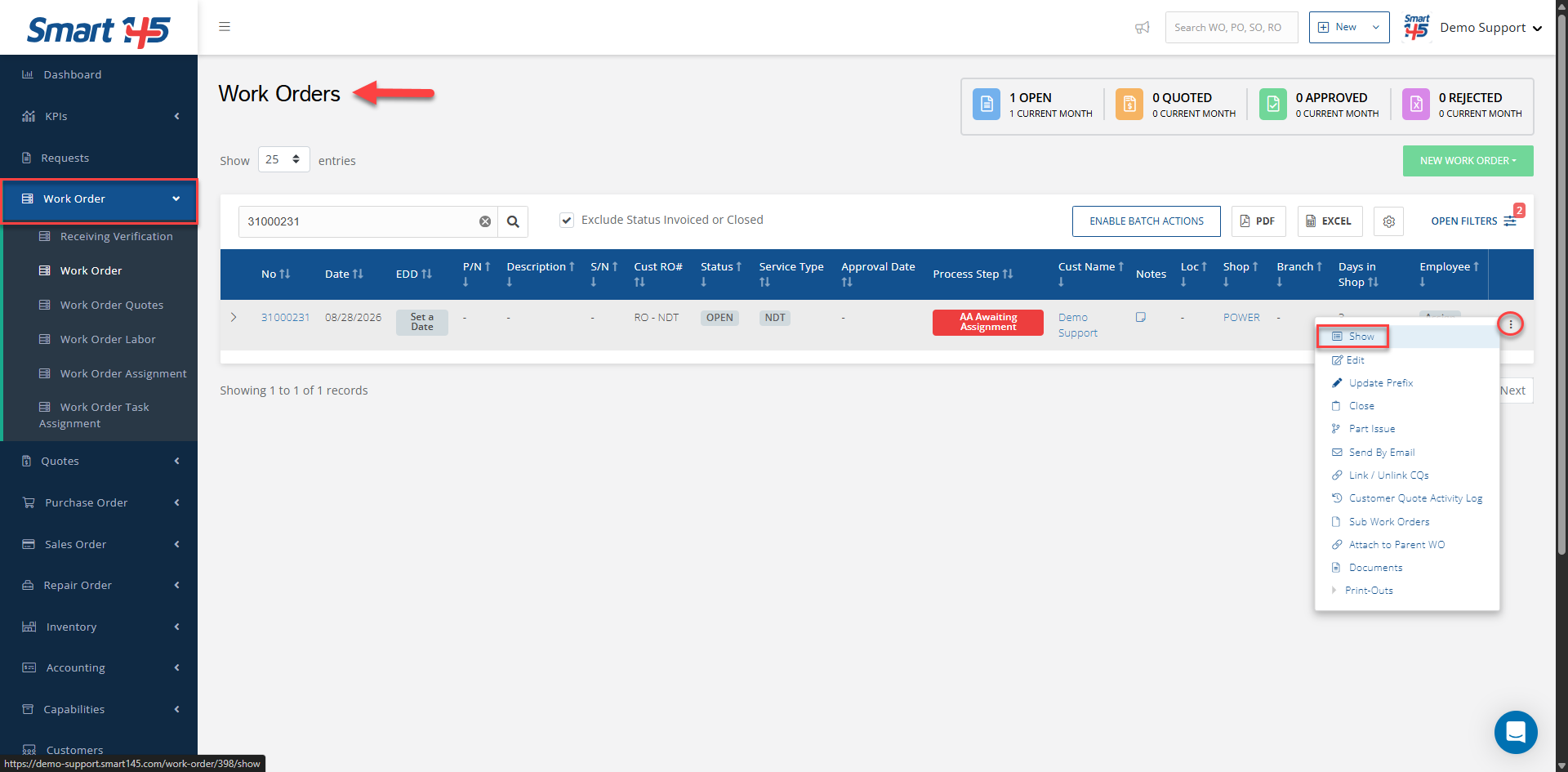
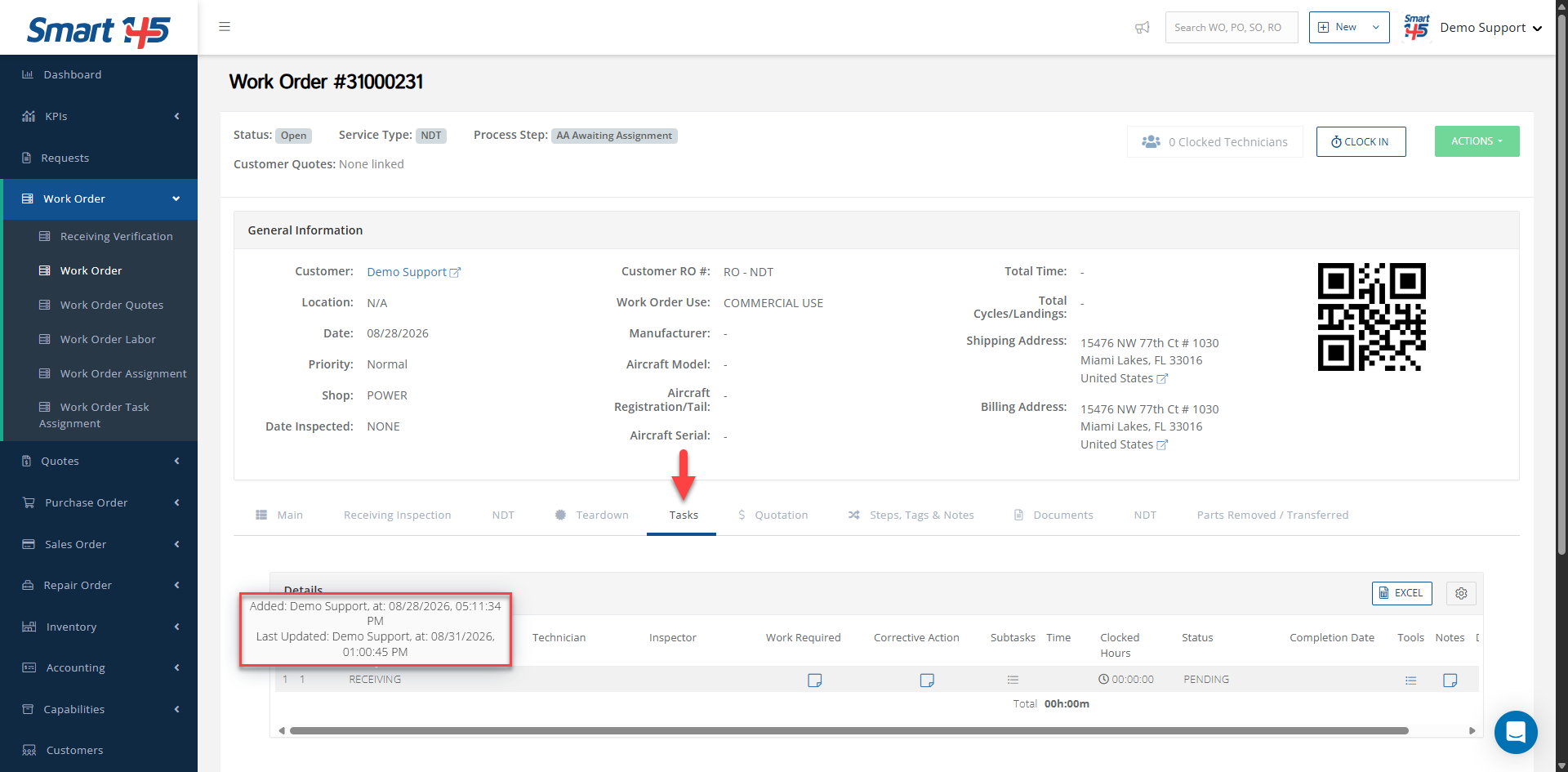
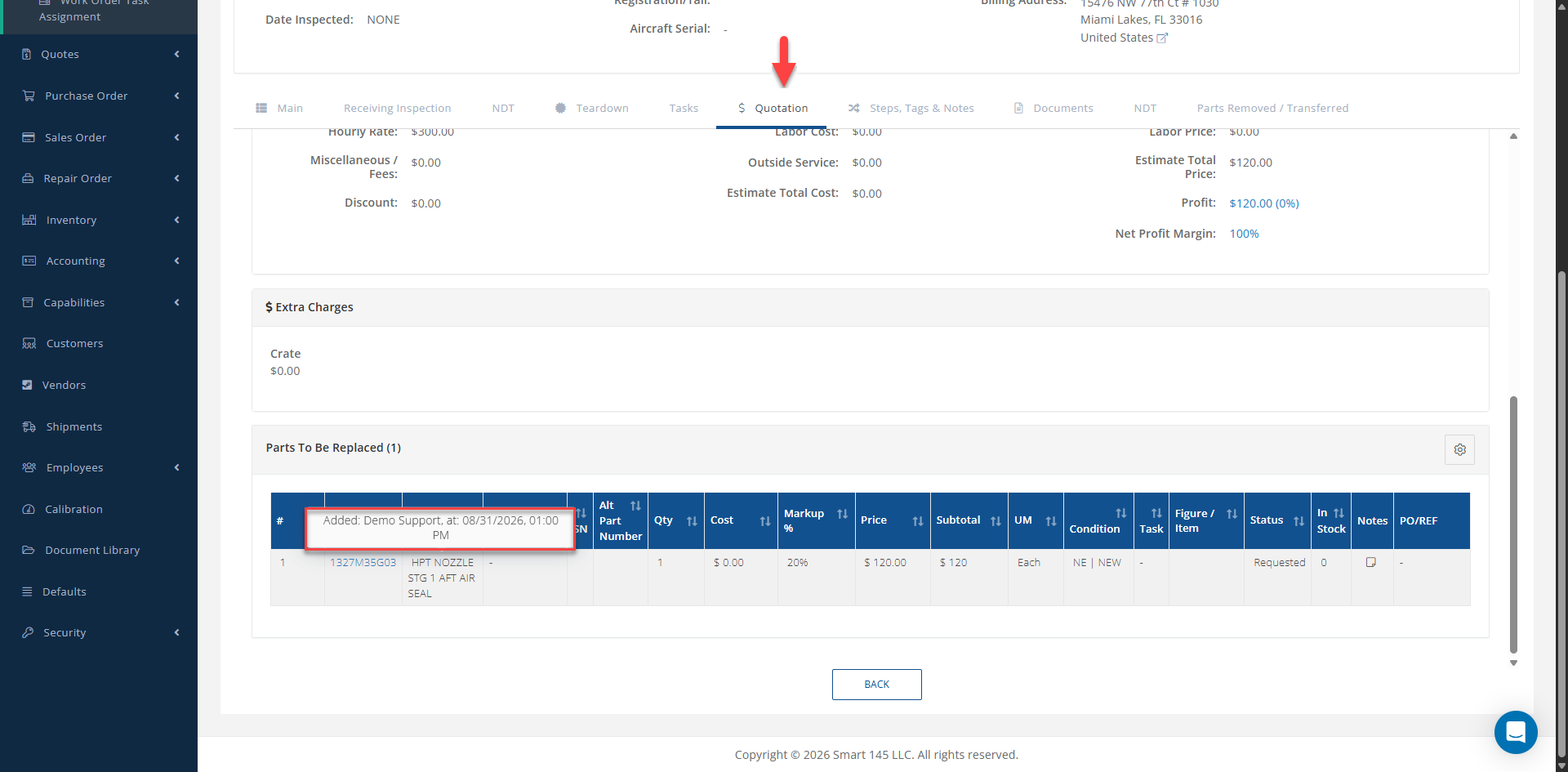
1- Go to the Work Order > Work Order module. 2- Locate the desired Work Order and click on the three-dot menu. 3- Select Show. 4- In the Task tab, place your cursor over the desired Task. A tooltip will display the user who added the Task and the user who last modified it. 5- The same information can be viewed for parts in the Quotation tab. Place your cursor over the desired quotation part to see the user who added it and the user who last modified it.
6- If you require more specific information or a detailed audit of the changes, please contact support@smart145.com and our Support Team will assist you with the request.