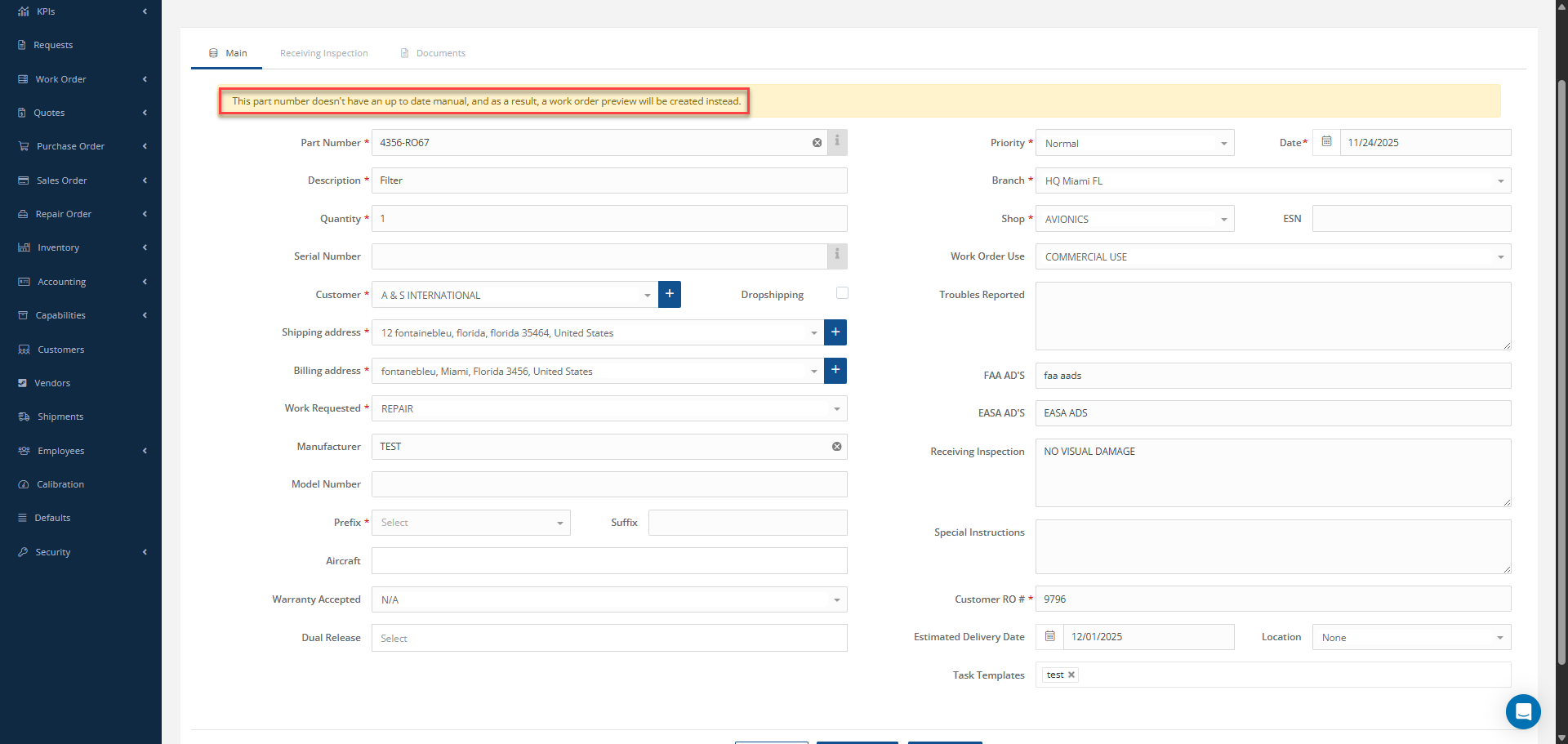
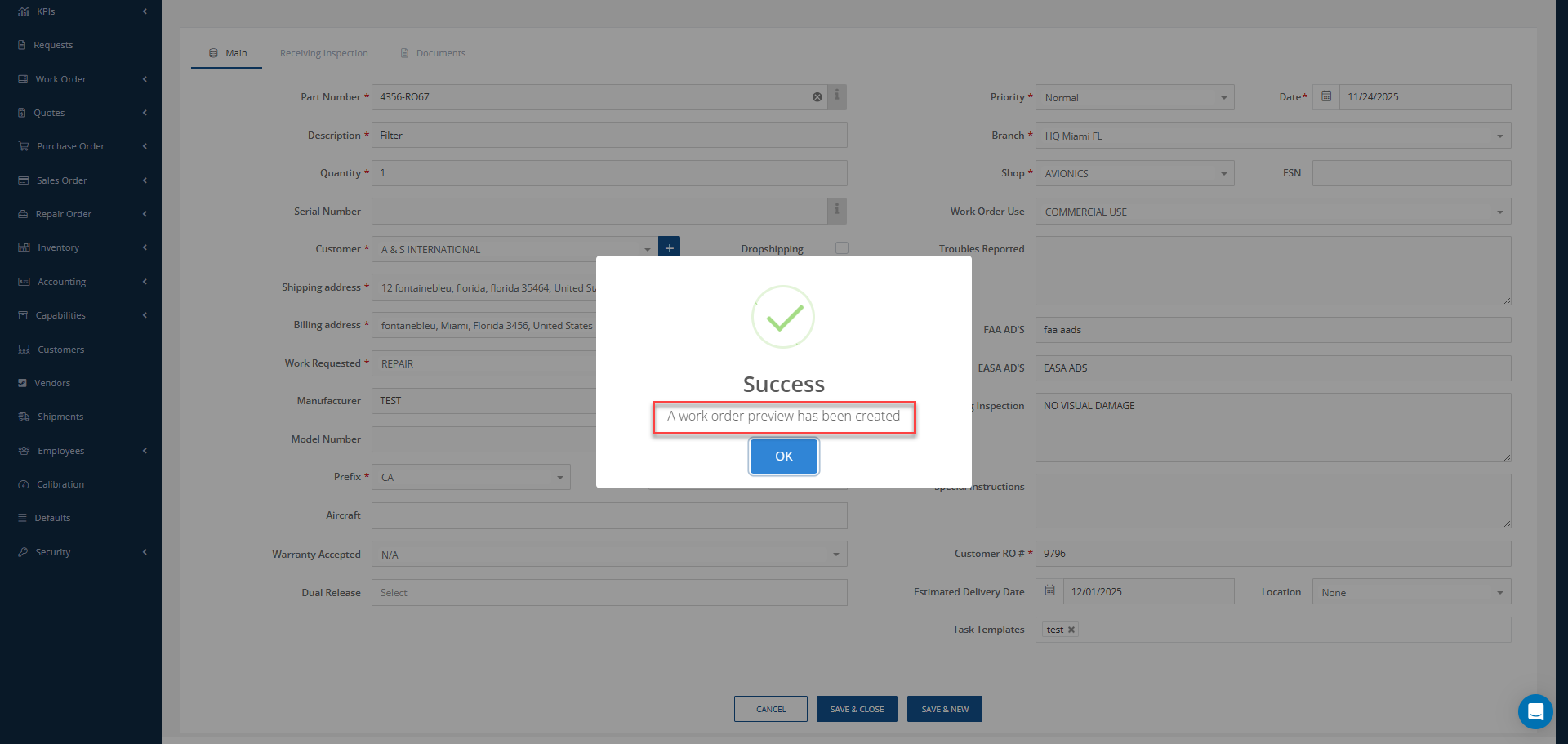
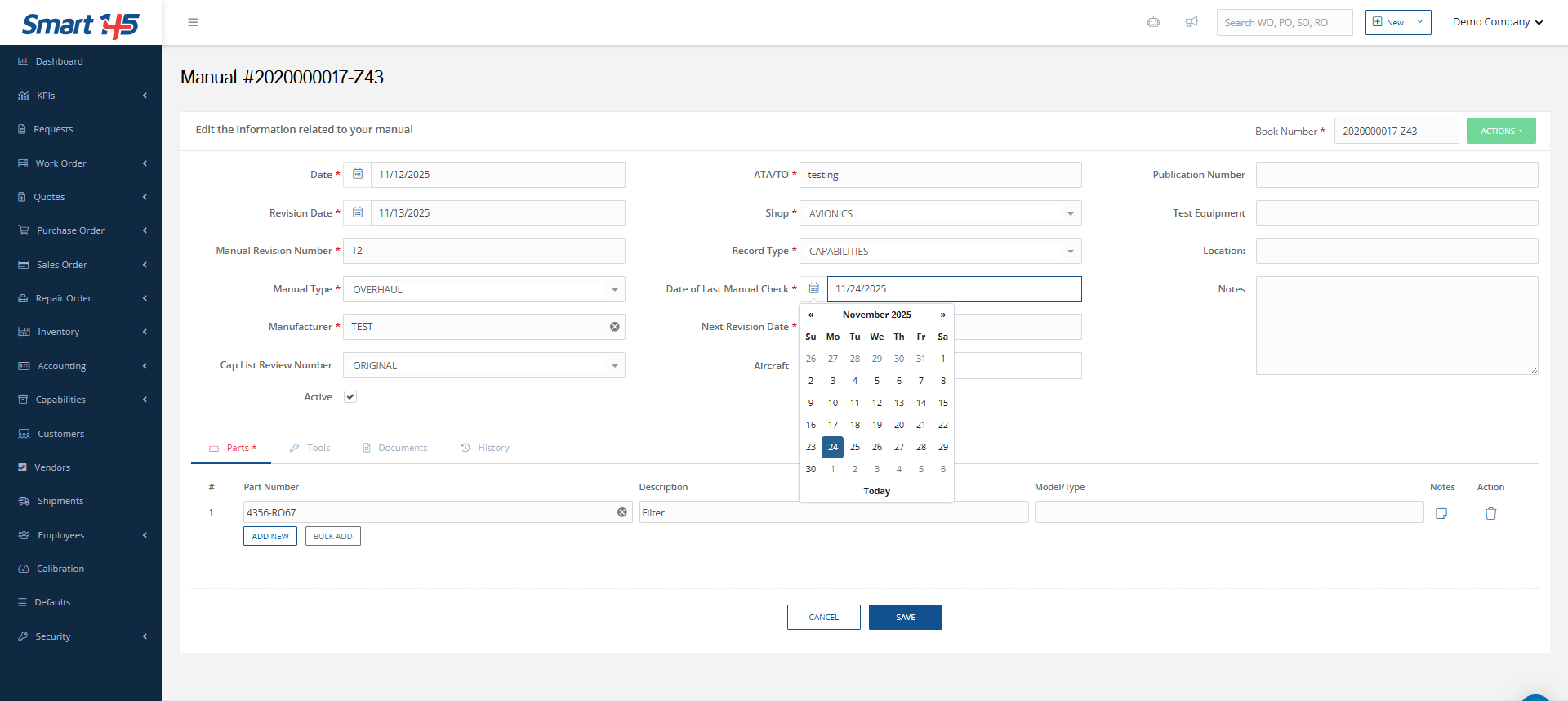
A key factor to take into account when creating a WO for a unit is updating the manual associated with the part number, as failing to ensure this will result in the system preventing you from opening a WO. Notice that a warning message will give you a heads-up that a WO Preview will be created instead.
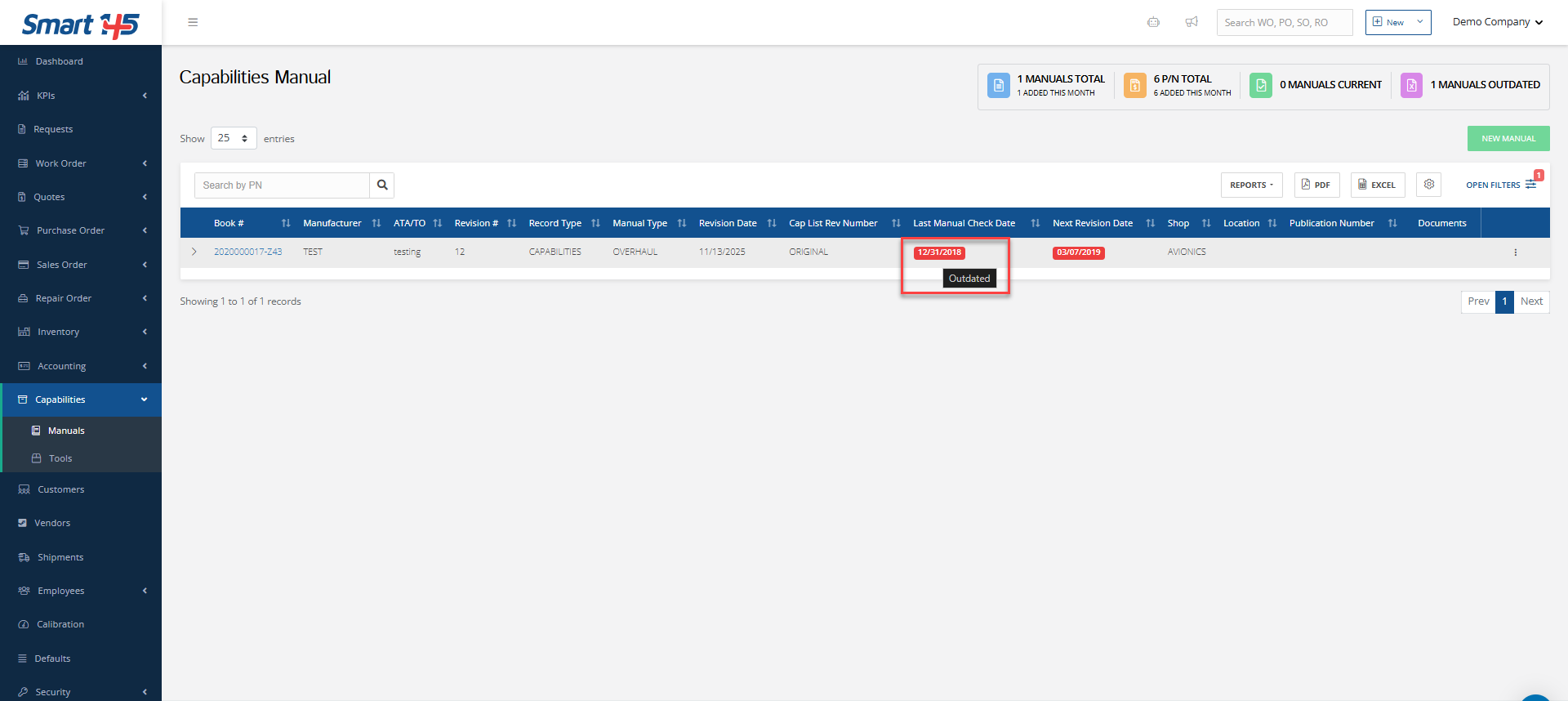
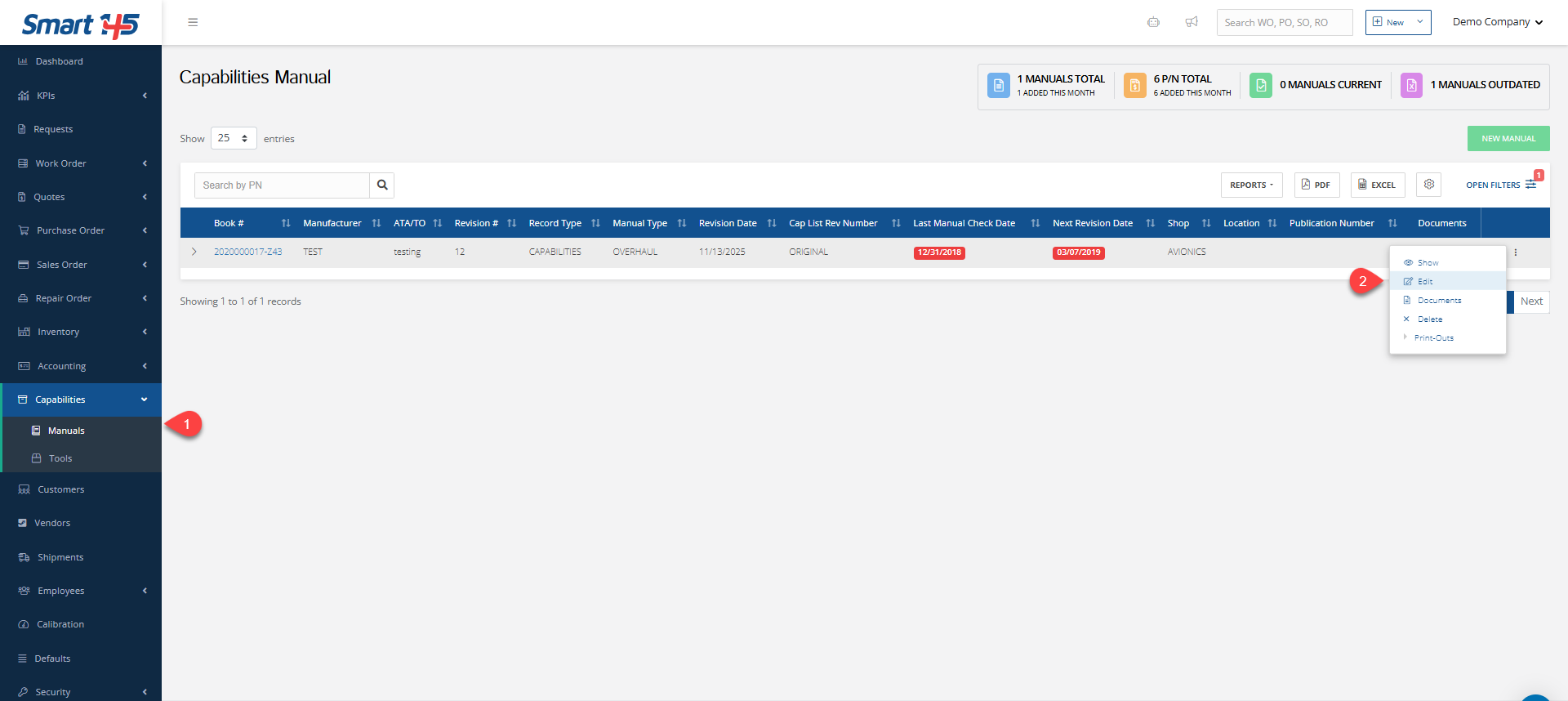
This Preview works as a sort of clipboard letting you save part of the information until the manual is up-to-date. Only then will you be able to open up the WO right from the Preview already created. In order to upload the manual and create the WO You need to go to the manual and update the “Date of Last Manual Check"
Bonus tips:
1. To move faster between dates on the calendar, especially when picking a past year date, just click on the year. This way you’ll spare yourself many clicks and avoid the stressful and time-consuming task of going back month by month.
2. To deselect a date just click on the same date twice.
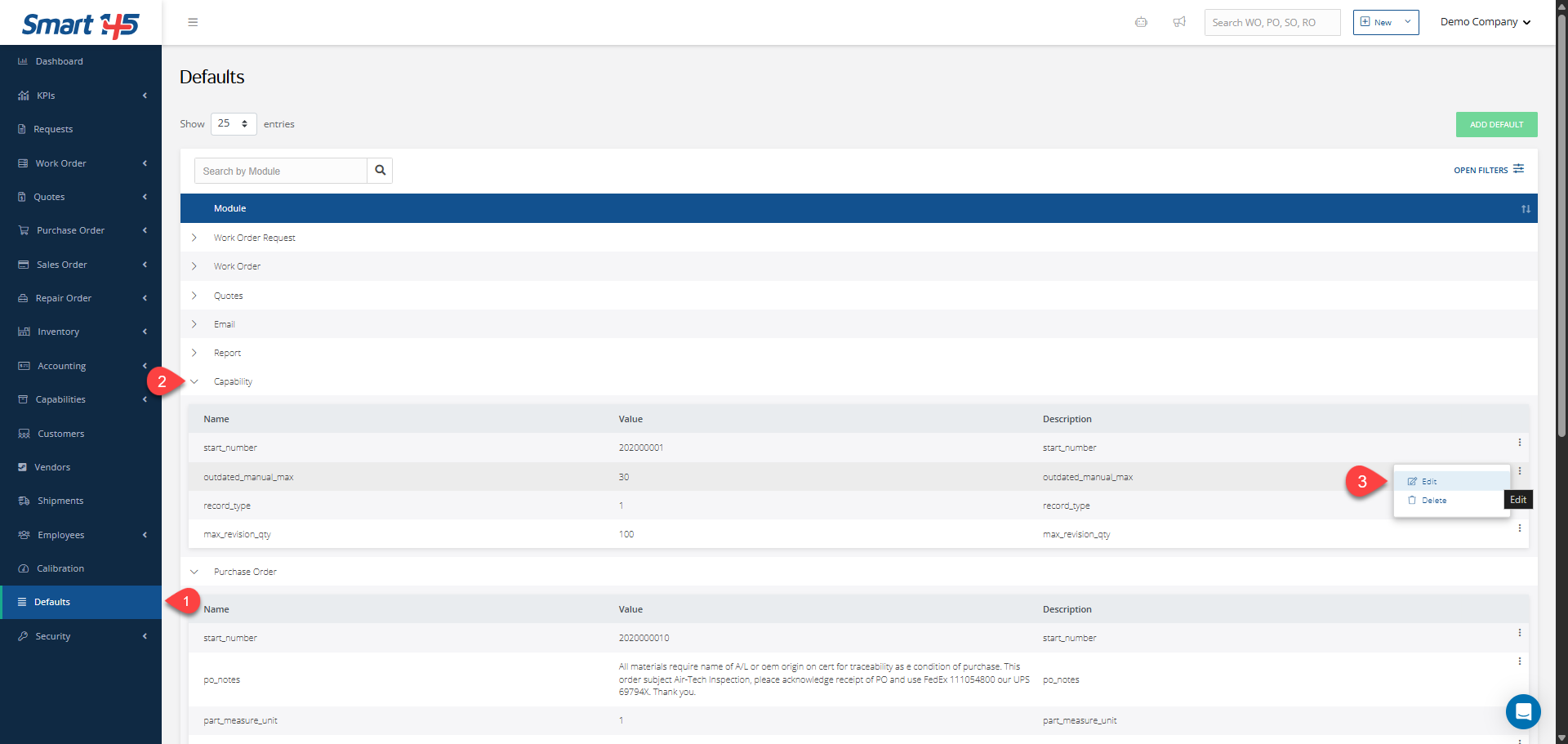
In case you might want to temporary bypass this step (we strongly recommend against doing this though, for FAA policies- compliance reasons), there are two quick workarounds, depending on the specific situation at hand: either to disable the capability- check requirement on the Admin module (contact our chat support about this option) or to extend the revision validity time frame on the Defaults module.