When creating a new Work Order (WO) for a unit, your company may have specific tasks that are routinely performed as part of the repair process for that particular unit or part number.
Smart 145 provides the option to create Task Templates containing commonly performed tasks and add them to WOs as needed. In addition, you can assign specific Task Templates to individual Part Numbers (PNs). This allows users to access the templates associated with a particular PN directly during WO creation, making it easier to select the appropriate tasks for that unit and helping standardize the repair process.
The following article explains the configurations required to enable this functionality and provides guidance on how to use it when creating a WO.
The first and most important step to use this functionality is to ensure that the Task Template field is enabled both in WO Create and in the Main tab of the PN in the manage inventory module. If these fields are not currently available in your system, please contact our Support team at support@smart145.com.
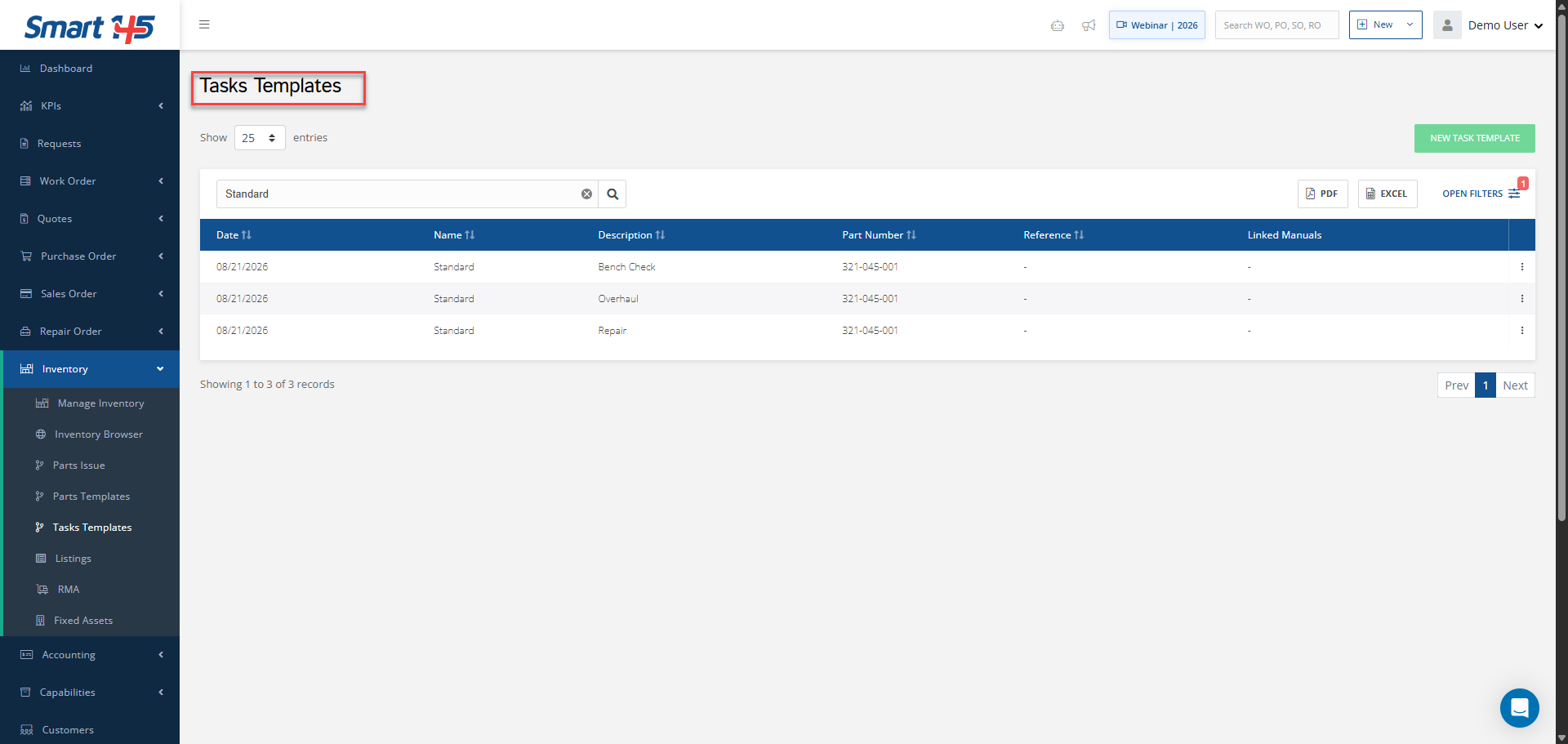
Once these fields are enabled, you can create the Task Templates containing the tasks commonly performed when repairing your units. When creating each template, be sure to select in the PN field, the PN for which the template will be used. After creating the templates, they can be assigned to the corresponding PNs from the Main tab under Manage Inventory.
Smart 145 provides the option to create Task Templates containing commonly performed tasks and add them to WOs as needed. In addition, you can assign specific Task Templates to individual Part Numbers (PNs). This allows users to access the templates associated with a particular PN directly during WO creation, making it easier to select the appropriate tasks for that unit and helping standardize the repair process.
The following article explains the configurations required to enable this functionality and provides guidance on how to use it when creating a WO.
The first and most important step to use this functionality is to ensure that the Task Template field is enabled both in WO Create and in the Main tab of the PN in the manage inventory module. If these fields are not currently available in your system, please contact our Support team at support@smart145.com.
Once these fields are enabled, you can create the Task Templates containing the tasks commonly performed when repairing your units. When creating each template, be sure to select in the PN field, the PN for which the template will be used. After creating the templates, they can be assigned to the corresponding PNs from the Main tab under Manage Inventory.
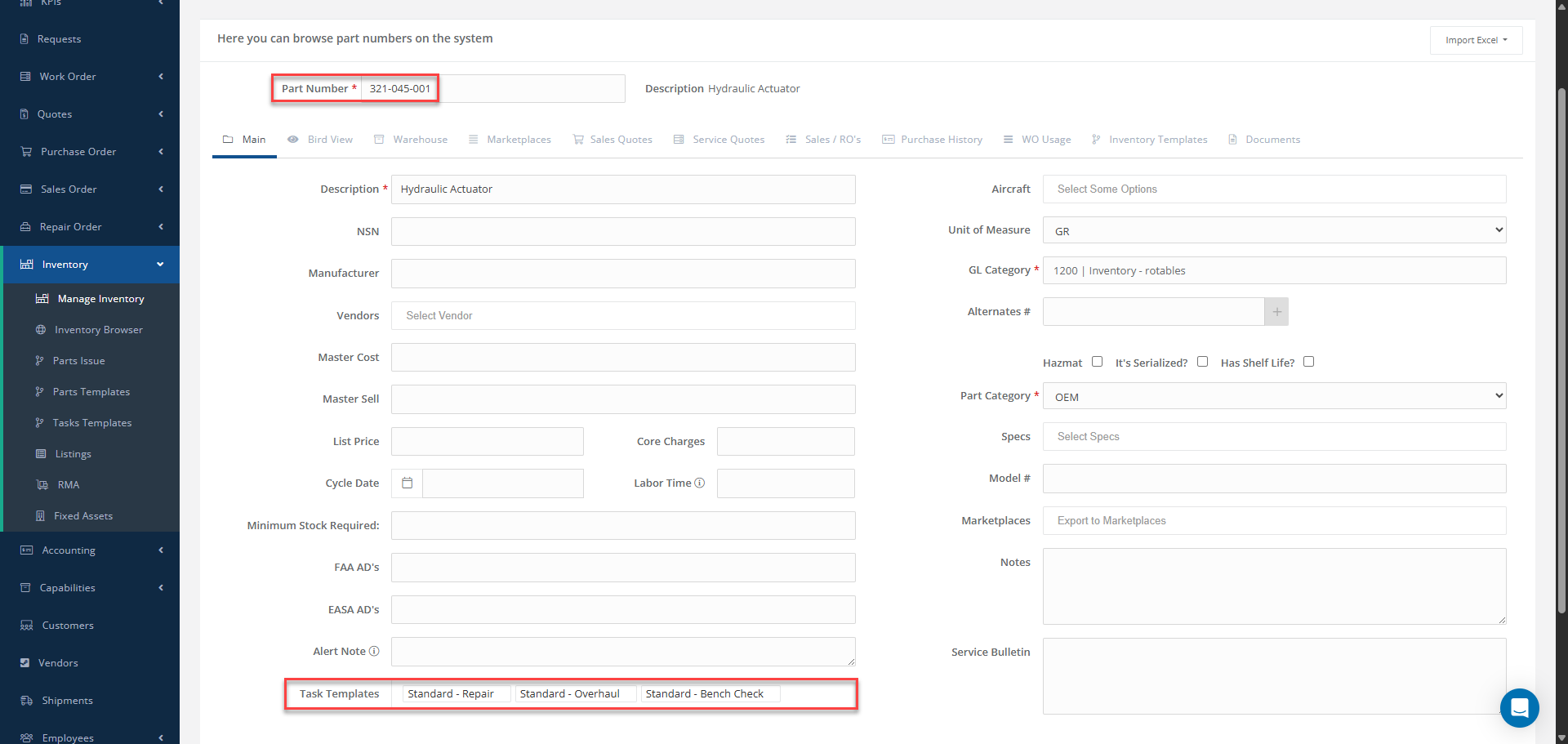
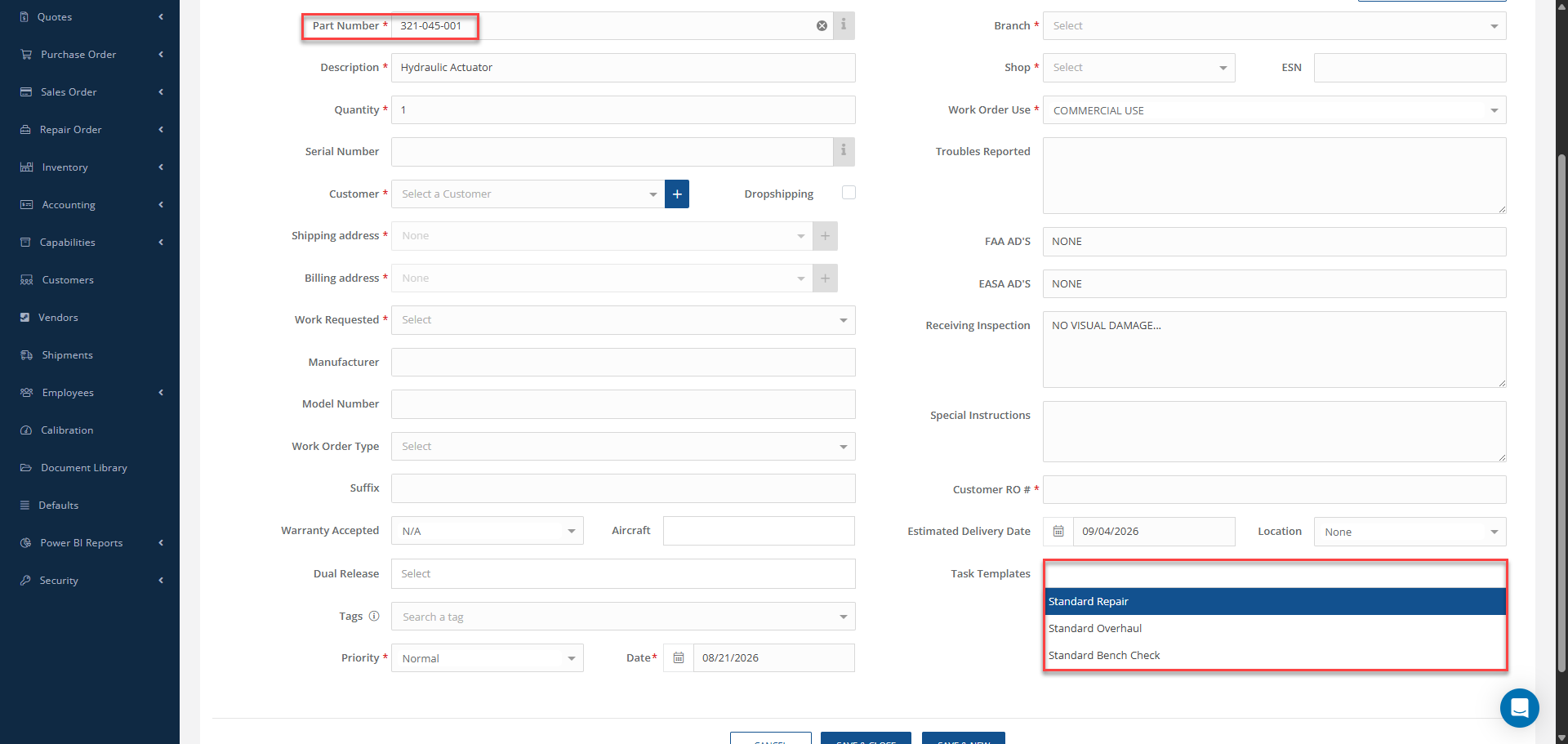
Once the templates have been assigned to the PNs, when creating WOs for those PNs, the Task Template field will display only the templates assigned to that specific PN. This makes it easier to select the appropriate template for the unit without having to search through unrelated templates.
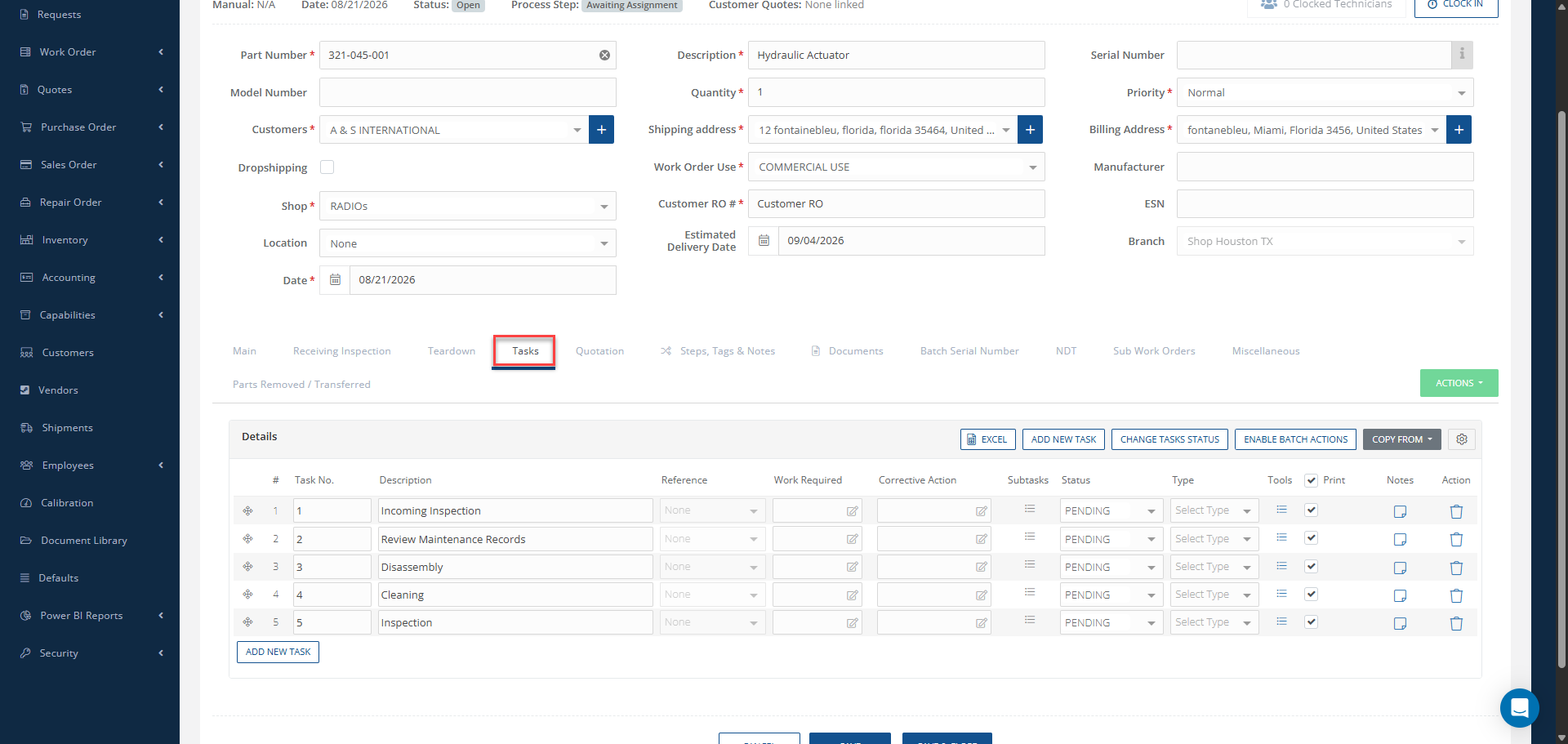
After selecting the appropriate Task Template and completing the WO creation, the Task tab will automatically include the tasks defined within the selected template. This allows the WO to be created with the required repair tasks already in place, helping standardize the repair process and reducing the need to manually add recurring tasks to each WO.