How can I print an 8130 report for an inventory part?
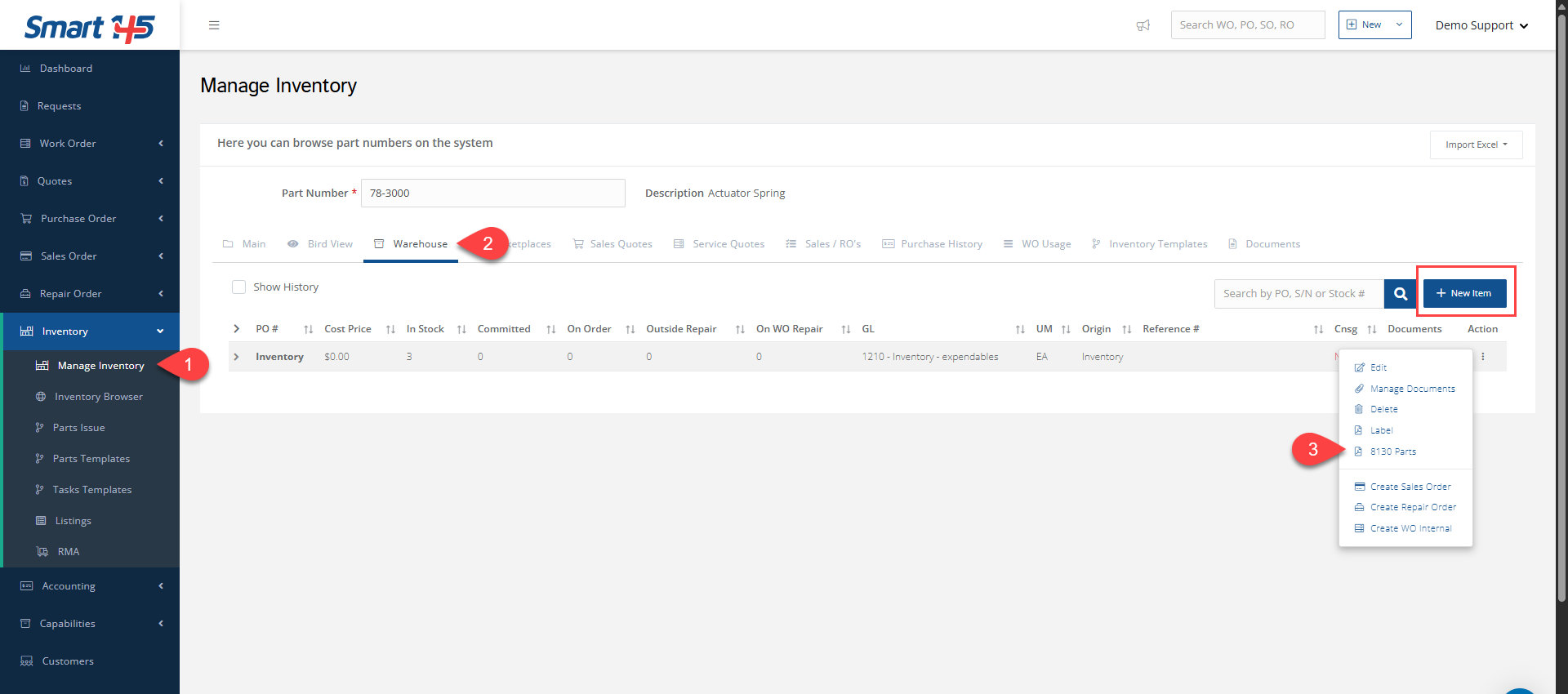
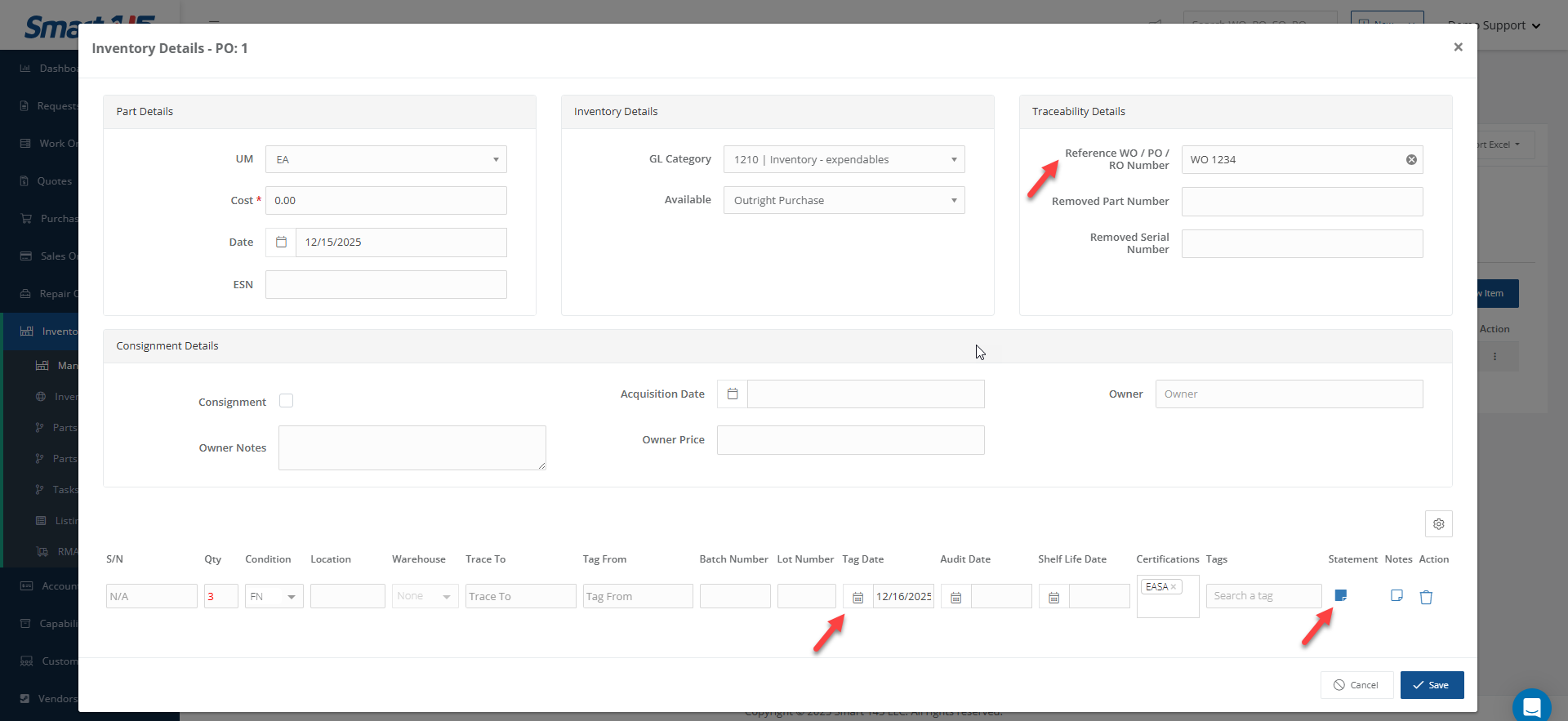
In order to print an 8130 report from the Inventory module, navigate to Warehouse under Manage Inventory. You can edit any warehouse entry by clicking the three dots menu on the right along the stock line. Notice, you can also create a new entry by clicking on the "New Item" button.
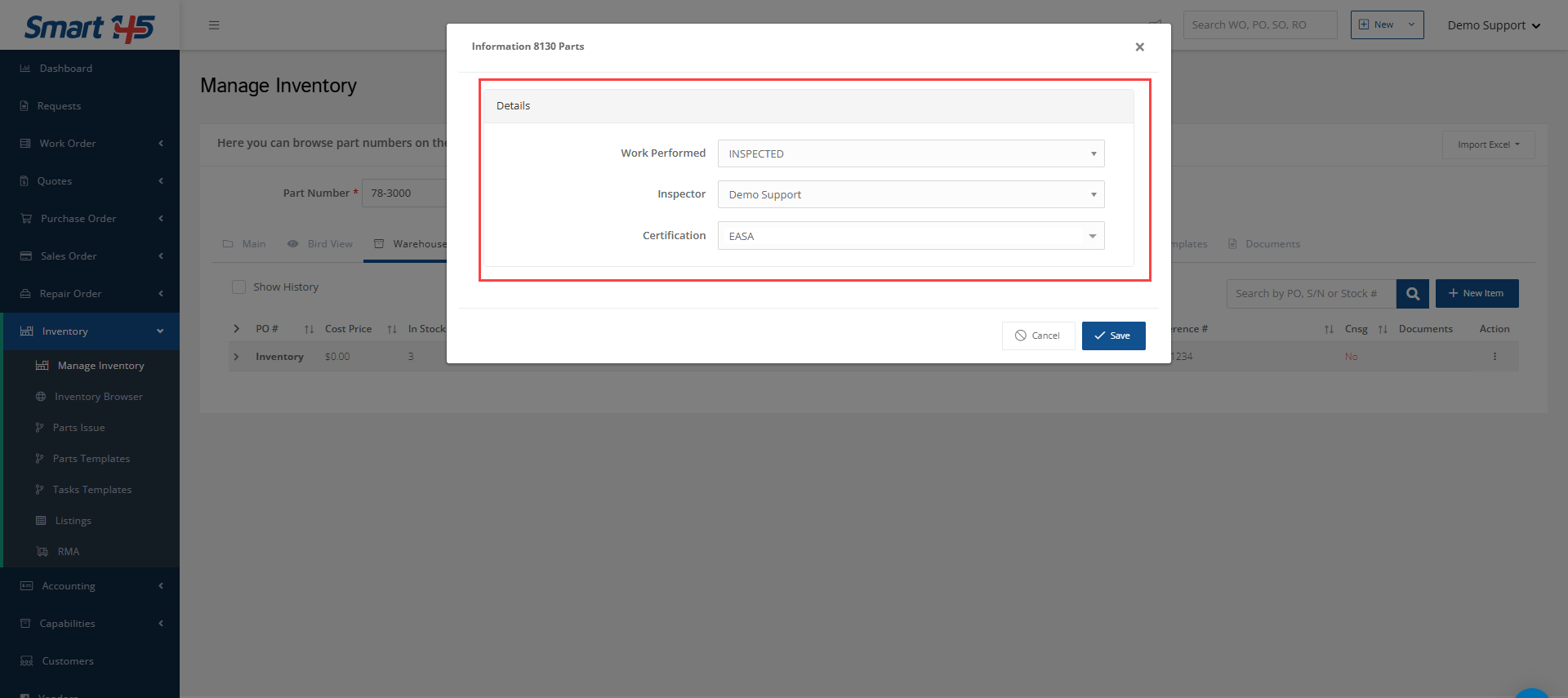
To print the 8130 report, go to the same menu and select "8130 Parts".
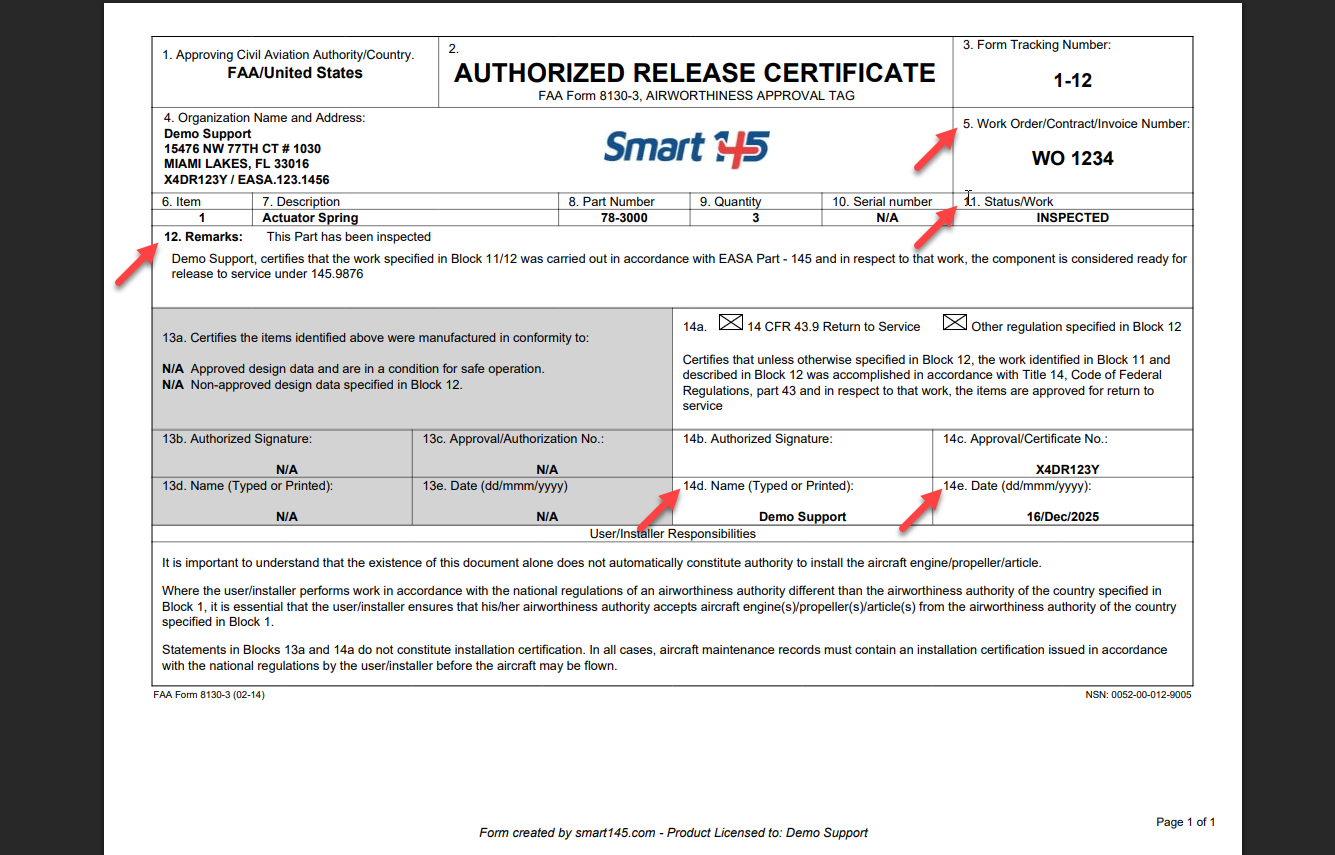
The information shown in the 8130 Parts report is populated using data entered in both the part edit pop-up window for blocks 5, 12, and 14e, and the menu that opens when the 8130 Parts option is selected for blocks 11 and 14d. Each section contributes specific fields to the report.