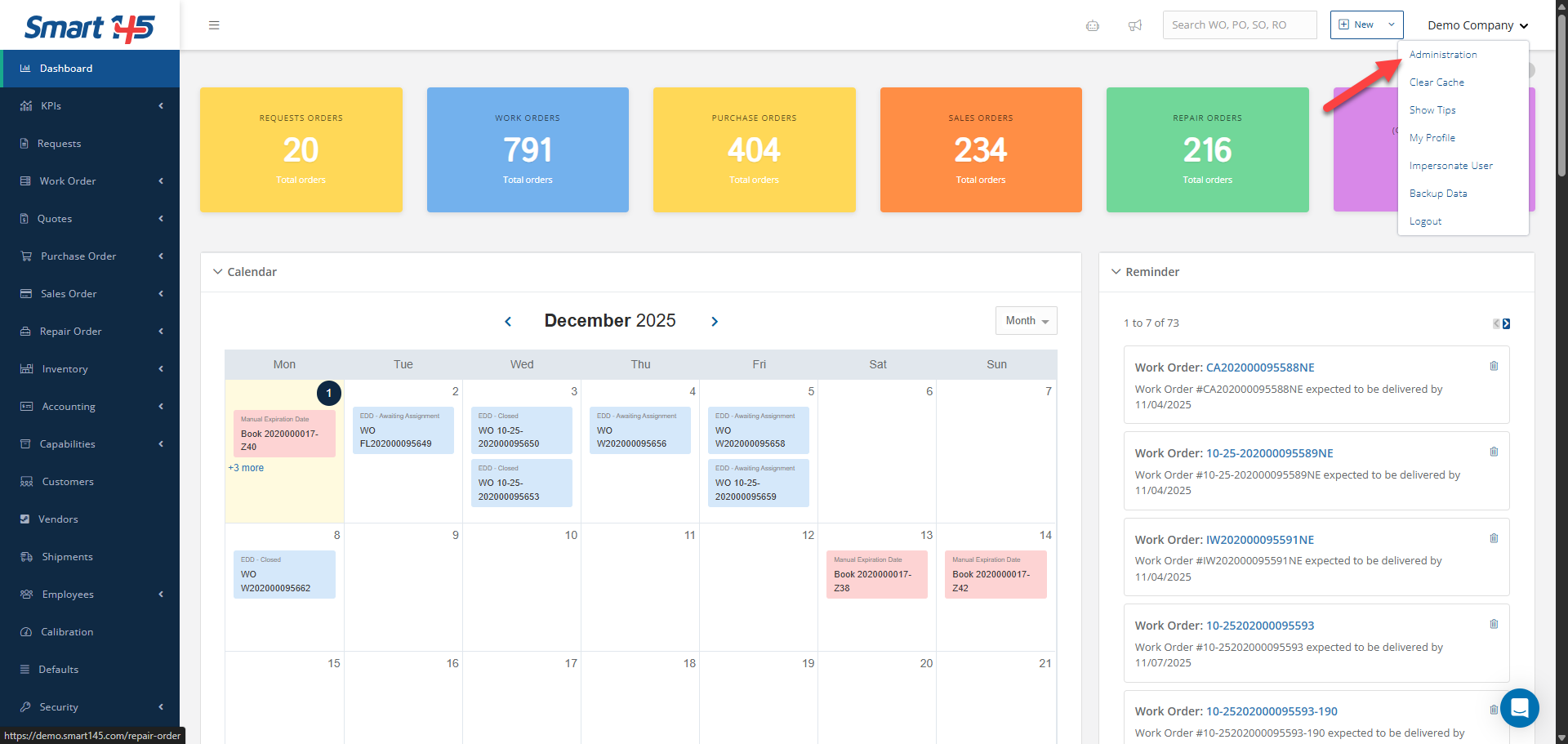
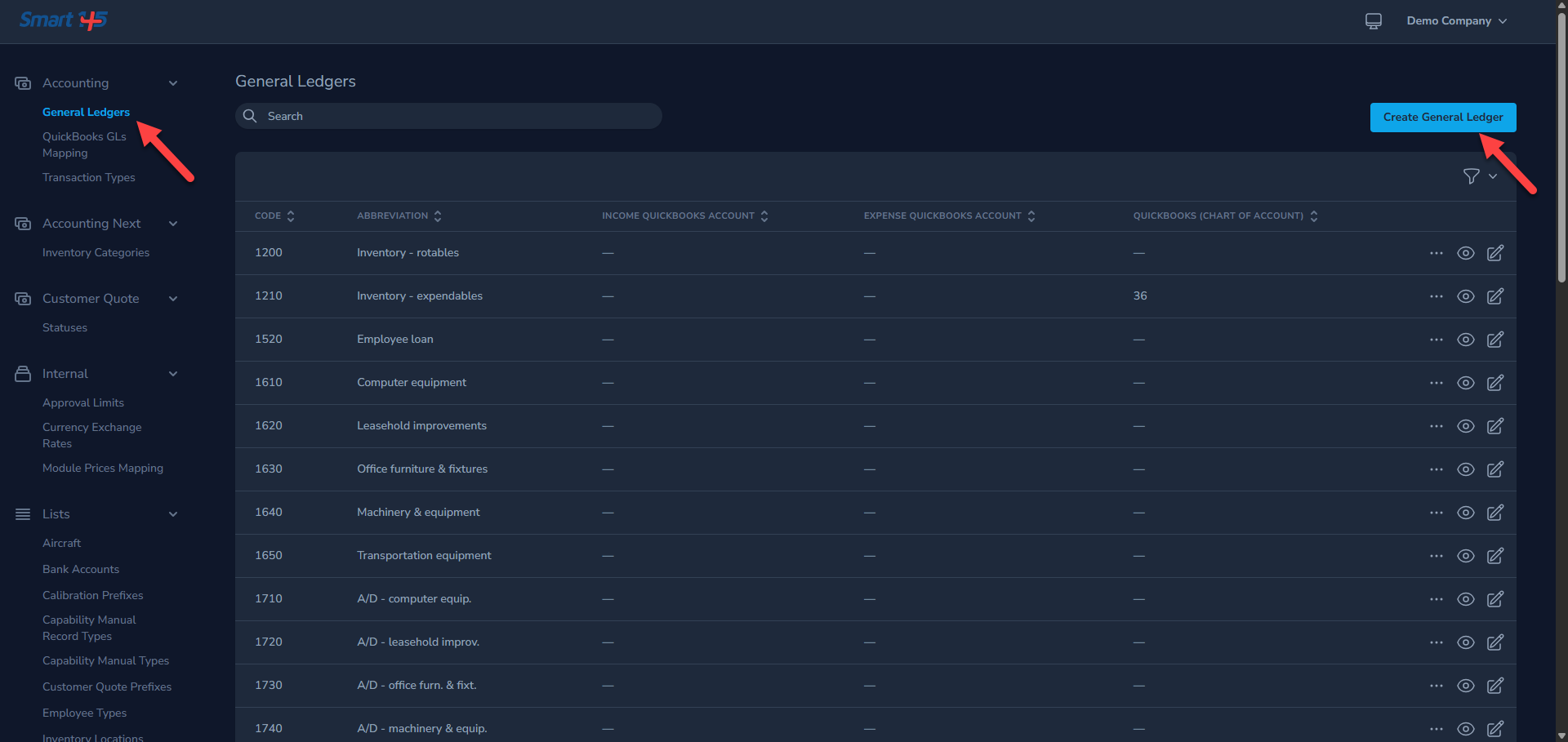
You can add or edit General Ledger codes from the Administration screen by clicking the "Administration" button in the dropdown menu that appears when you click on your username.
Please note that in order to perform these actions, you must have the required permissions enabled.
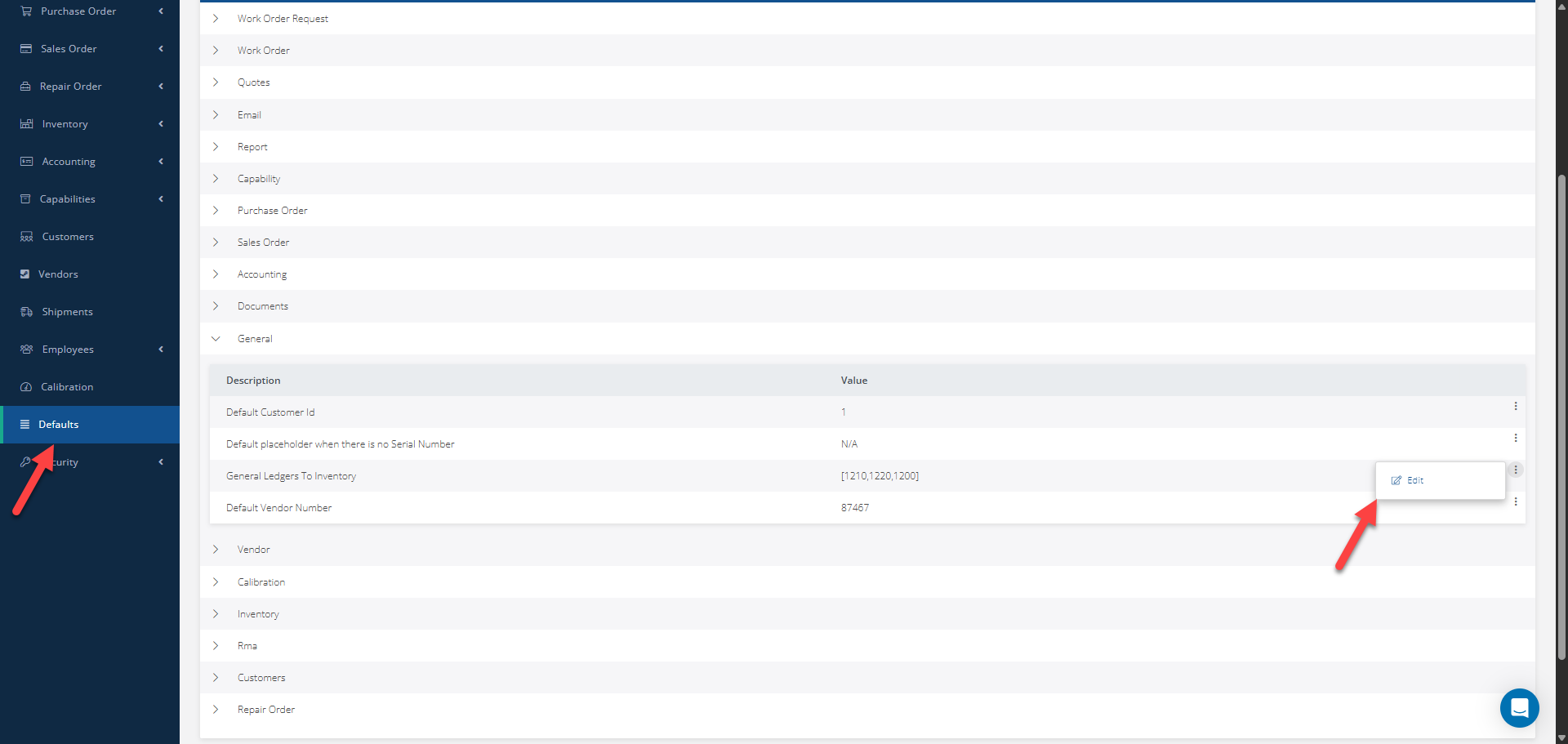
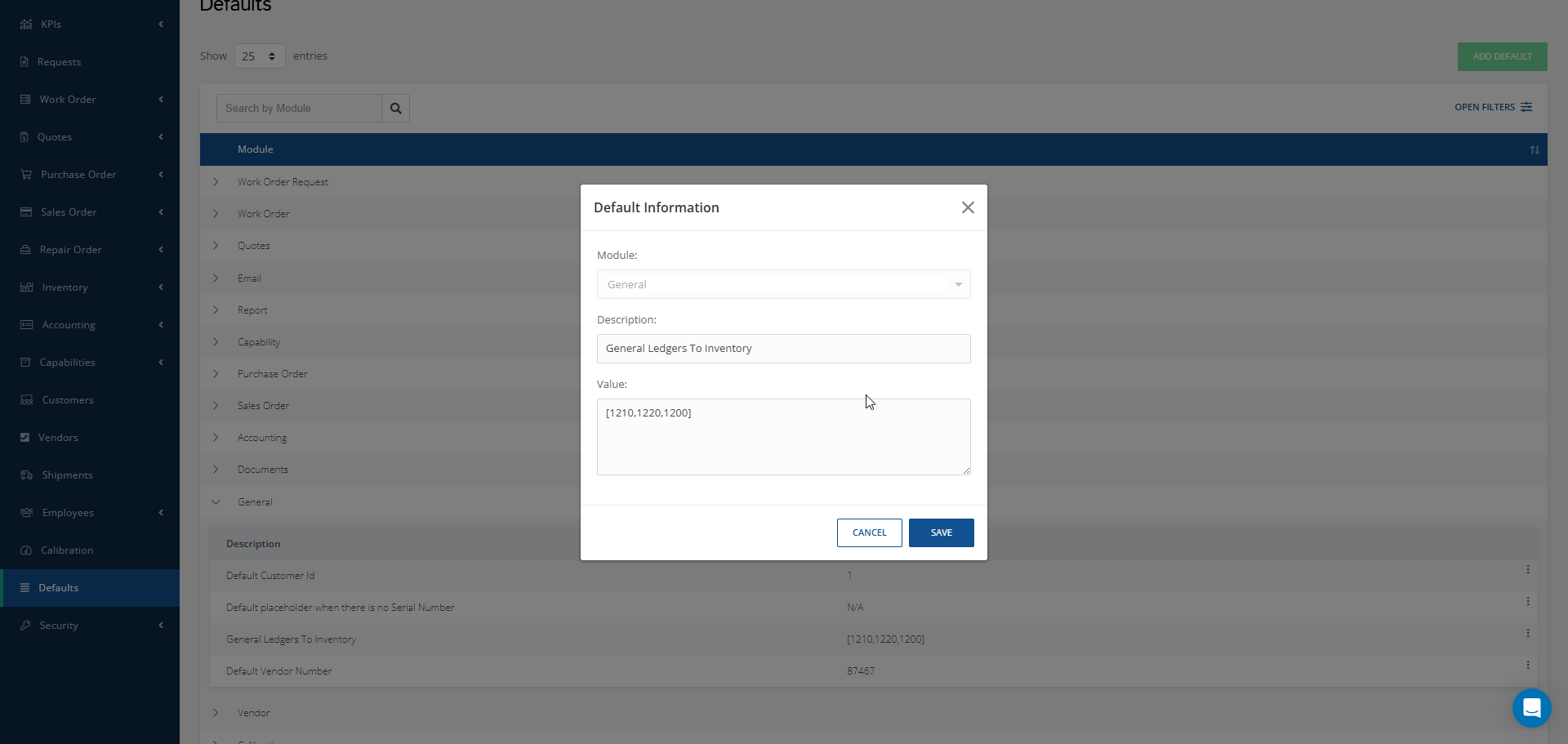
To edit the default Inventory GL codes, scroll down to the Defaults section and click General. Then, using the three-dot menu on the right, select Edit to make the desired changes to the “General Ledgers to Inventory” line.
Make the changes on the Value text field. Note that the numbers must be separated by a comma and enclosed in square brackets.