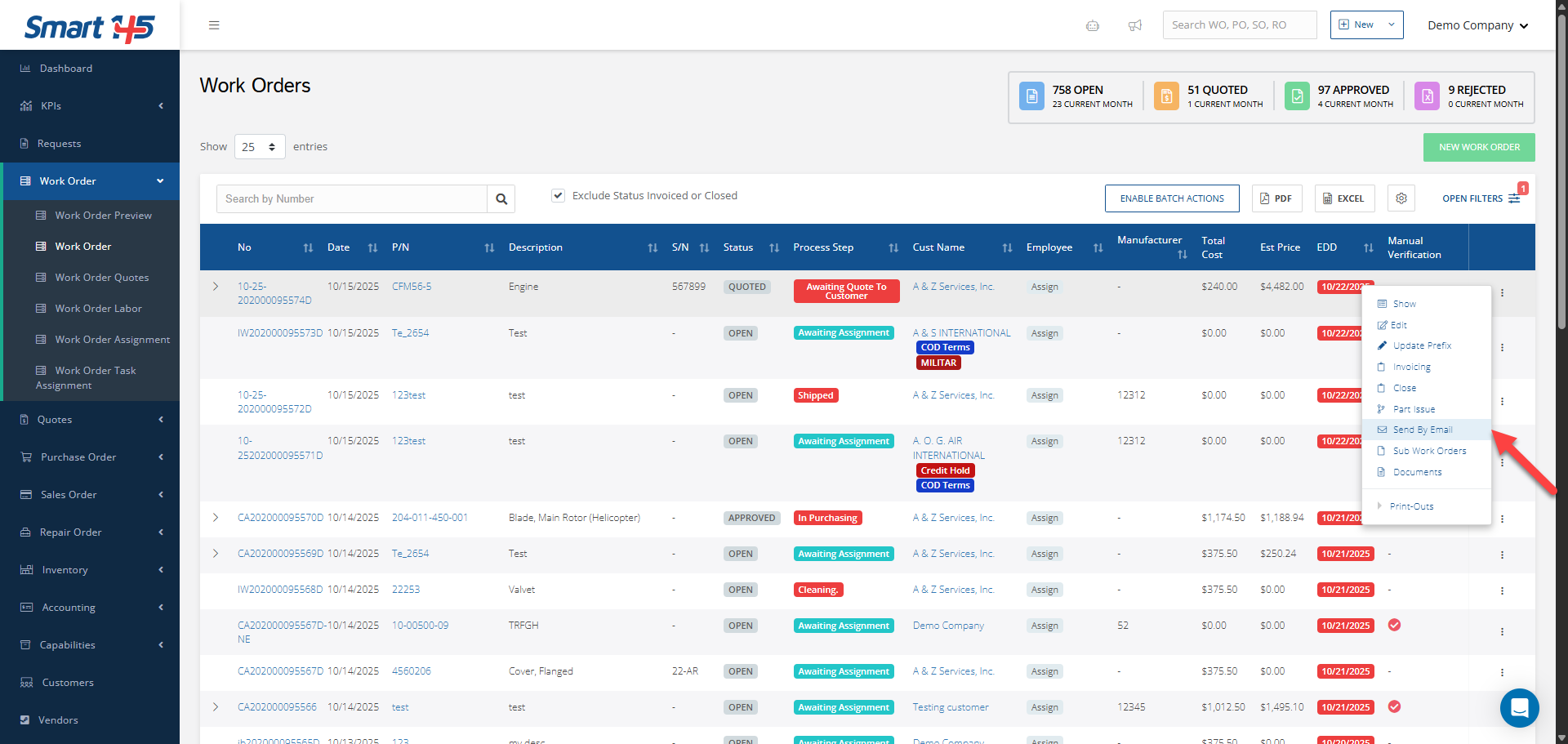
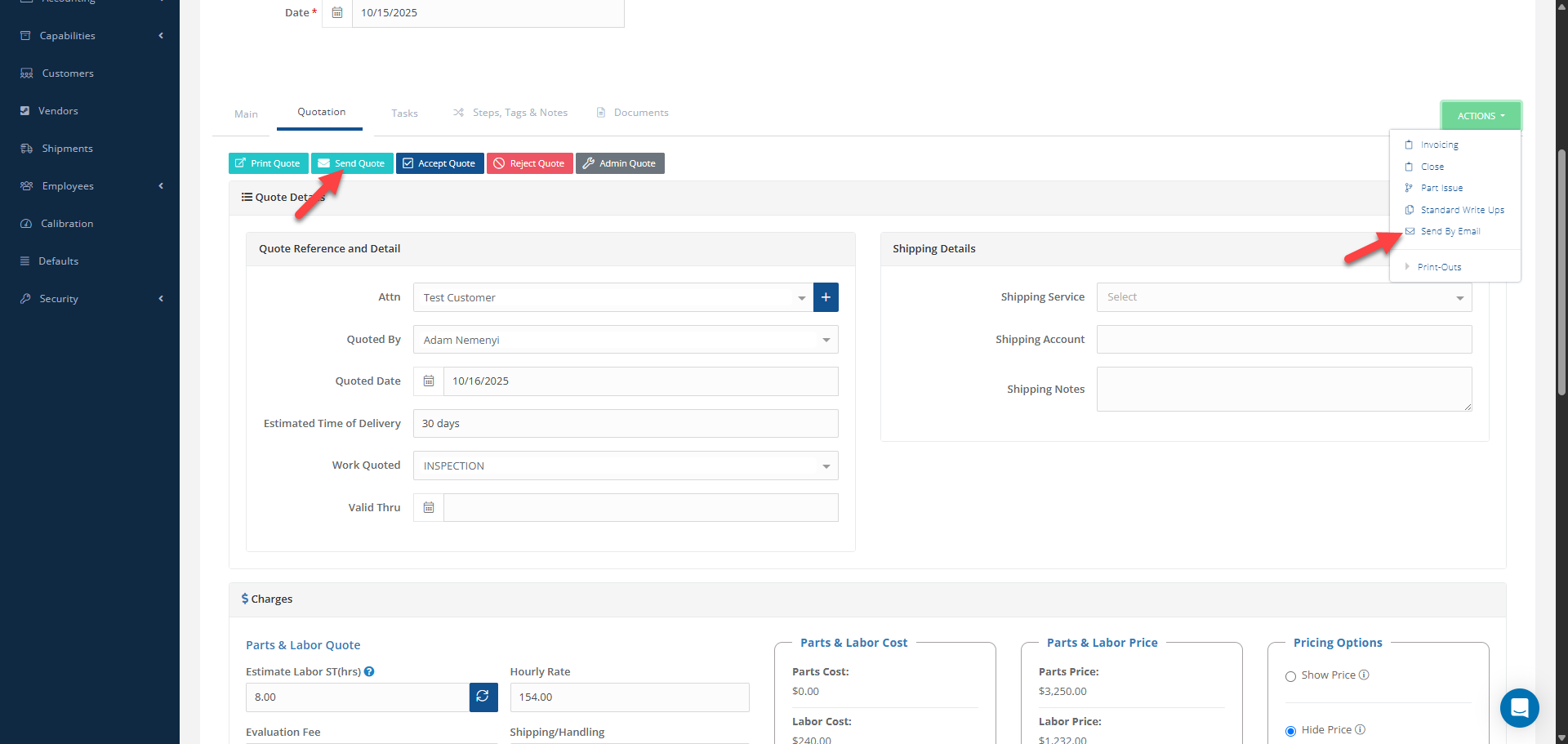
The send-by-email function is enabled and widely used across modules, especially on the Work Order (WO) screen, given the higher number of reports that can be generated from a WO (compared to other modules) or sent from it. You can also perform this action from inside the Work Order. When editing it or in the Show View, it is possible to either send an email directly or use the Send Quote.
Common business practice is for the sender to cc'd themselves on the email to keep track of it and at the same time ensure that it does exit the inbox.
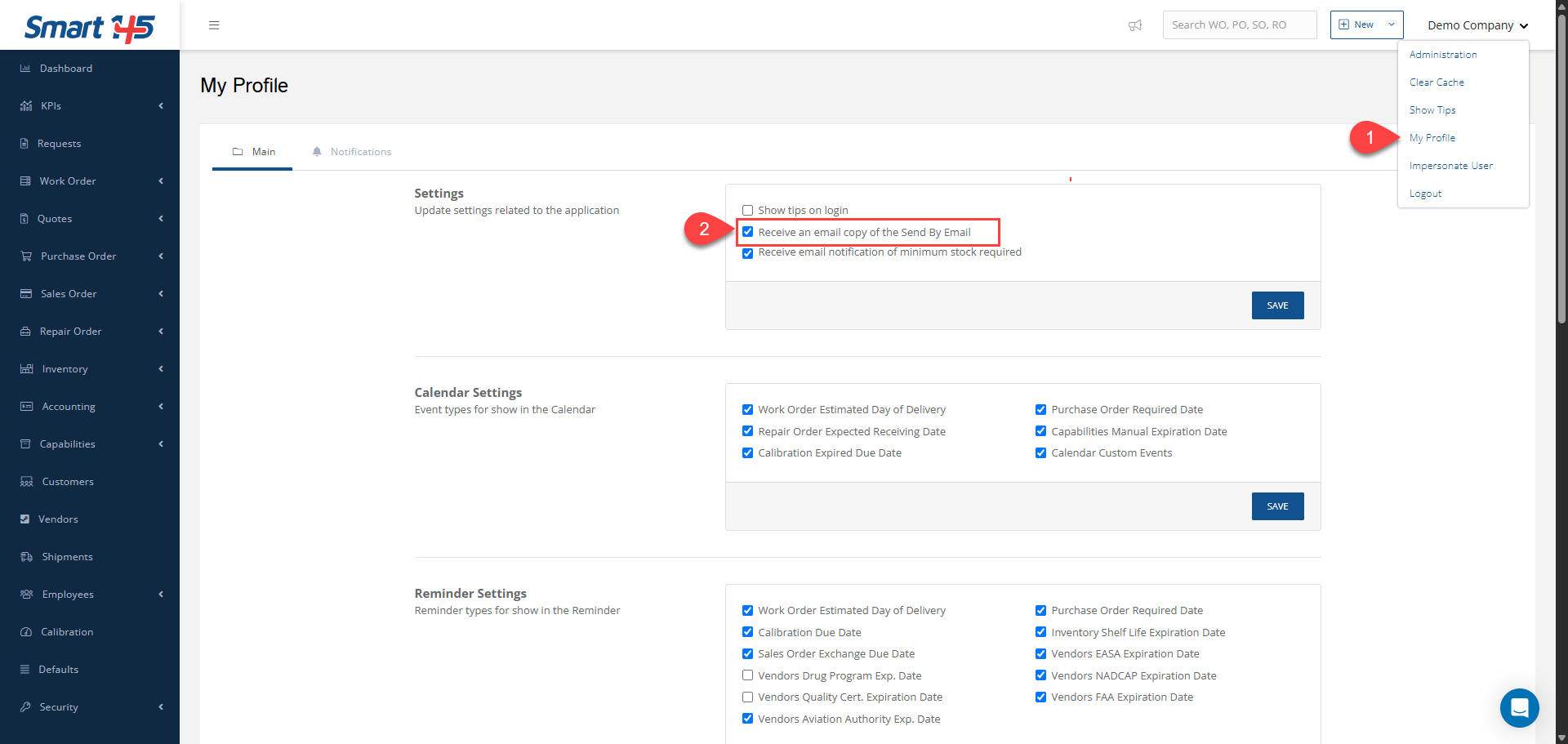
Smart 145 allows you to get automatically blind-copied whenever you send out an email.
To do so, navigate to "My profile" and check the "Receive an email copy of the send by email" box. This way, you'll receive a copy of every email sent out from your session into your user email account.