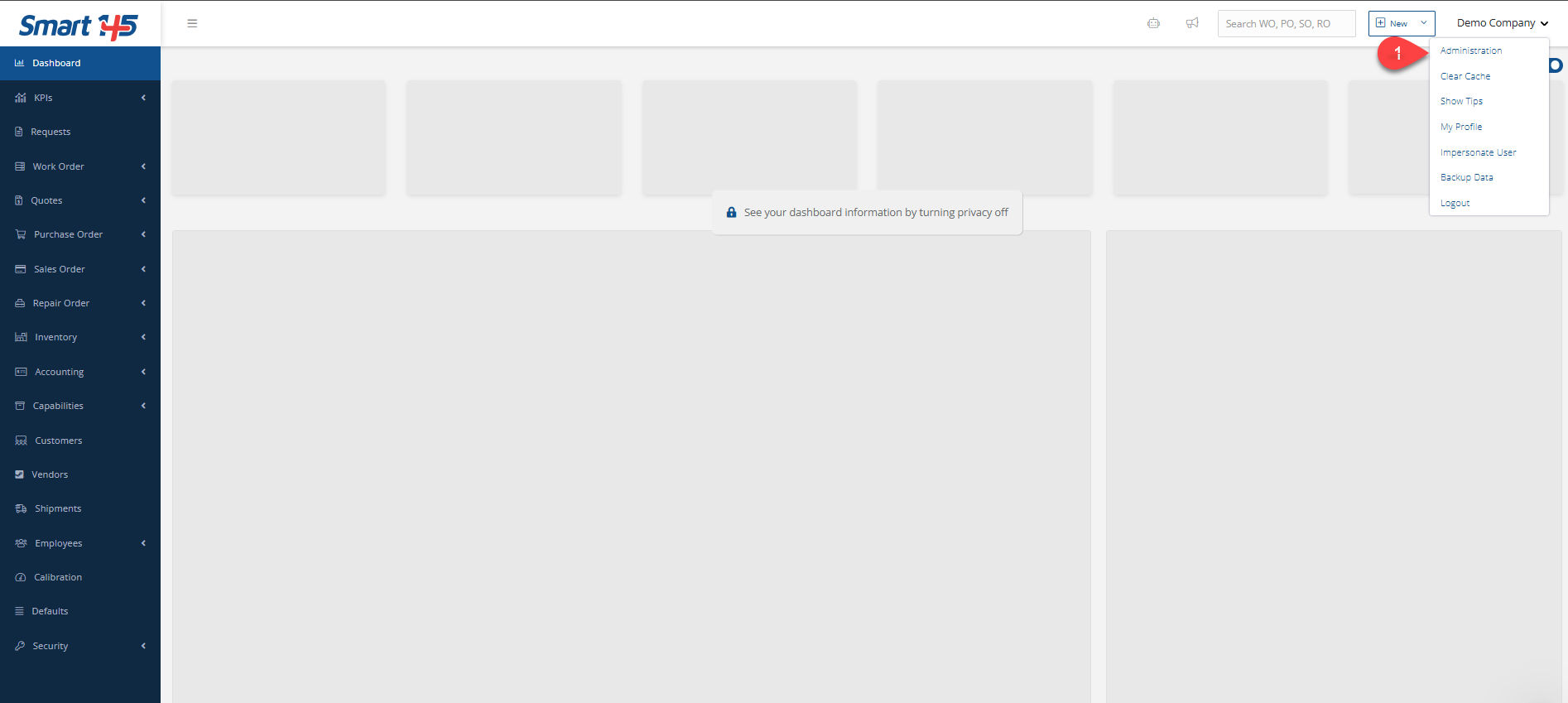
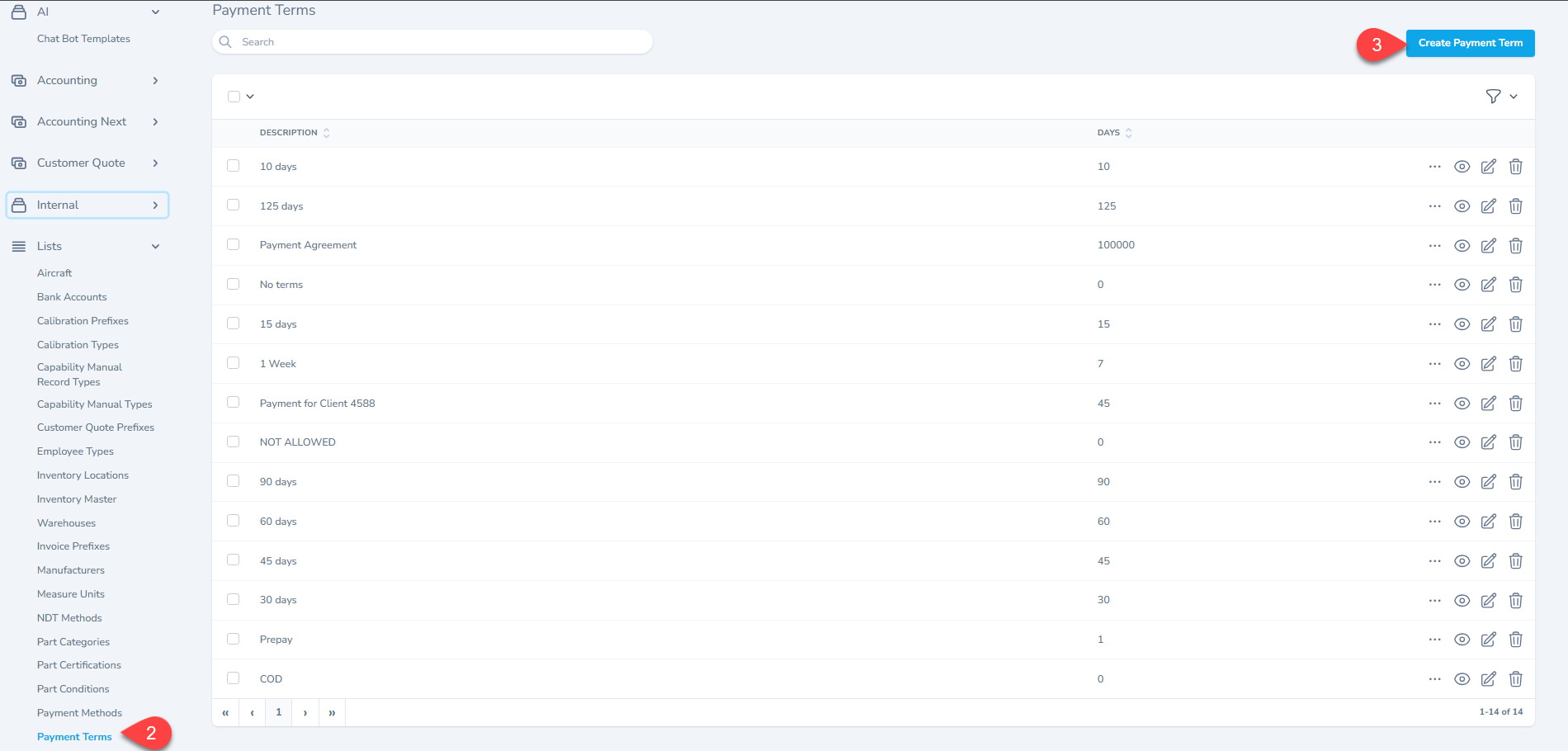
Knowledge Base / FAQ How to create new payment terms? In order to create new payment terms, go to administration (on the top right corner under your name) and then to "Payment Terms" within the "List" module on the left menu. From there, you will be able to create the new payment term required. Related articles Accounting How Can I Add a Payment Method to a Specific Payment in AR and AP Modules? Accounting How Can I Change the Payment Term after a Work Order Has Been Invoiced? FAQ How can I add a bank account when creating a check? Previous Can I manually input CMM codes? Next How can I add Manufacturers to the system?