
To edit an Invoice report, you need to follow the next steps:
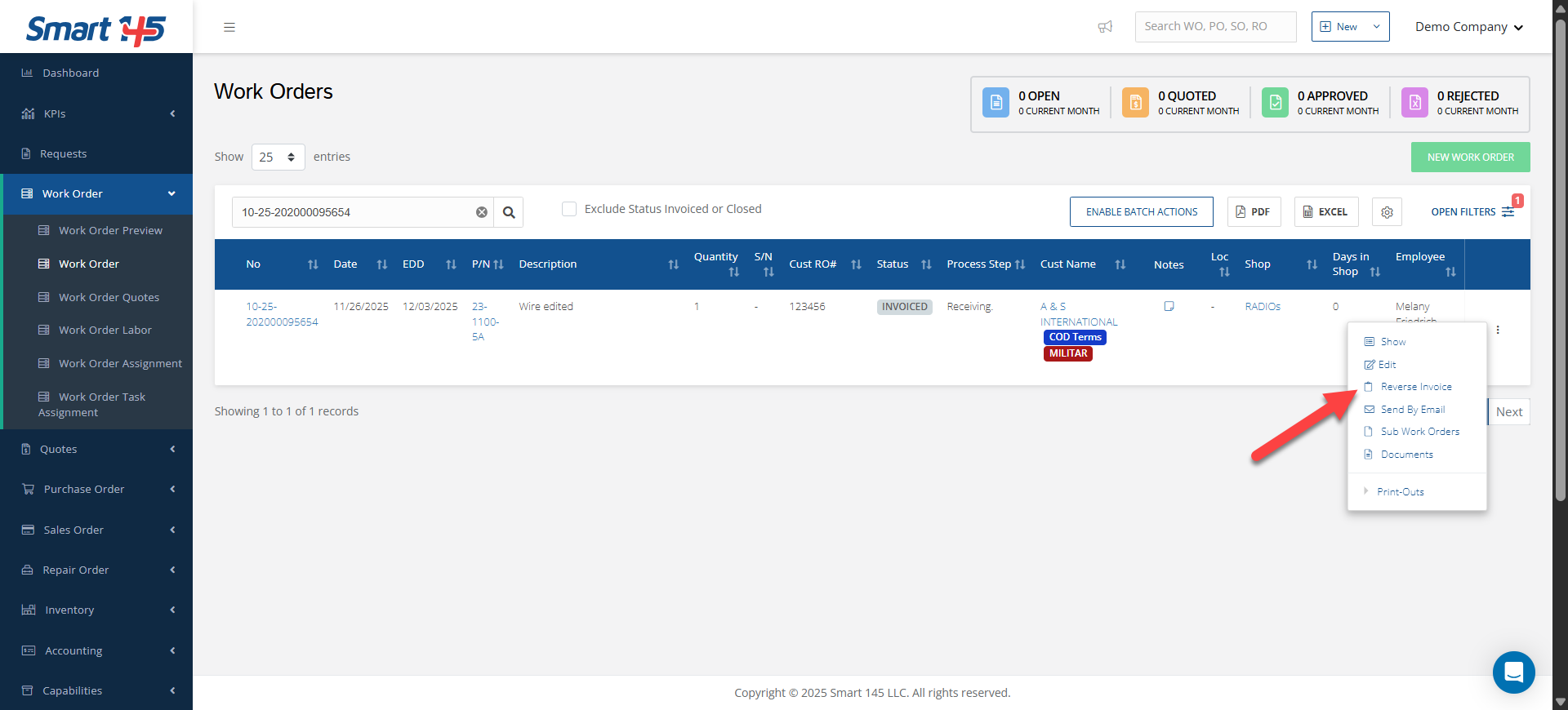
1. First, reverse the invoicing process on the three-dots menu on the right side of your screen.
2. Second, invoice the order once again and scroll down the window to edit the required information
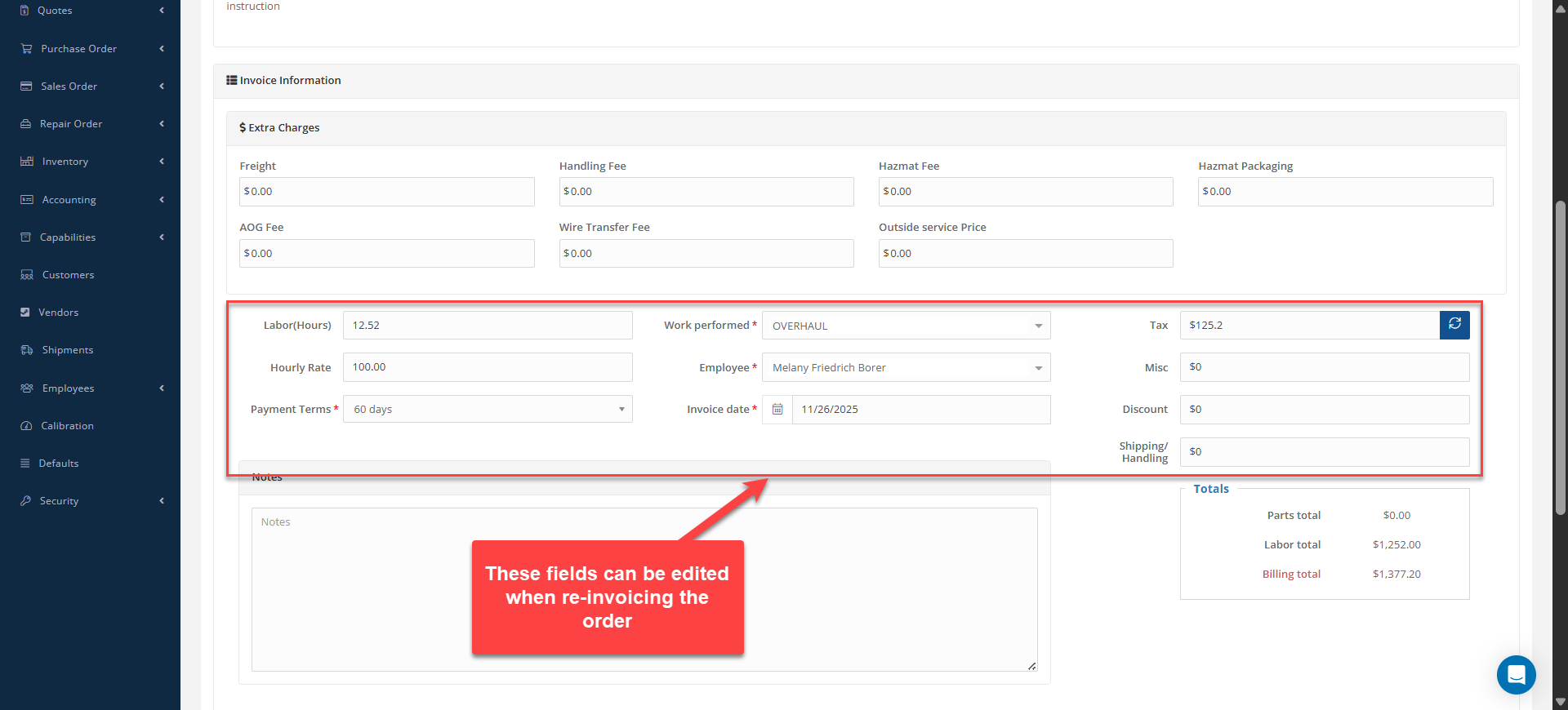
Please note that you can either keep the previous Invoice number or assign a new one.