How Can I Add Payment-Related Information to Invoice Reports from System Defaults?
It is possible to add payment-related information to your invoice reports by configuring the corresponding report default under the Defaults module. To do this:
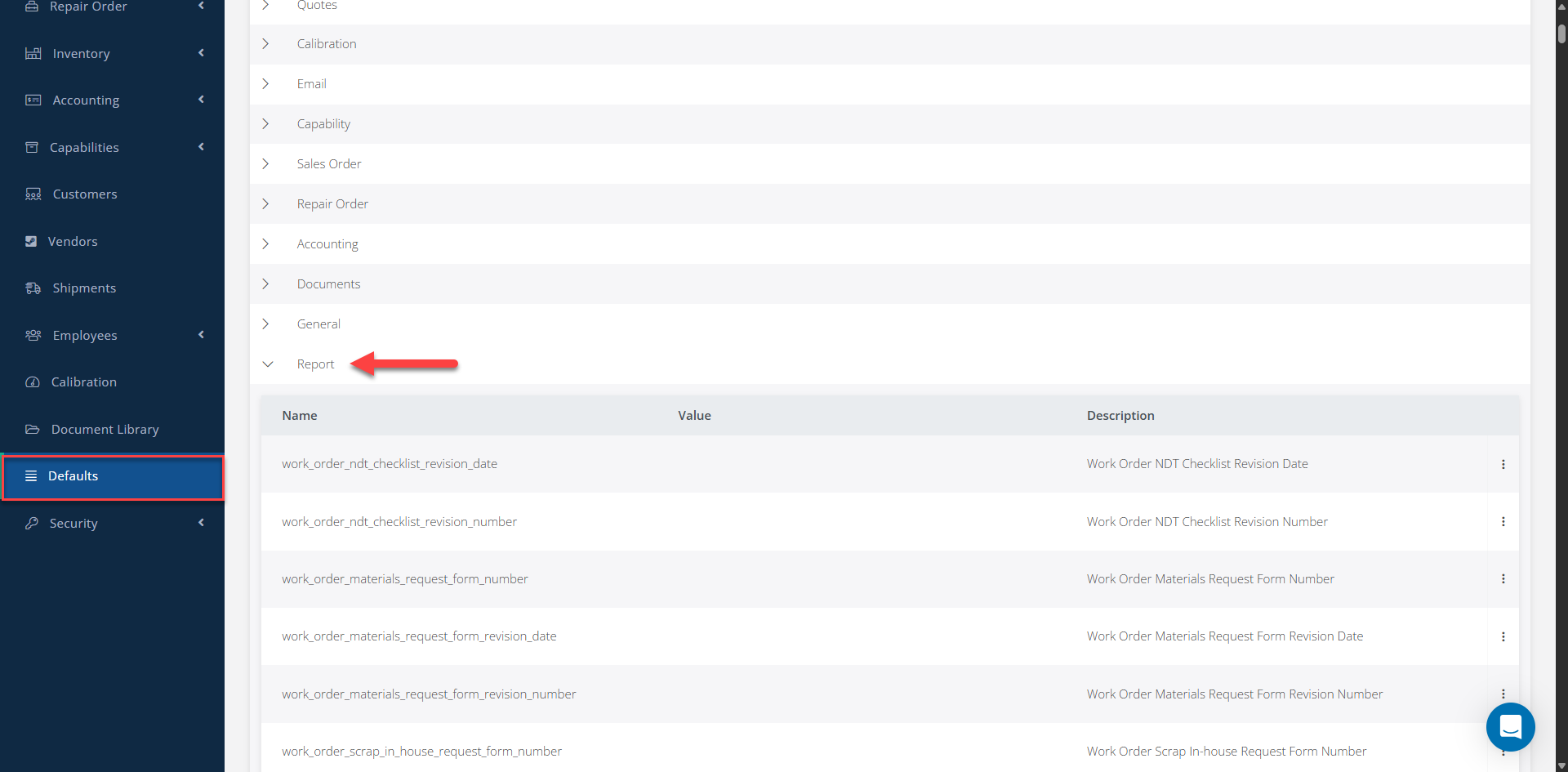
1- Go to the Defaults module. 2- Under the Module section, select Report. 3- Depending on the invoice report where you want to add the payment-related information, locate the corresponding default:
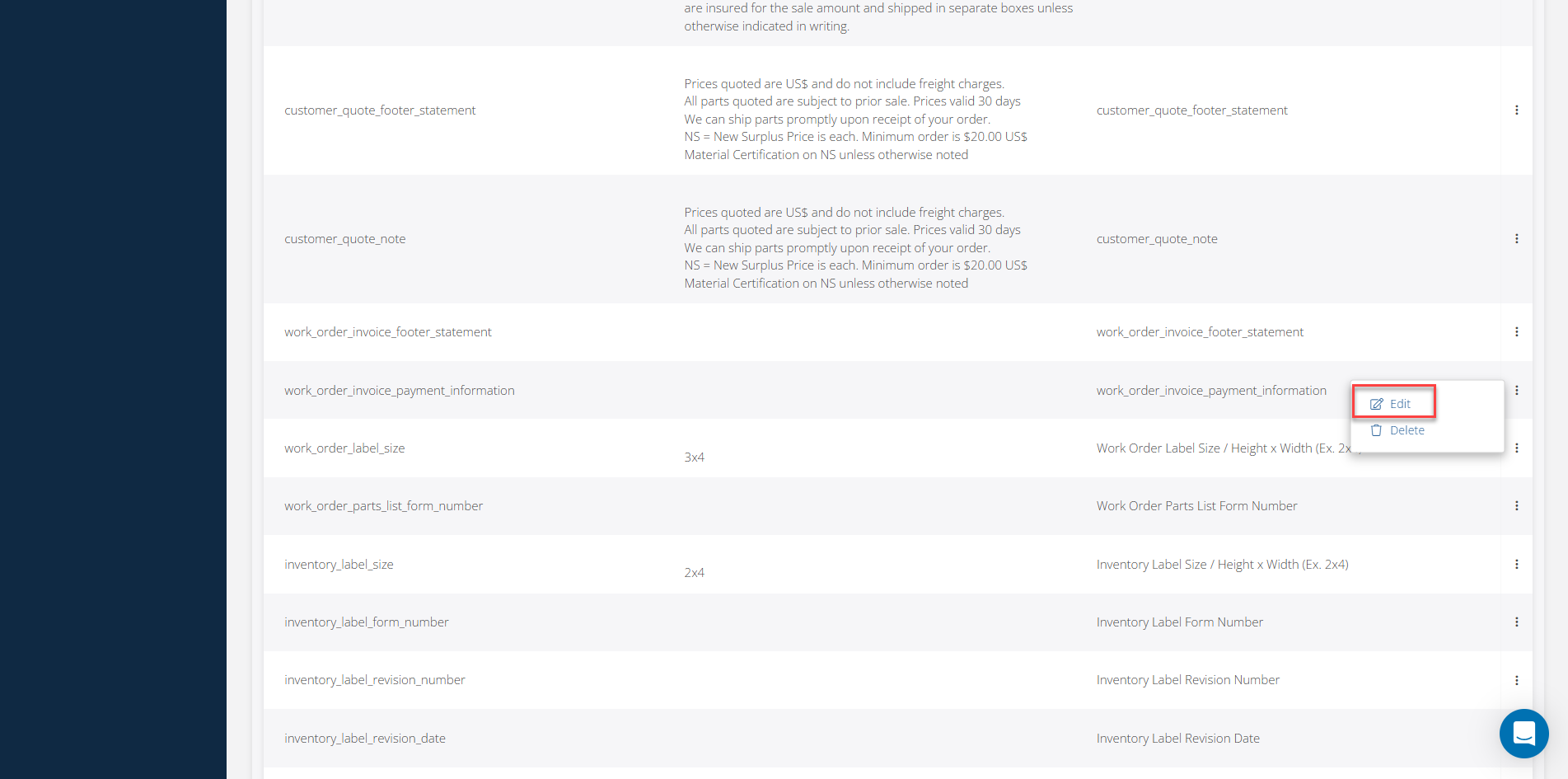
- WO Invoice and Proforma Invoice: work_order_invoice_payment_information - SO Invoice and Proforma Invoice: sales_order_invoice_statement - RO Invoice and Proforma Invoice: repair_order_invoice_statement - Invoice Miscellaneous: invoice_statement
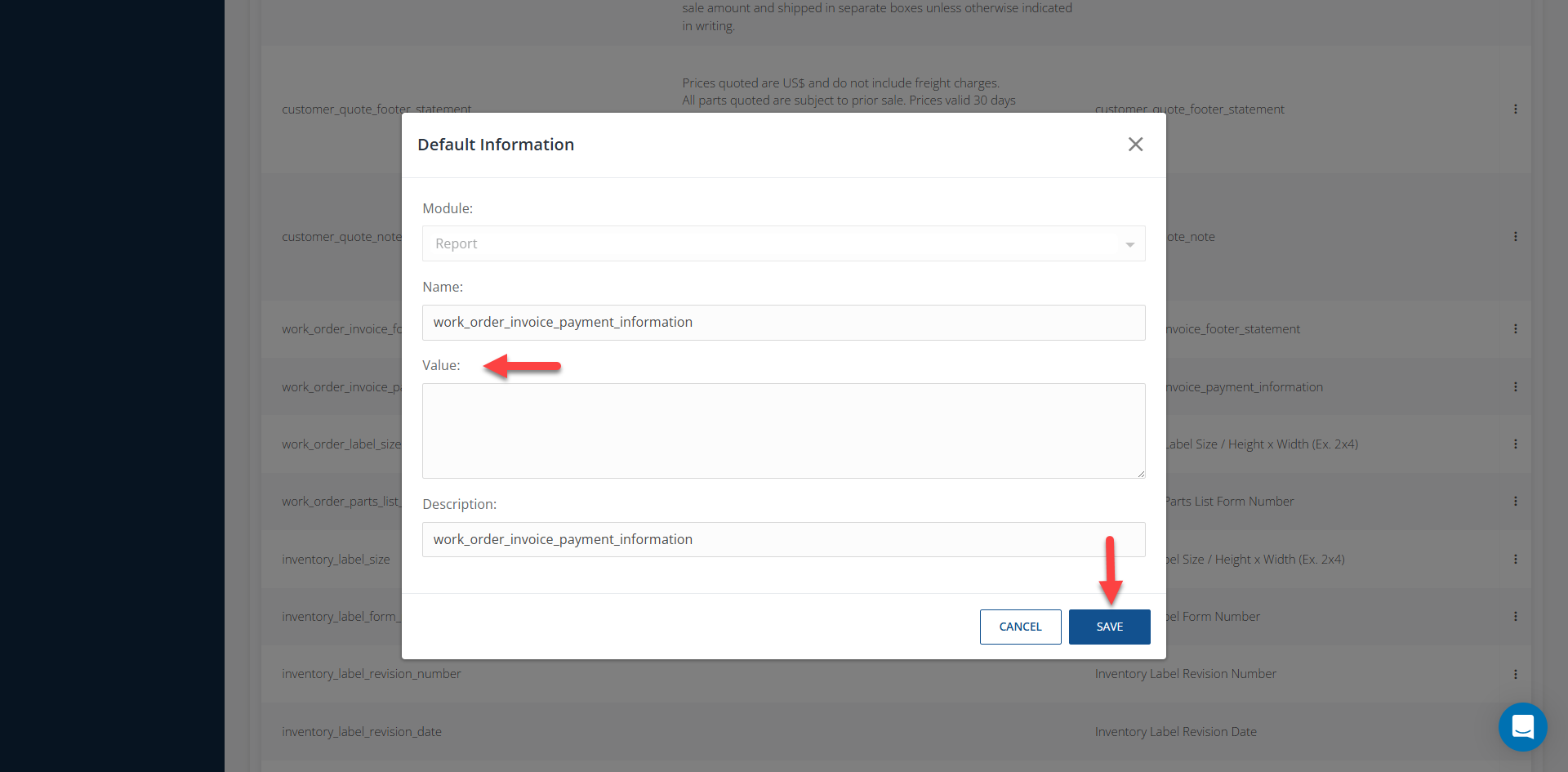
4- Click the three-dot menu next to the corresponding default and select Edit. 5- In the Value field, enter the payment-related information you want to display on the report. 6- Save the changes.
Once configured, the payment-related information will be included in the corresponding invoice report.