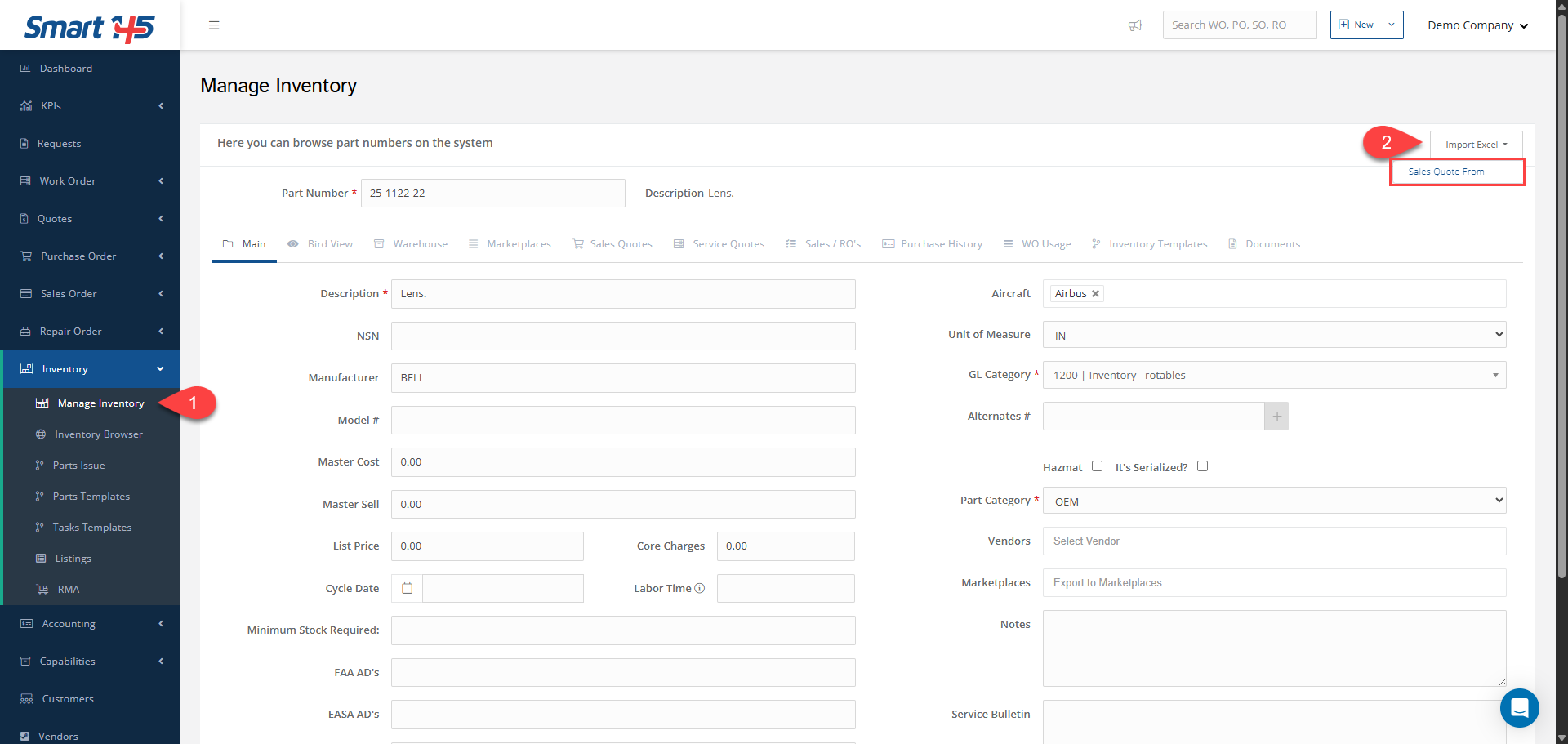
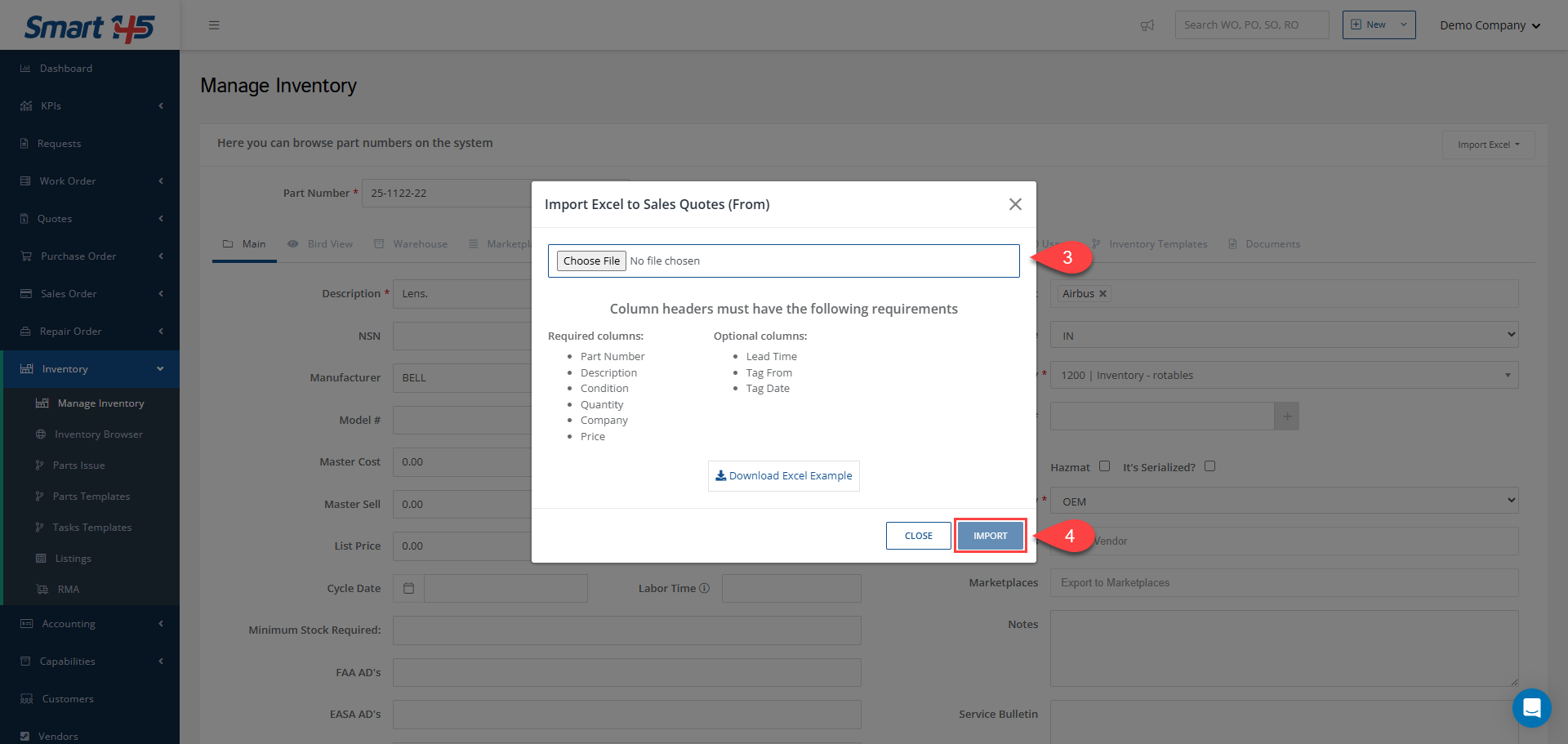
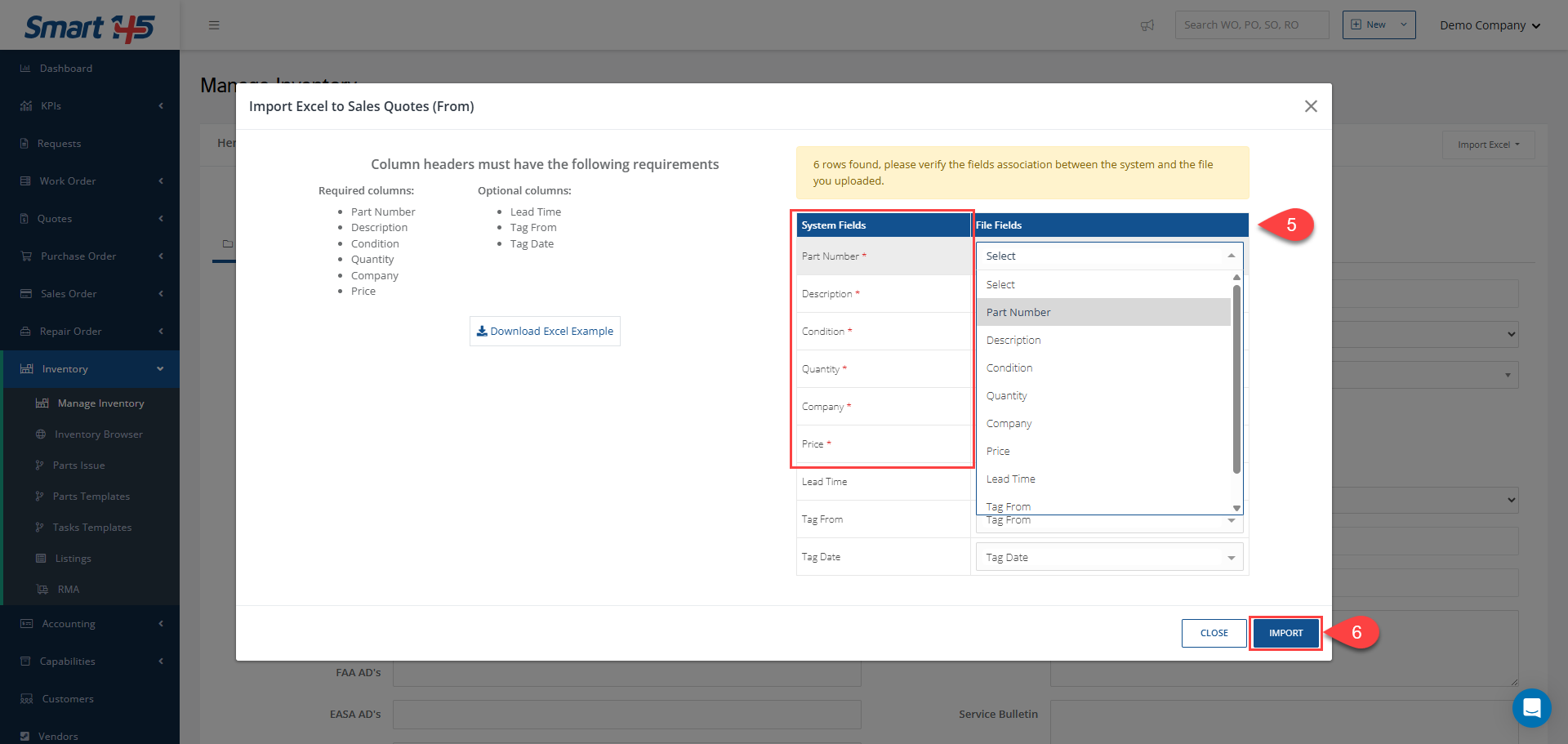
To drop an Excel sheet with catalog pricing, navigate to the Inventory module and select the Manage Inventory sub-module. Then, on the left side of your screen, click on the Import Excel button. After choosing the required Excel sheet, in the new displayed tab, you would have to associate the required File Fields with the System Fields for better organization in the system. After clicking on the Import button, the Excel sheet will be imported to the Smart 145.