
In aviation MRO and parts supply operations, purchasing teams often need to request pricing and availability from multiple vendors before making a buying decision. This process is essential for controlling material costs, comparing supplier options, and keeping repair or sales workflows moving without unnecessary delays.
In Smart 145, users can already create RFQs directly within the system and send them to vendors. Vendors can respond with quoted quantities, prices, and availability, allowing users to review the information and create Purchase Orders efficiently.
However, in real-world operations, RFQ activity does not always happen entirely inside the system. Many teams still communicate with vendors through direct email chains, marketplace inquiries, or external sourcing processes. This can create extra manual work, especially when vendor responses need to be copied from emails and entered back into the system.
To help teams manage vendor responses more efficiently, Smart 145 now supports RFQ creation from vendor email responses using AI, reducing manual entry while keeping quote information organized and traceable.
How It Works
With this feature, Smart 145 connects to your email system and identifies incoming vendor responses related to RFQs.
Once a vendor response is detected, the system can:
- Read the incoming vendor emails
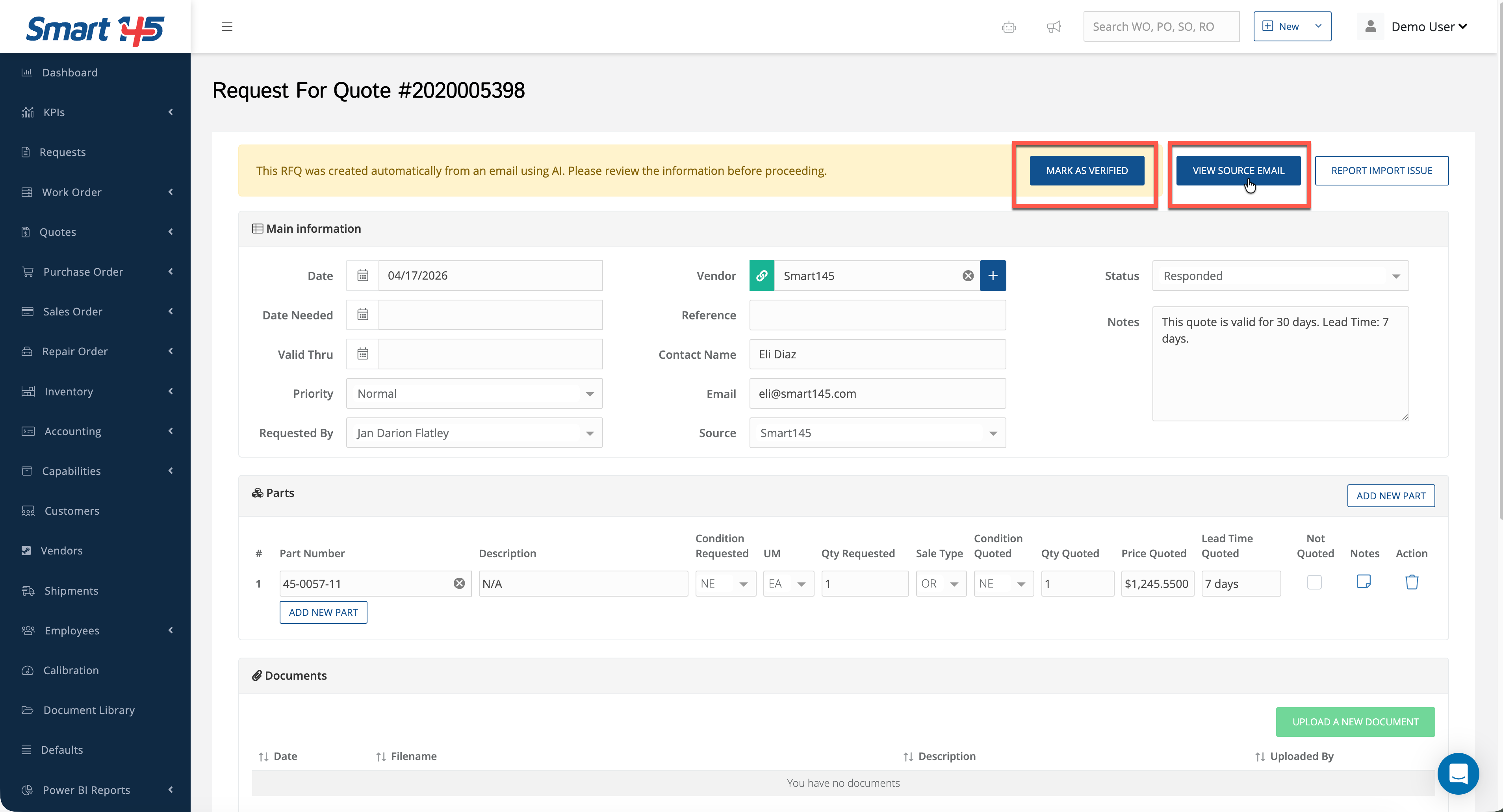
- Extracts key RFQ response information, such as quoted quantity, unit price, and other relevant details
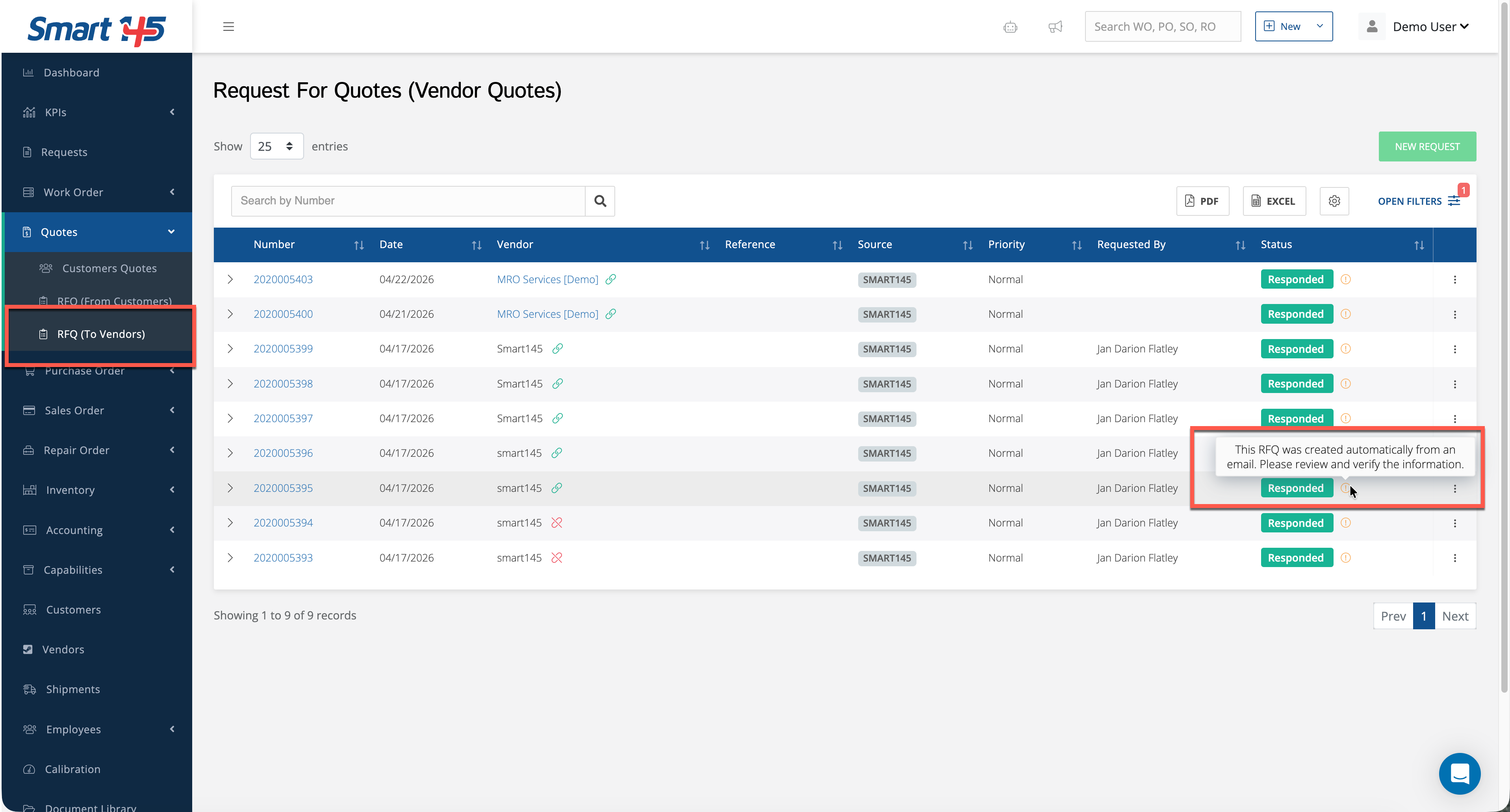
- Creates a corresponding RFQ record directly in Smart 145
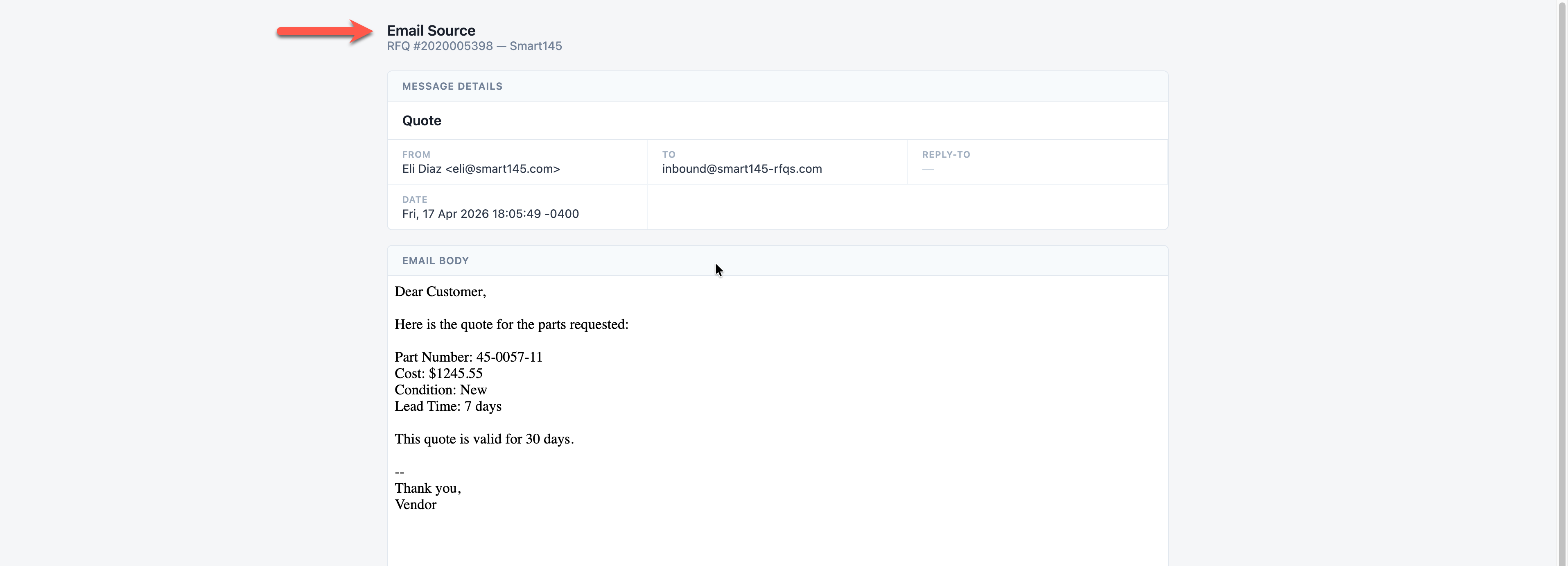
- Attaches and displays the original email as the source reference
This means there is no need to manually re-enter information or copy data from emails into the system.
By keeping the original email attached to the RFQ record, Smart 145 also helps users verify the source of the information before moving forward with purchasing decisions.
By keeping the original email attached to the RFQ record, Smart 145 also helps users verify the source of the information before moving forward with purchasing decisions.
See attached images for reference.
What You Need to Do
Instead of manually creating RFQs from external communications, your workflow becomes significantly simpler:
- Vendors respond to RFQs via email, as usual.
- Smart 145 automatically generates the RFQ record
- You review the extracted information
- You verify the original email attached to the record.
- You confirm pricing, quantities and any other relevant details
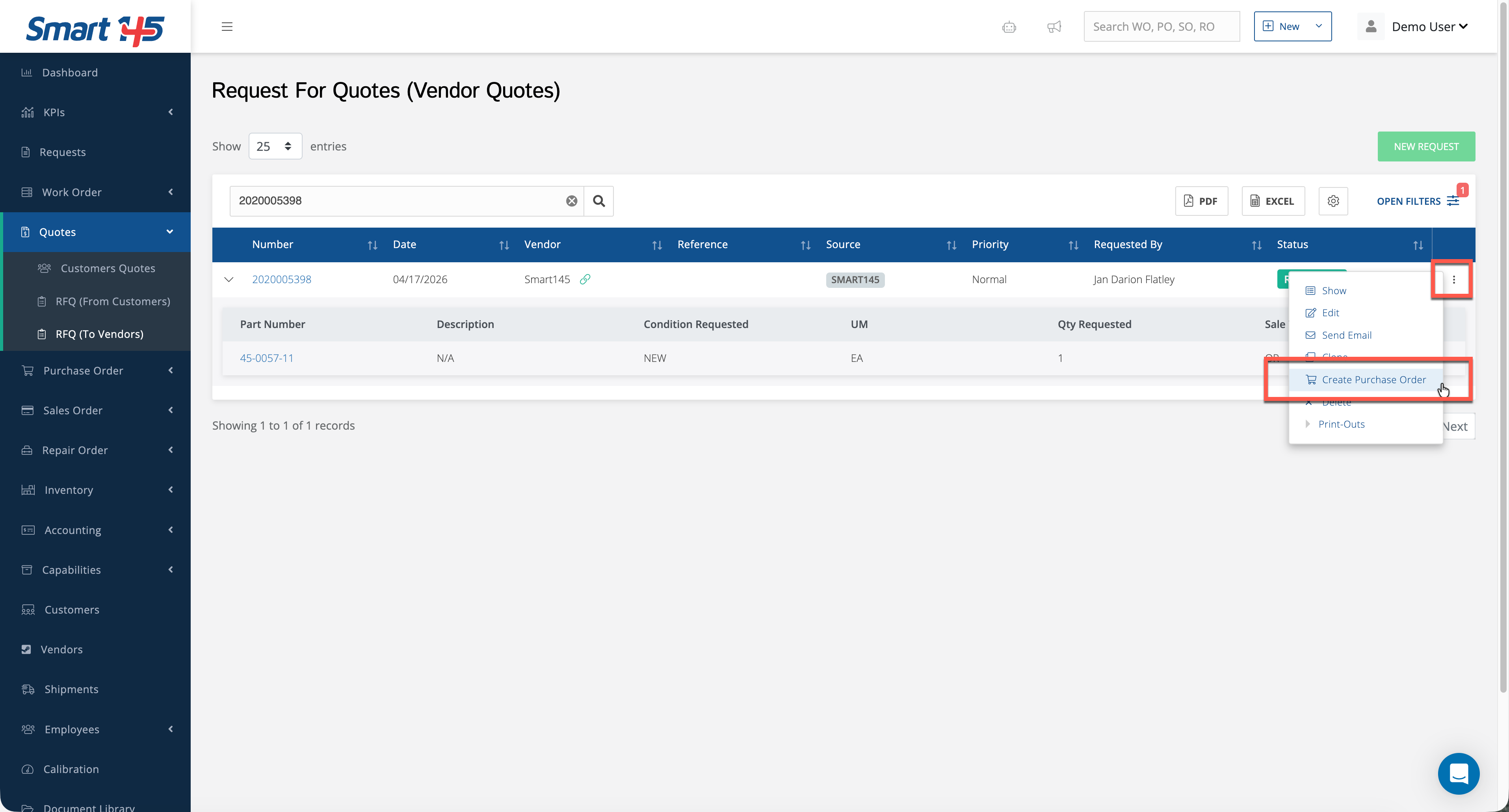
- Once validated, you can create the Purchase Order directly from that RFQ record
This helps reduce repetitive data entry, minimize manual errors, and make vendor quote management more efficient.
Why This Matters for Aviation MRO and Parts Operations
In aviation, purchasing decisions often affect repair turnaround time, inventory availability, and customer delivery commitments. When vendor responses are scattered across inboxes or external sourcing channels, it becomes harder to keep information organized and traceable.
Automated RFQ capture helps teams:
- Save time when processing multiple vendor responses
- Reduce the risk of typing errors when entering prices or quantities
- Keep email communication connected to the RFQ record
- Improve visibility into vendor quotes before creating Purchase Orders
- Support faster purchasing decisions for repairs, inventory replenishment, and sales requirements
For MRO shops, this can help keep repair workflows moving by making it easier to process material sourcing information. For parts suppliers, it helps centralize vendor quote activity and maintain better control over purchasing documentation.
Bonus Tip: AI-Powered RFQ Import
You can also use AI to accelerate RFQ creation from external content.
If you have an RFQ email body or external RFQ information, you can:
- Copy the email text or RFQ content.
- Select Create Import with AI.
- Paste the content.
- Let the AI parse and structure the RFQ information inside Smart 145.
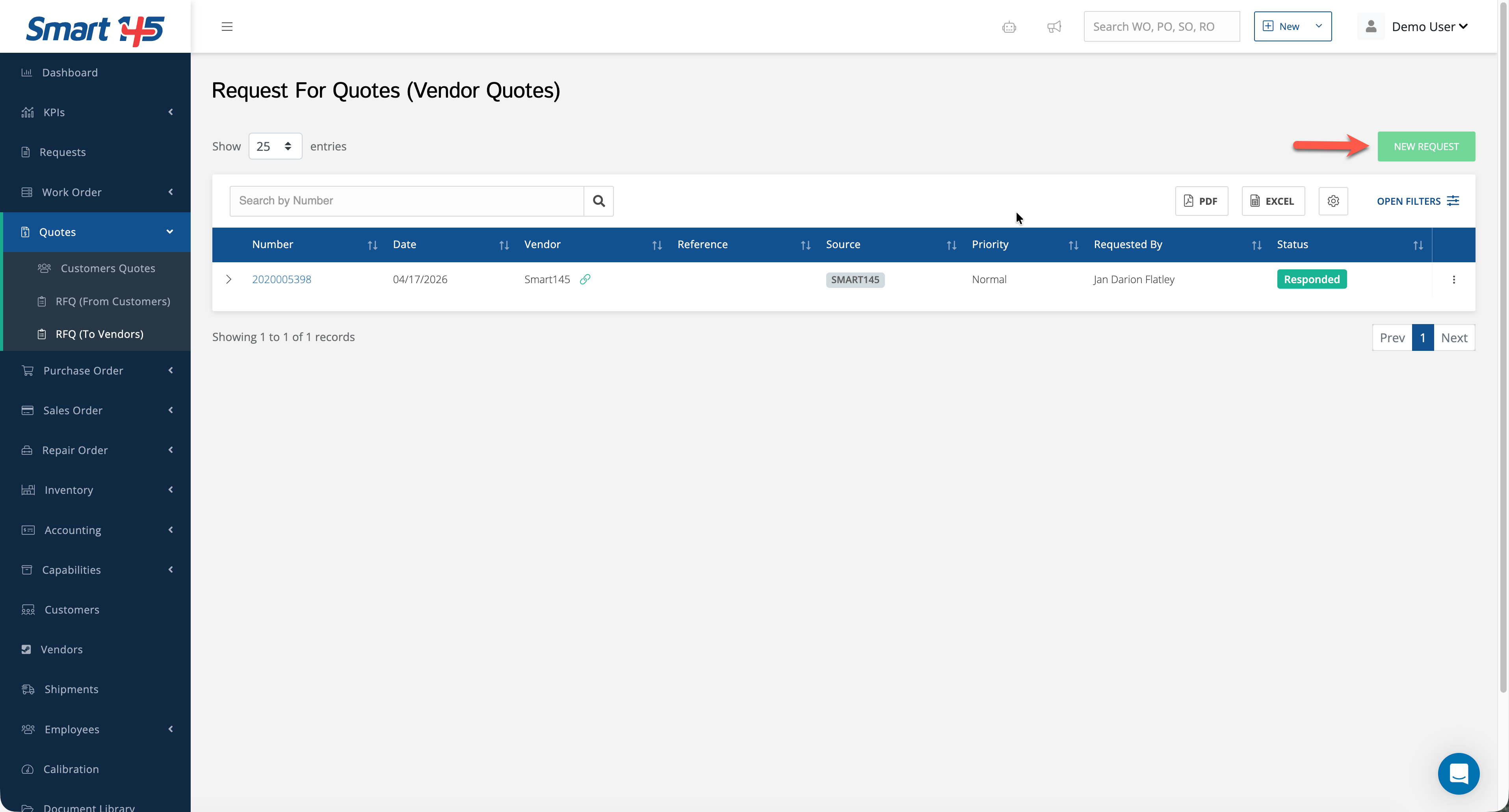
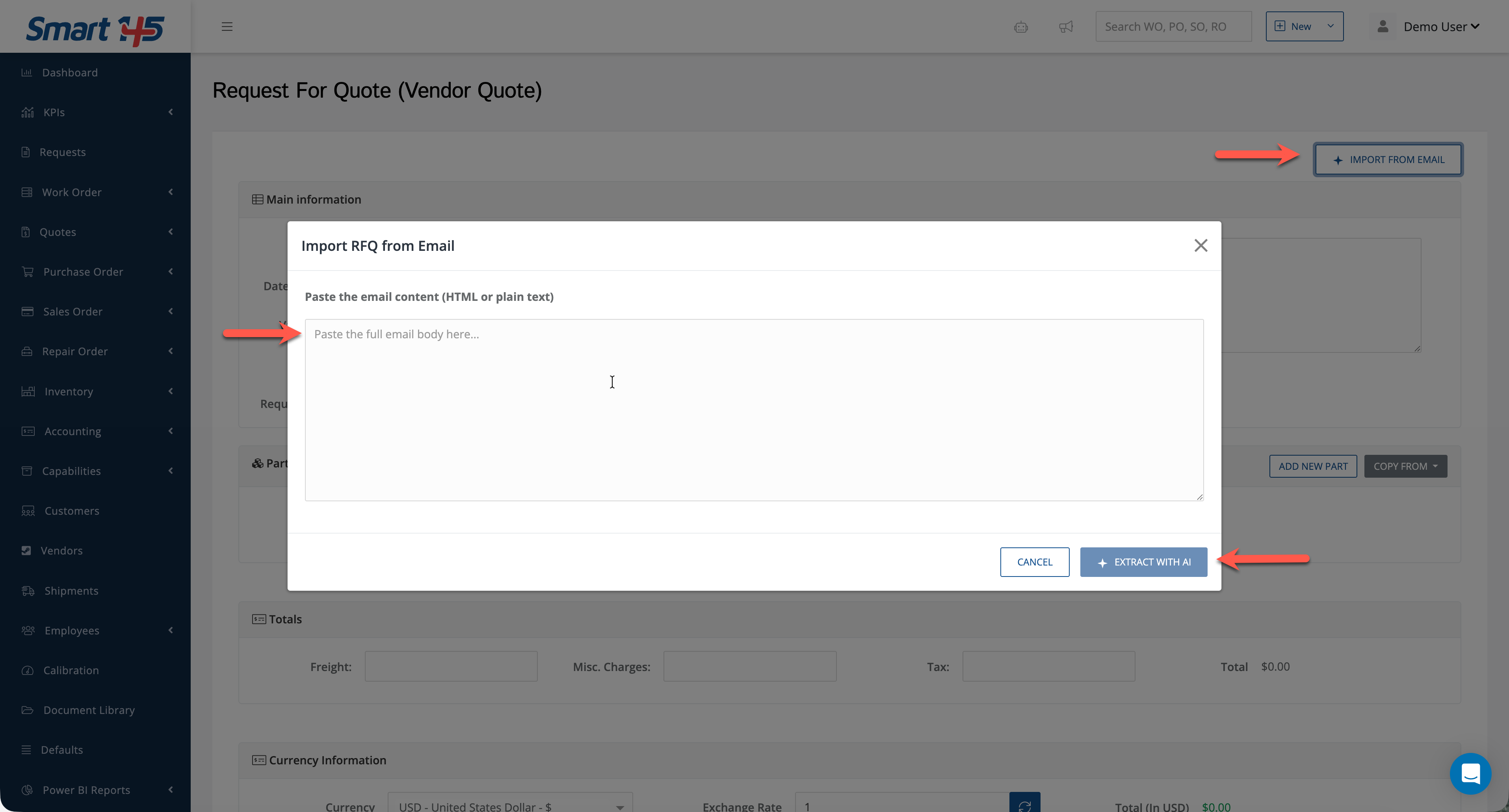
This is useful when RFQ details come from an external source but still need to be converted into structured Smart 145 records.
How to Enable This Functionality
To enable this functionality in your system, contact support@smart145.com.
Our team will complete the required configuration and guide you through the setup process to help ensure a smooth implementation.