
The Movement History option allows you to review the complete history of a specific inventory stock line, including movements such as Received, Issued, Returned, Sold, Adjusted, Transferred, and RMA.
Accessing the Inventory Stock Line
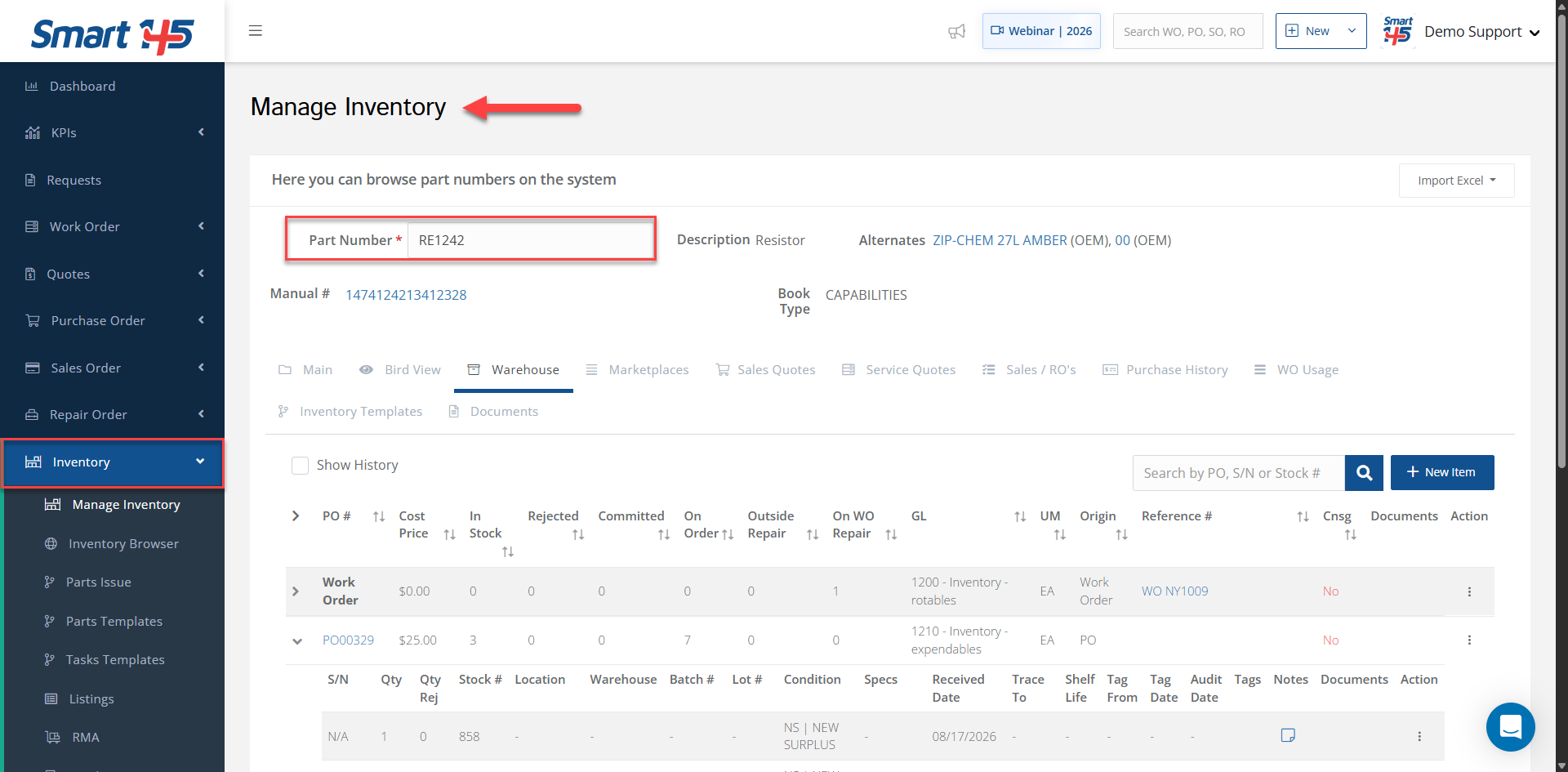
1- Go to Inventory > Manage Inventory.
2- Enter the desired P/N in the Part Number field.
1- Go to Inventory > Manage Inventory.
2- Enter the desired P/N in the Part Number field.
Reviewing the Movement History
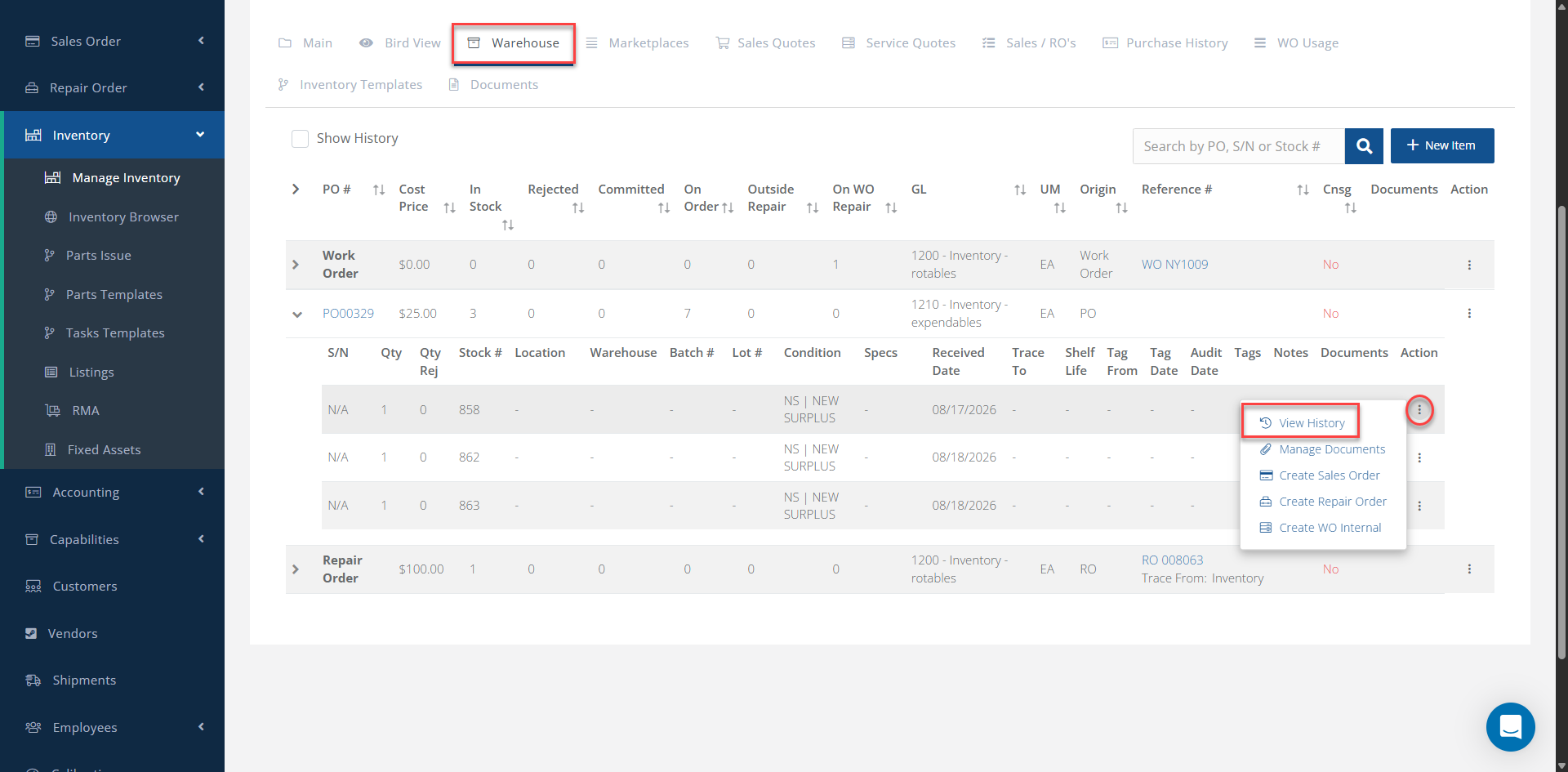
3- In the Warehouse tab, locate the inventory stock line associated with the desired P/N.
3- In the Warehouse tab, locate the inventory stock line associated with the desired P/N.
4- Click the three-dot menu on the right side of the inventory detail you want to review.
5- Select View History.
5- Select View History.
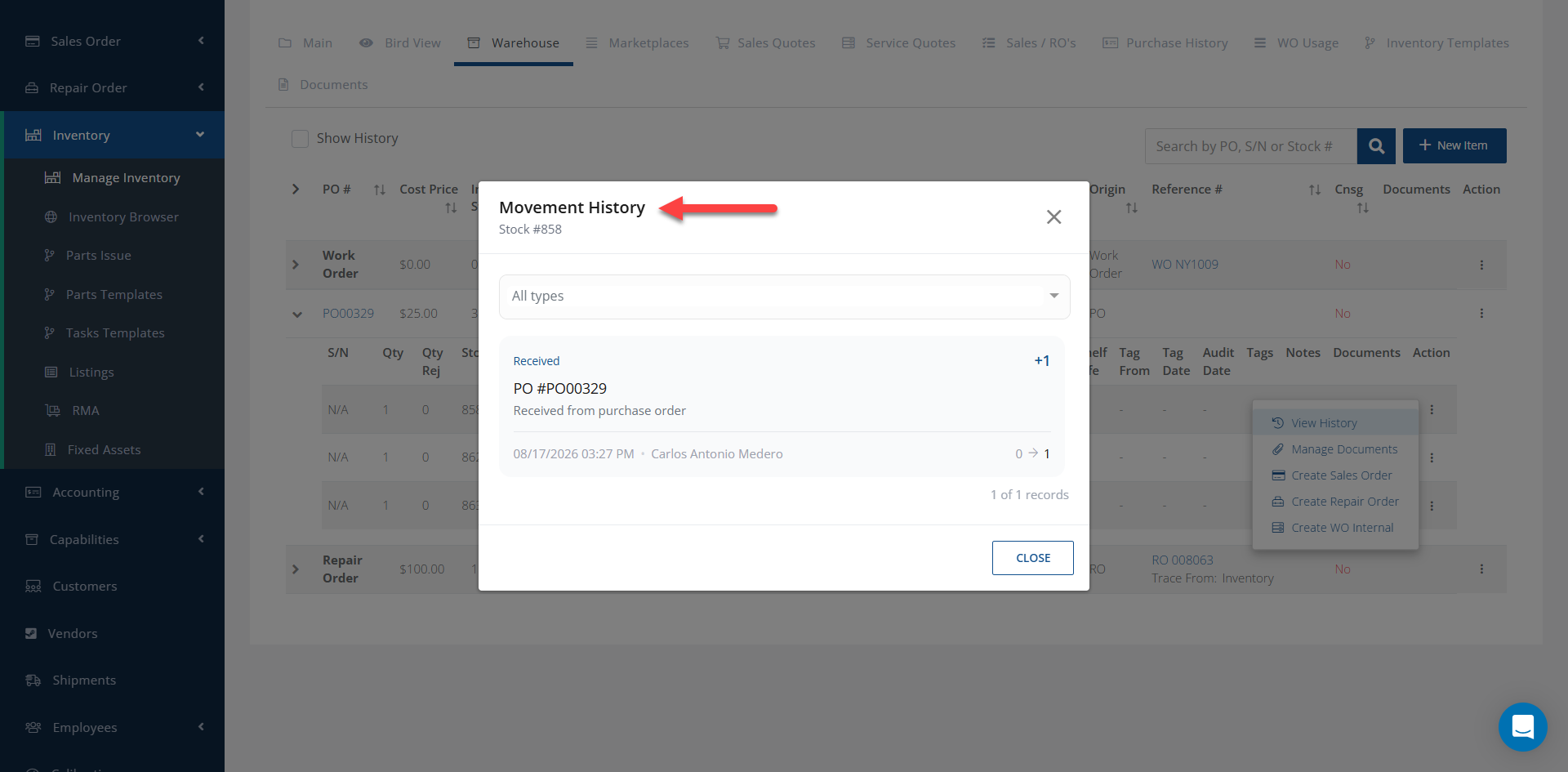
A Movement History window will open, displaying the movements associated with the selected inventory detail. Use the filter at the top of the window to filter the history by the desired movement type.
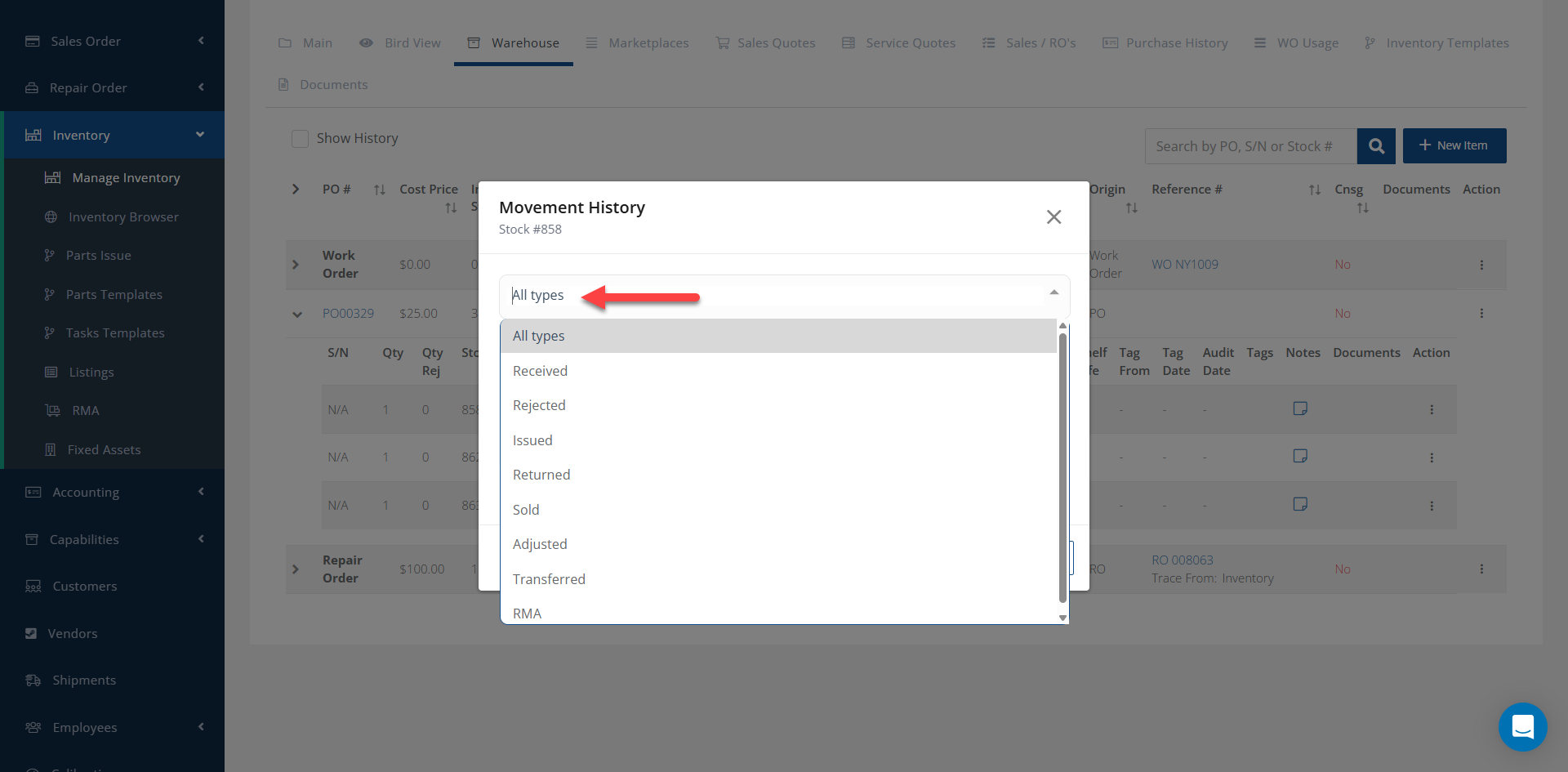
This allows you to quickly review and identify the inventory movements associated with a specific inventory detail.