How can I create a new customer/vendor on Smart 145?
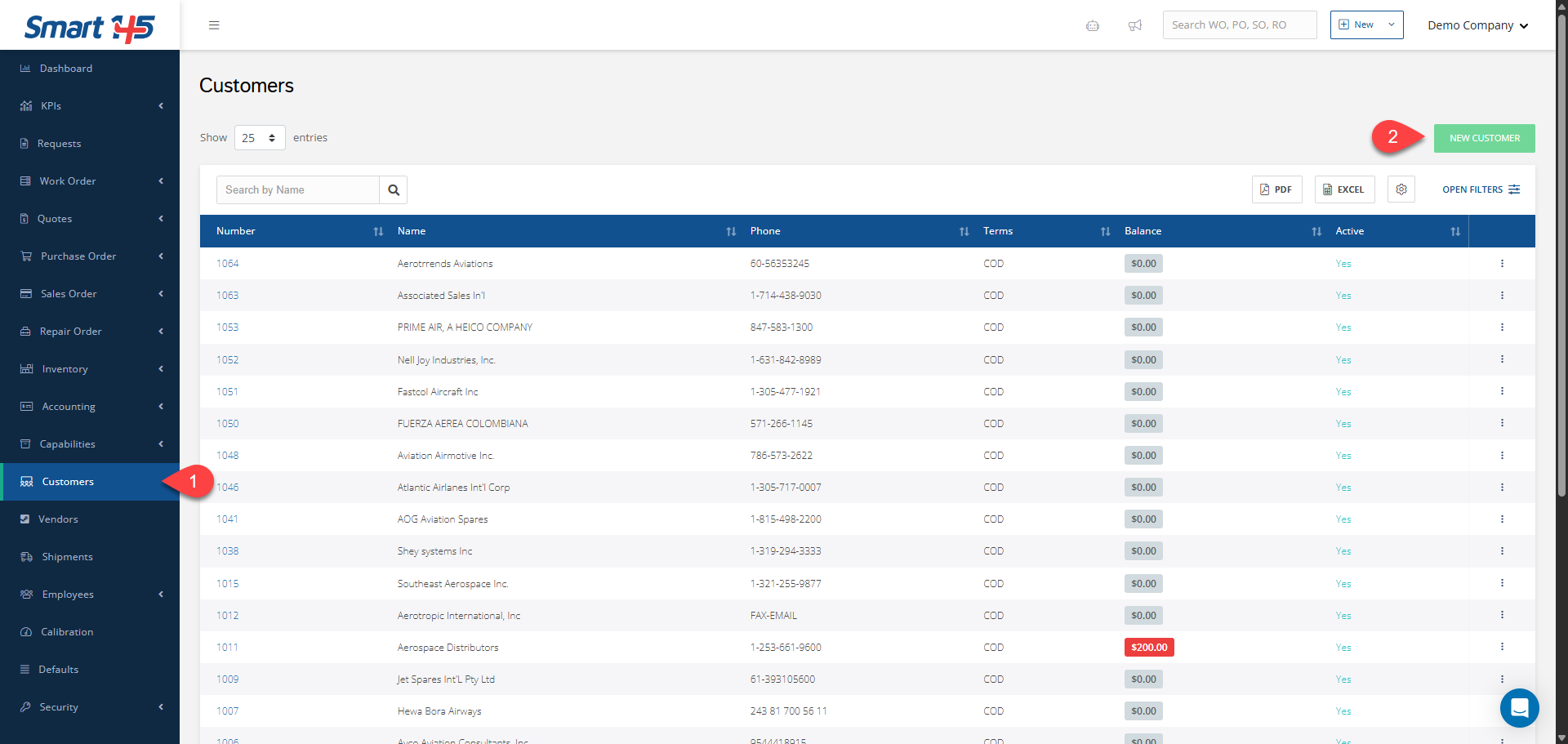
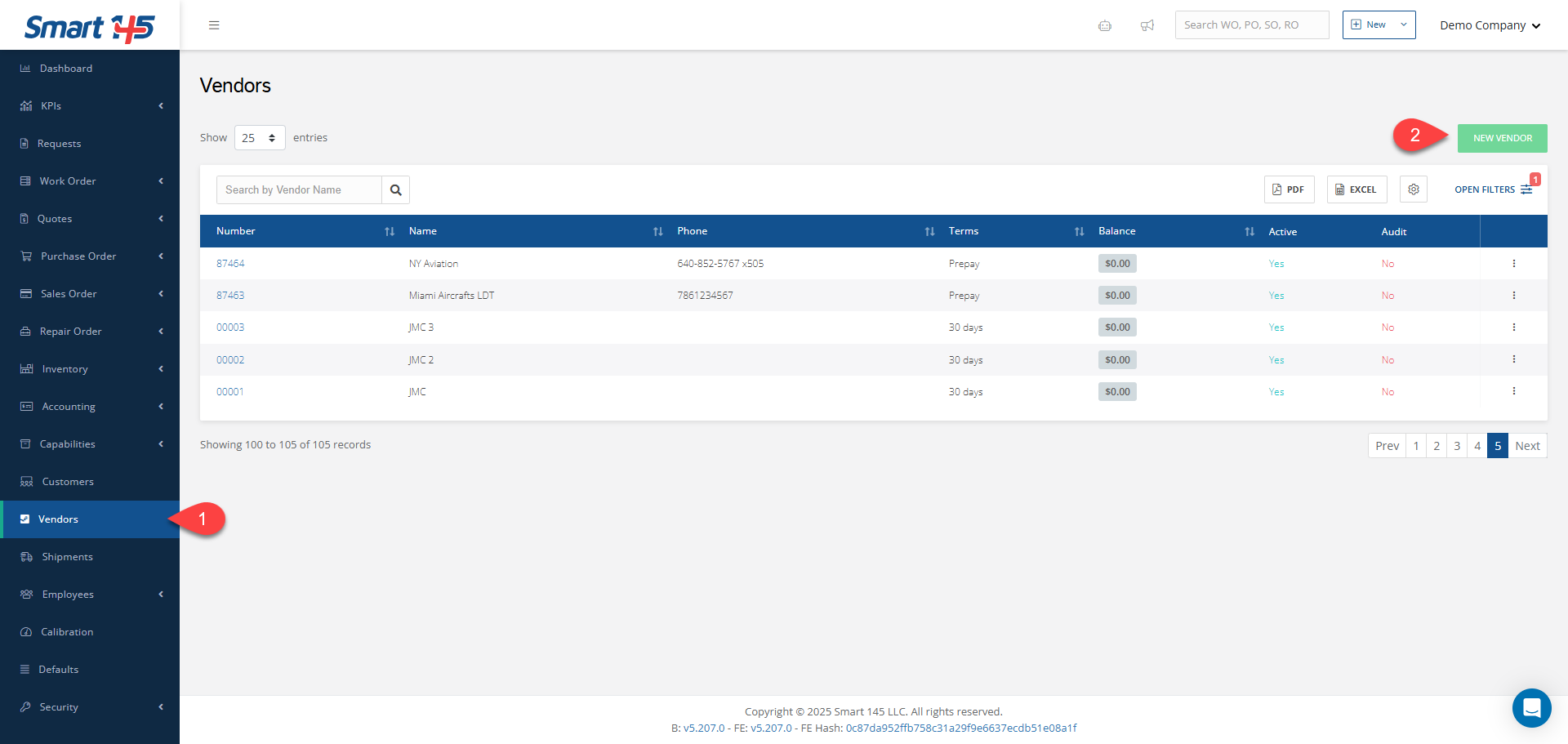
To create a new customer/vendor on Smart 145, go to the “Customers”/“Vendors” module and click the “New Customer” (or “New Vendor”) button. Then, on the new tab displayed, you must fill in all the required information, and once you save it, the new customer/vendor will be created.
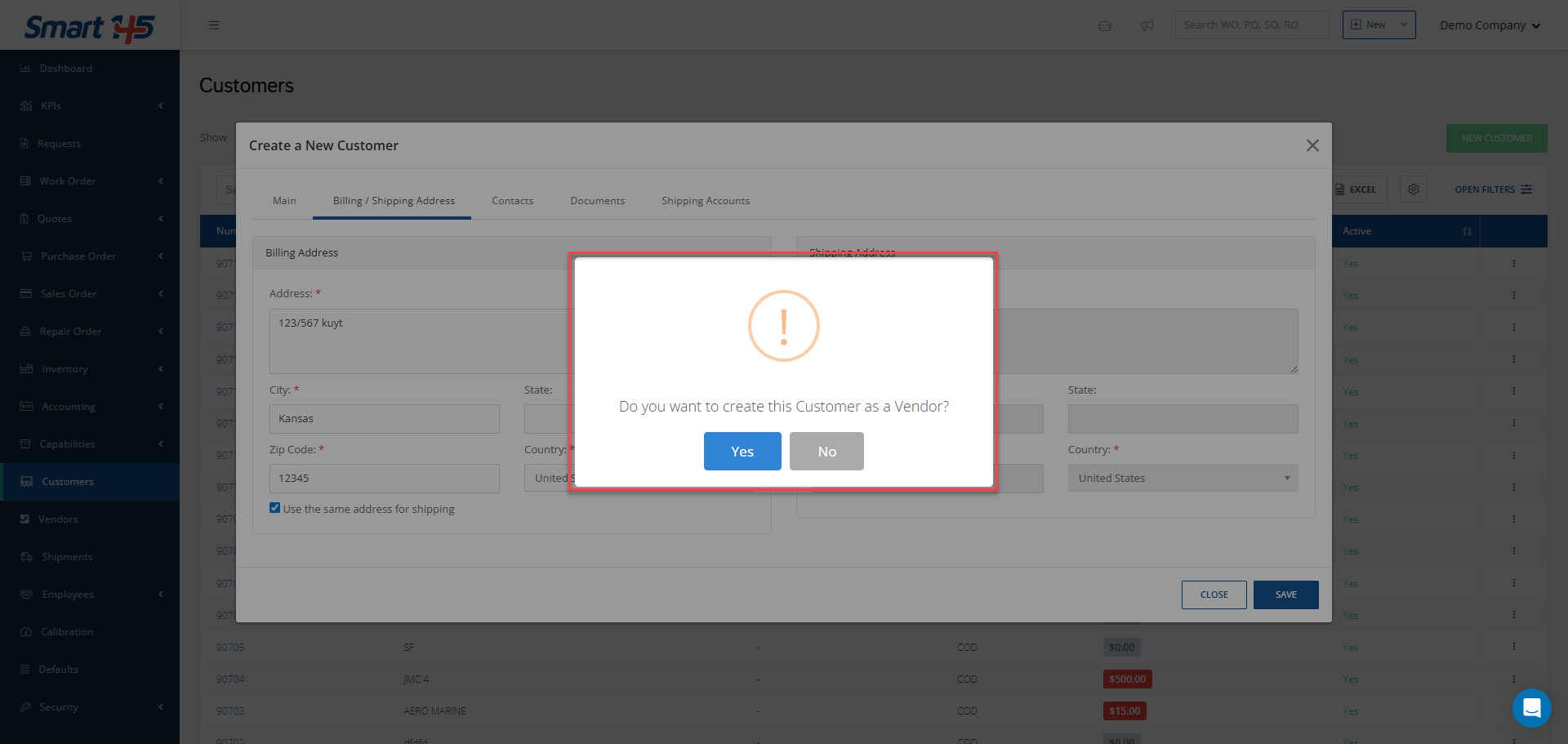
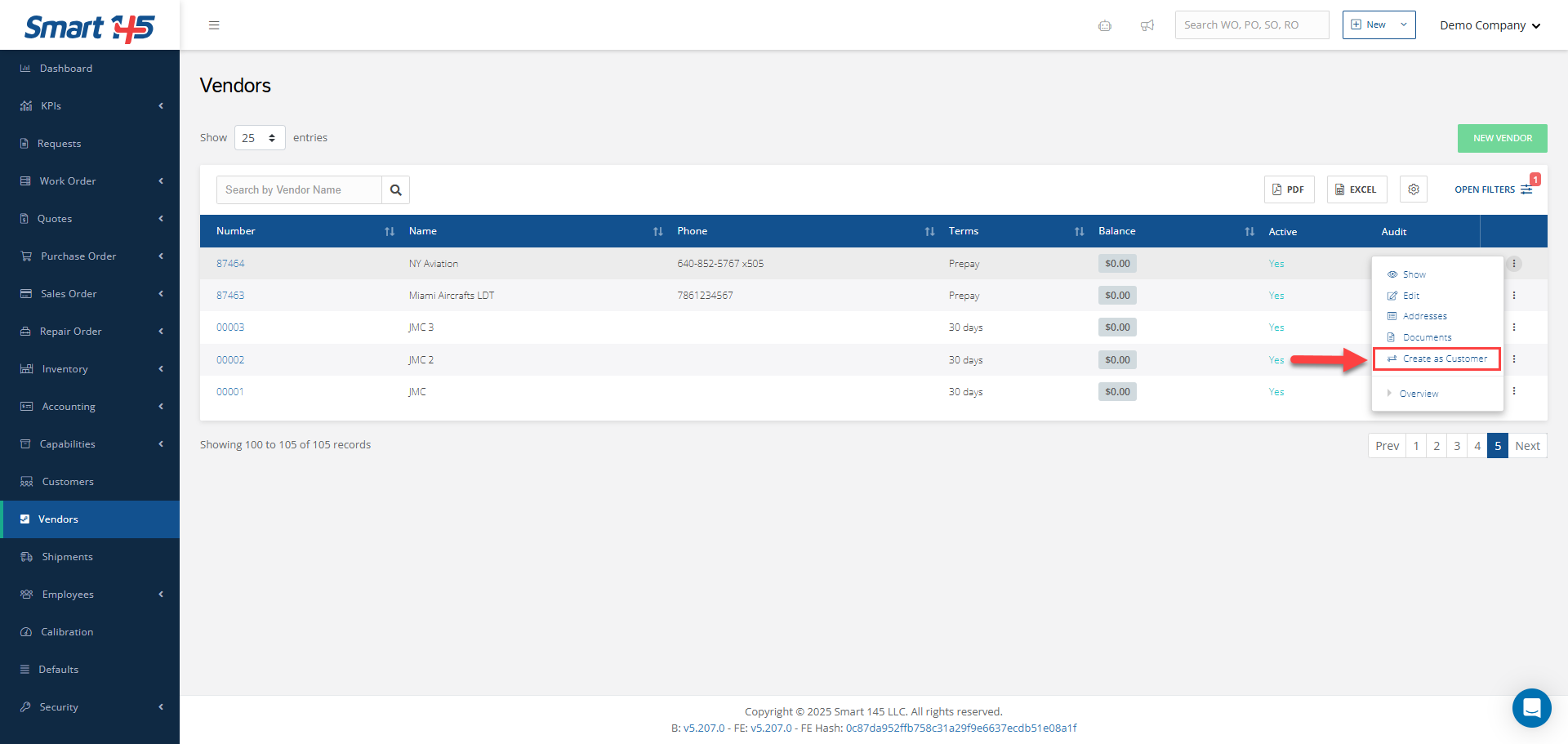
After saving the newly created customer, a new tab will appear offering you the option to also save this company in the system as a vendor: In the case of a new vendor, after saving it, you will have the option to create a new customer from it by selecting the “Create as Customer” option that appears when you click on the three dots menu: