How Can I Add Shipping Accounts, Services, and Providers to Customers?
Adding Shipping Accounts, Services, and Providers to a customer helps streamline the shipping process by keeping their preferred shipping information readily available. This reduces manual entry, improves consistency, and makes it easier to prepare shipments using the correct customer-specific details.
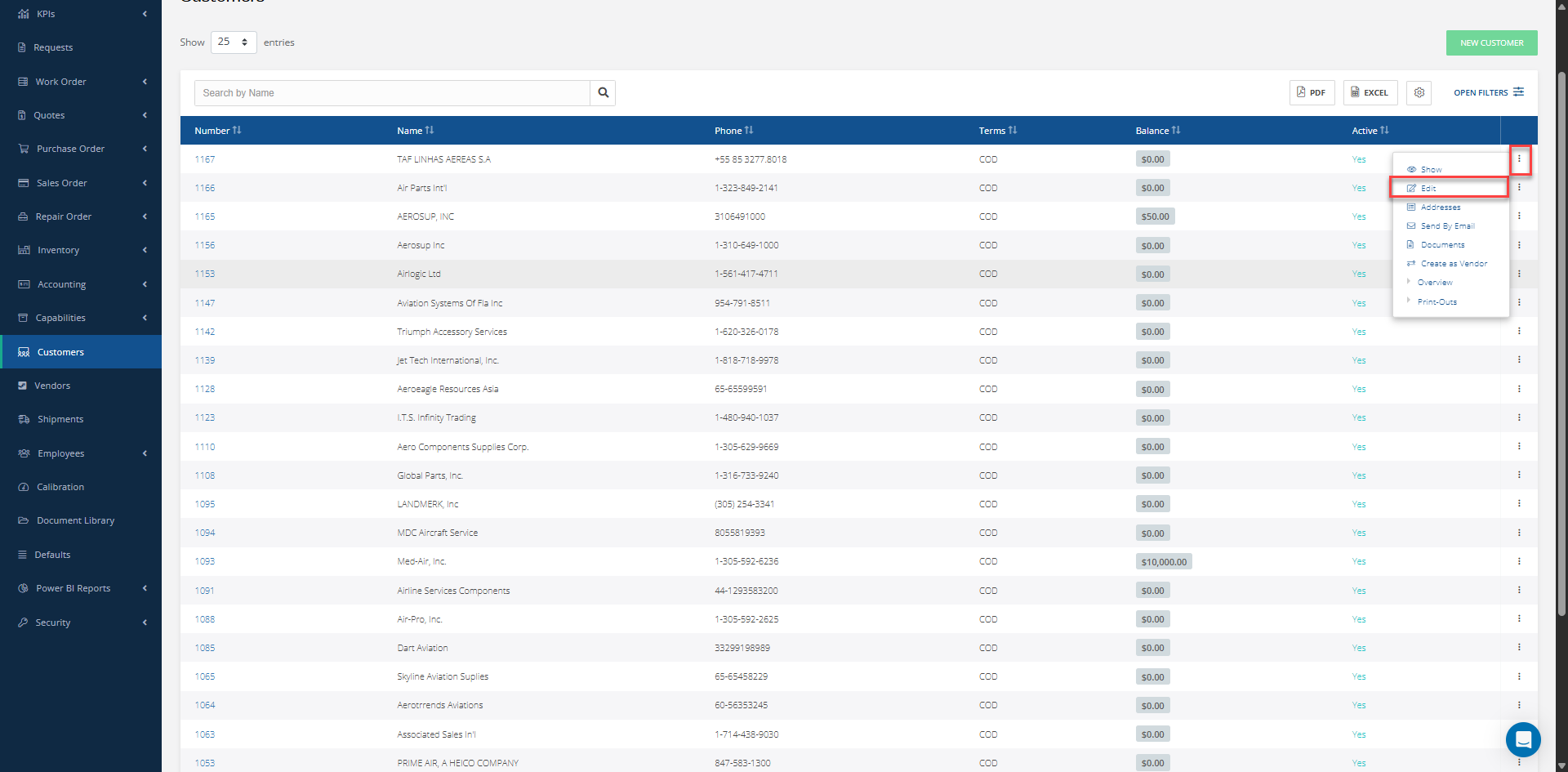
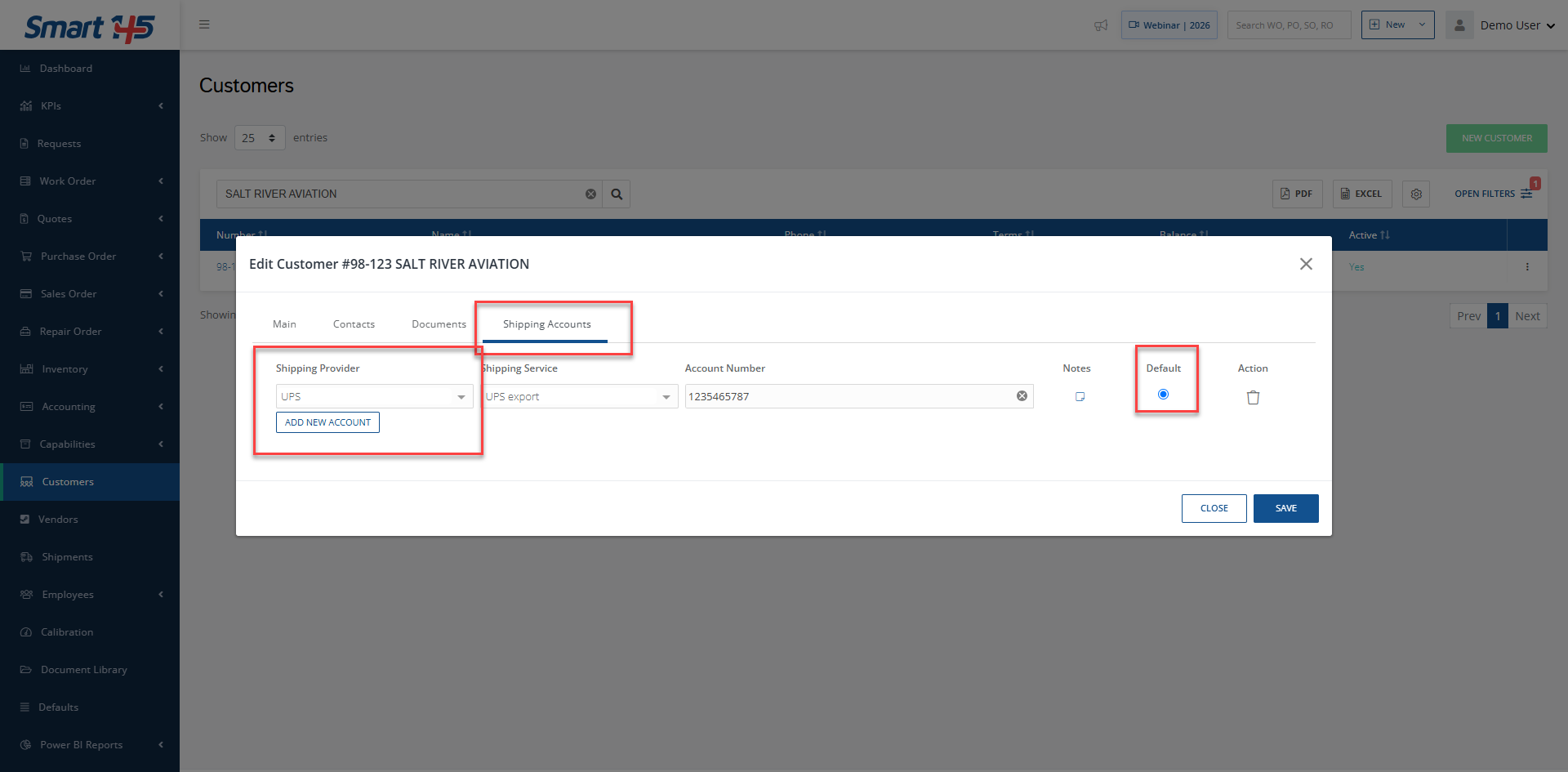
To add a Shipping Account, Service, or Provider to a Customer, we must first access the "Customers" module and edit the desired customer. On the panel that appears, move to the "Shipping Accounts" tab. From there, you can enter all of the relevant information for the shipping services.
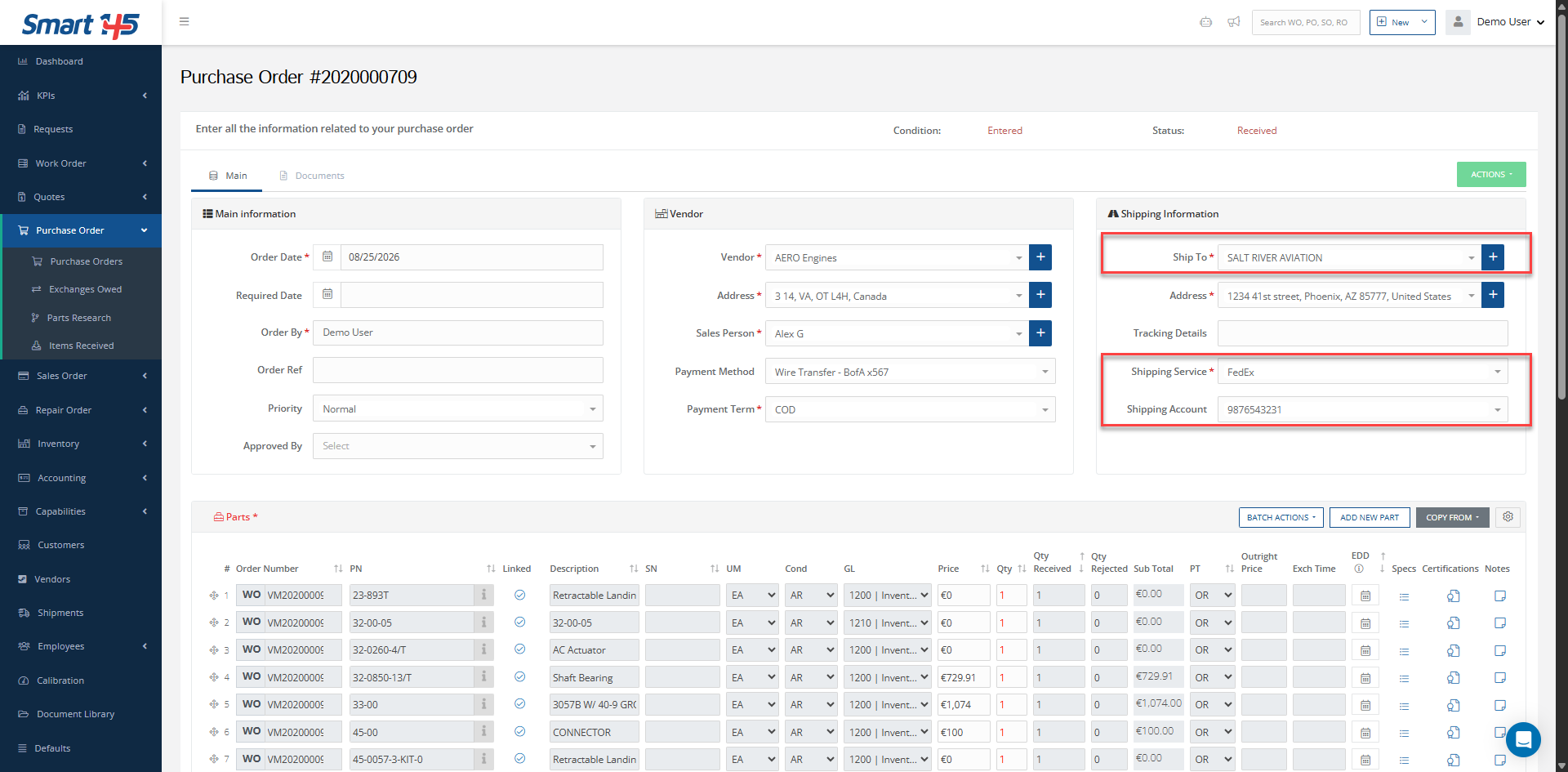
Note that the entry with the "Default" checkbox will automatically populate the relevant field when this Customer is selected. Additionally, keep in mind that you can only select shipping accounts associated with the selected Shipping service.