
Smart145
  1. Home
  2. General
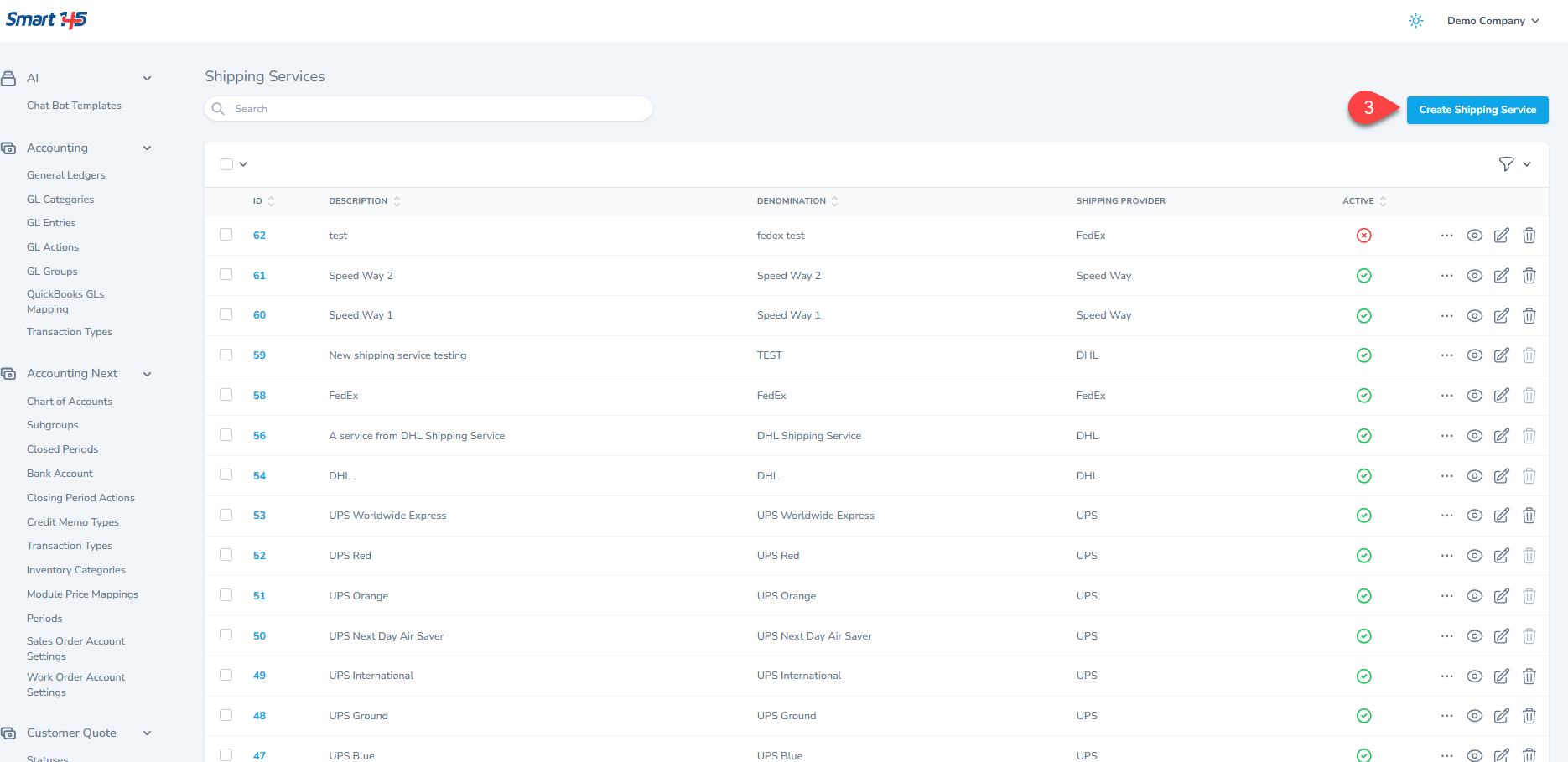
  3. How to add shipping services?
General

How to add shipping services?

If you wish to add new Shipping Services in the system, you just need to follow these simple steps:

1-Go to the upper right corner and click "administration" on the menu under your name.
2- Scroll down on the side menu to the Shipping section.

3- Click the Create Shipping Service button.
Related Articles

How can I enter a new Bank account into the system?

How to add shipping services? (Current)

How to add an online signature to a report?

How Can I Create Employees and Assign Types to Them?

How Can I Compress Files in Order to Upload Them?

How Can I Manage My Dashboard's Reminders?

Why is it showing Access Forbidden Error when trying to log in to Smart 145?

How to access the web app on iPad

How can I have a personalized email address and sender set up for my company account emails?

How can I register Exchanges Due/Exchanges Owed in Smart 145?

How to add multiple email addresses to the "Send by Email" option?

How can I establish the link between Smart 145 and Rotabull?

How Can I Set Up Automatic Notifications for my Employees?

How can you select which reports to print by setting your preferred reports as defaults in your profile?

How to Access Your Account Using a Passkey in Smart 145

Managing Documents with the Document Library

Quick Actions

Back to General Search Articles
Smart 145 © 2026 Smart 145. All rights reserved.