How Can I Create a Bill from a Vendor Invoice Using AI?
In aviation MRO operations, purchasing teams regularly receive invoices from vendors for parts, materials, and outside repair services. Manually entering this information into the accounting system can be time-consuming, especially when processing a high volume of vendor invoices, and can increase the risk of data entry errors.
Smart 145 now offers an AI-powered Import from Document option in the Accounts Payable module, allowing users to extract information directly from a vendor invoice and populate the corresponding fields when creating a new bill. This helps accounting teams reduce manual work, process supplier invoices more efficiently, and maintain accurate financial records while keeping the original invoice available for reference.
How It Works
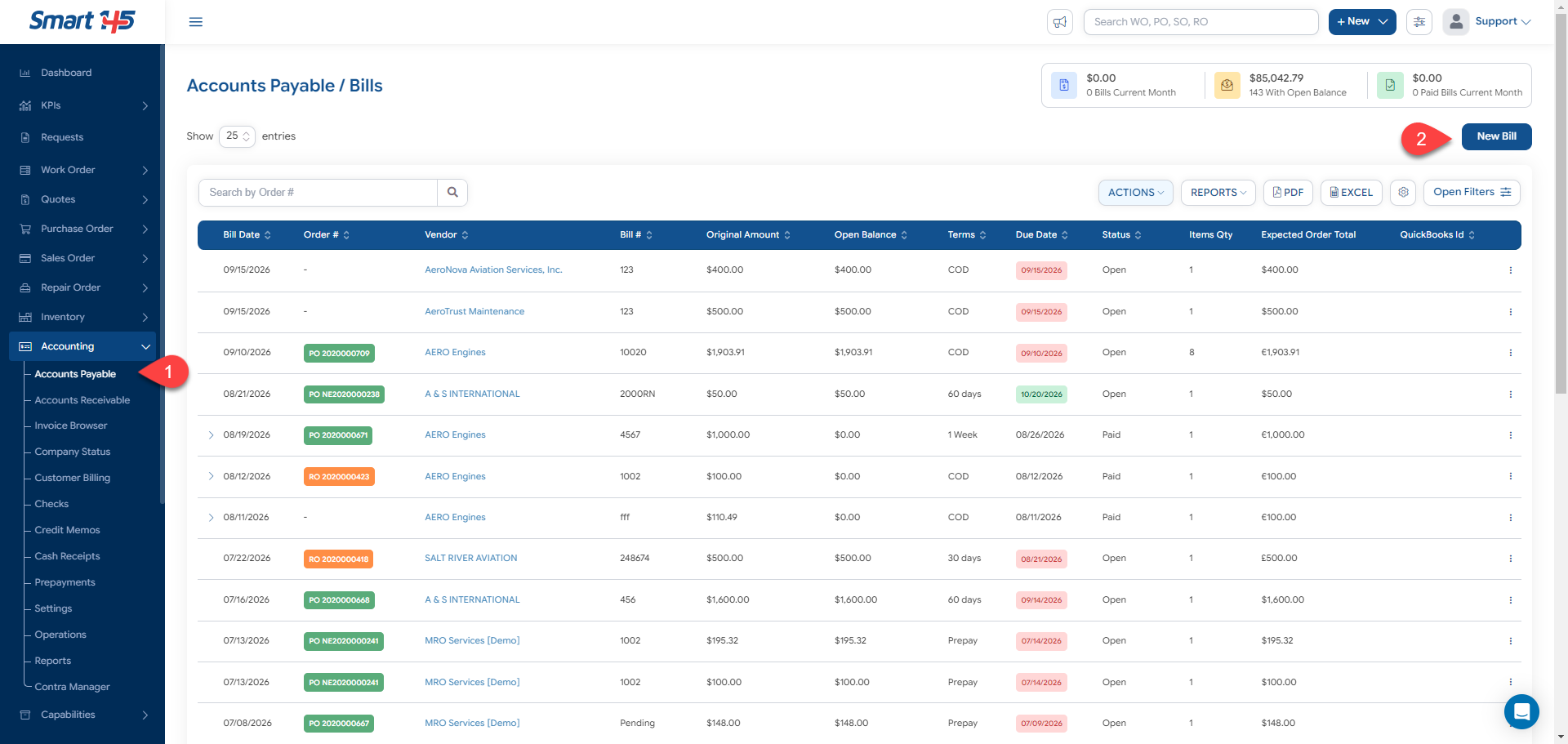
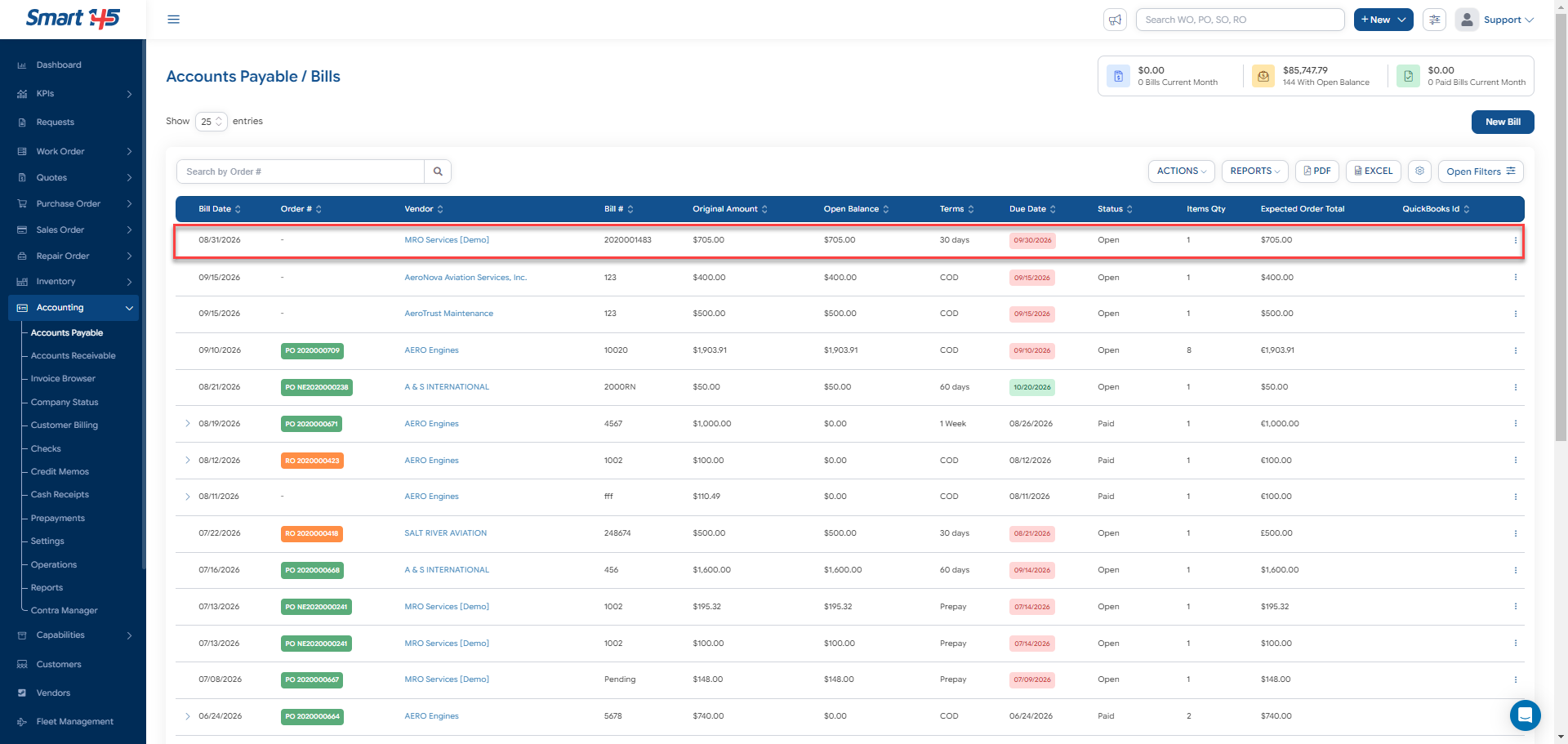
To create a bill using this functionality, navigate to Accounting > Accounts Payable and click New Bill to open the bill creation window.
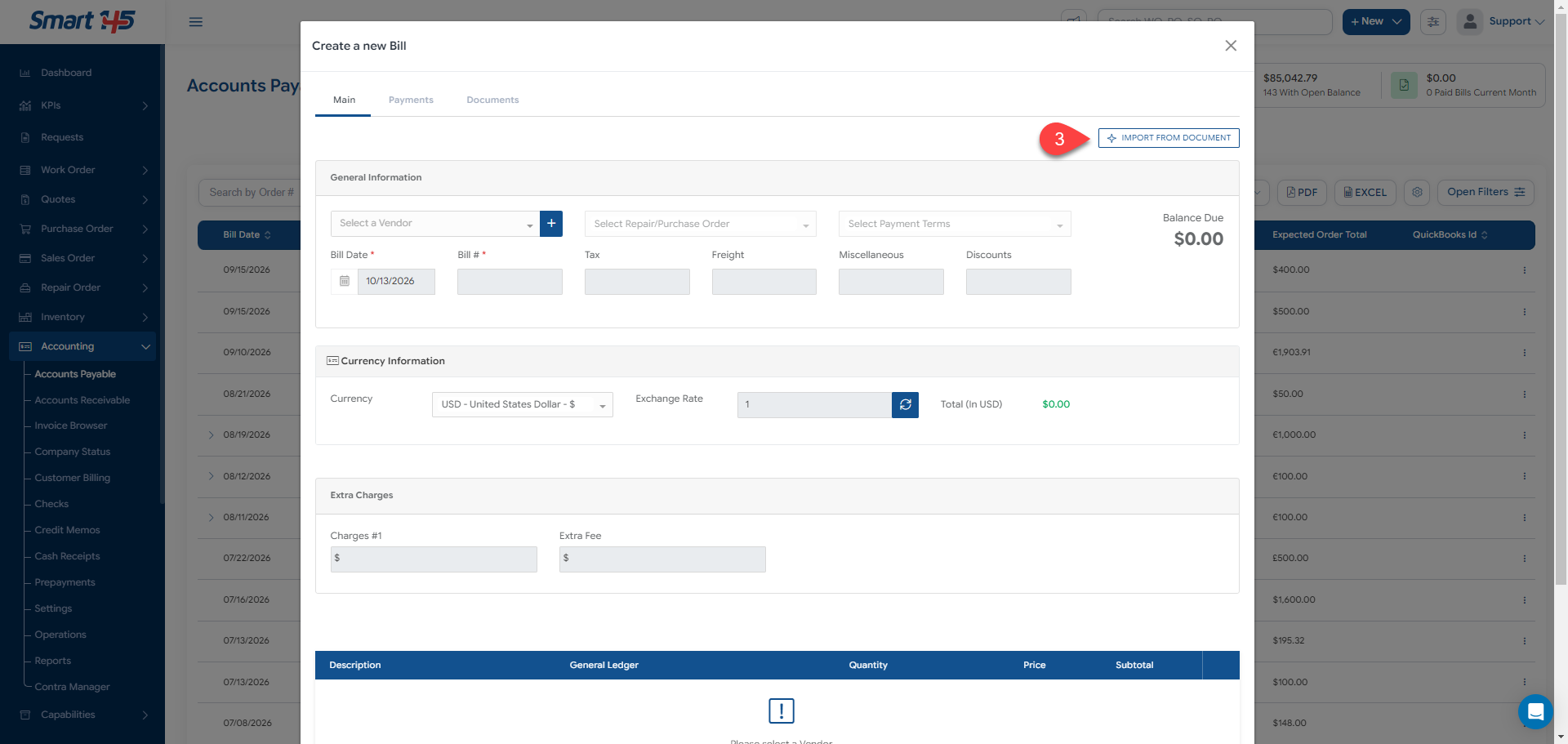
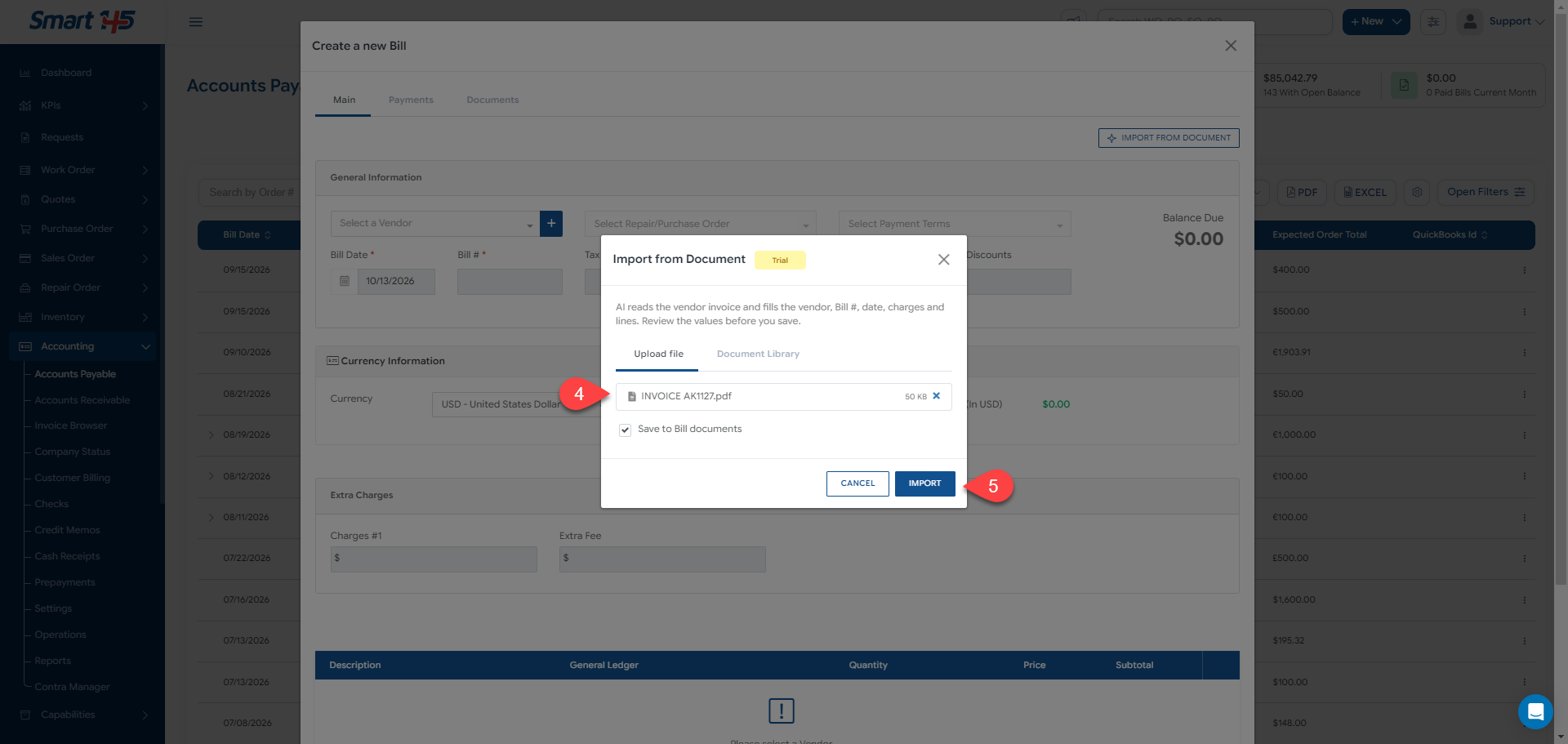
In the Main tab, click Import from Document. Select the vendor invoice you want to import. You can upload a file directly or select a document from the Document Library.
If you want to retain the original invoice as supporting documentation, keep the Save to Bill documents option selected. Click Import to let the AI analyze the document and populate the bill information.
Review the Imported Information
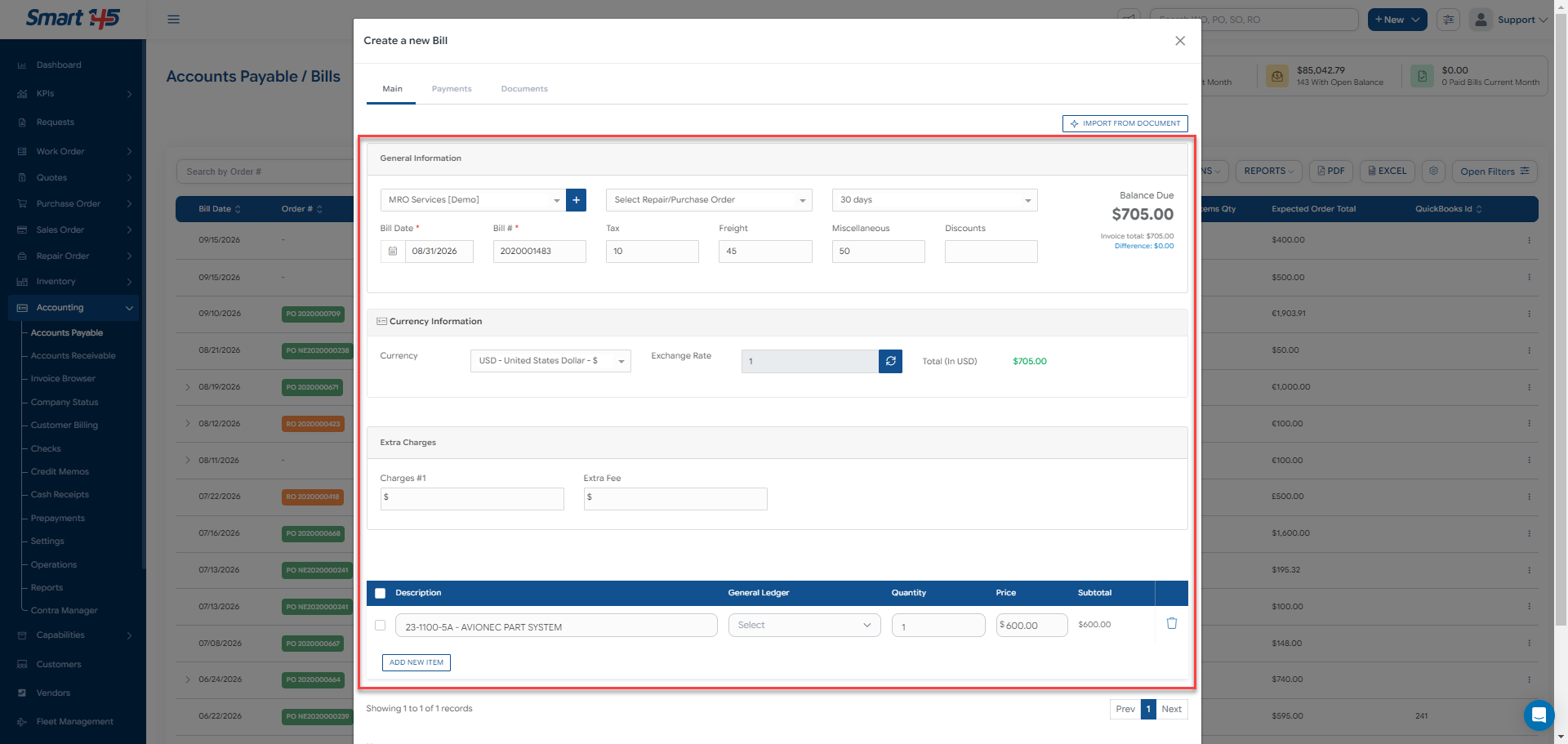
Once the import is complete, Smart 145 populates the corresponding fields using the information extracted from the vendor invoice. Depending on the document, this may include:
Vendor and Bill Number
Bill Date
Tax, Freight, Miscellaneous Charges, and Discounts
Billed items information like quantities, prices, and subtotals, when available.
Then you just need to review the imported information carefully before saving the bill. Verify that the vendor, invoice number, dates, amounts, and line items match the original document, and complete or correct any information that is missing or inaccurate. Once everything has been verified, save the bill to register it in Accounts Payable.
Why This Matters for MRO Accounting
Supplier invoices are an essential part of managing repair costs, purchasing expenses, and payments to outside service providers. By extracting invoice information automatically, Smart 145 helps accounting teams spend less time entering data manually and more time reviewing financial accuracy and managing outstanding payables.
This functionality is especially useful for MRO shops and parts suppliers that process numerous vendor invoices and need an efficient way to maintain accurate, traceable accounting records without sacrificing control over the information being recorded.
How to Enable This Functionality
To enable the Import from Document feature in your Smart 145 account, contact our Support team at support@smart145.com. Our team will assist you with the required configuration.