The Document Library module provides a centralized repository for storing and managing frequently used documents across your organization. By maintaining documents in a single location, users can quickly access and import them into work orders using the available Copy From options.
This feature helps streamline workflows, reduce duplicate file uploads, improve document consistency, and ensure that critical records are readily available throughout the repair and inventory management lifecycle. To enable this functionality in your system, contact support@smart145.com.
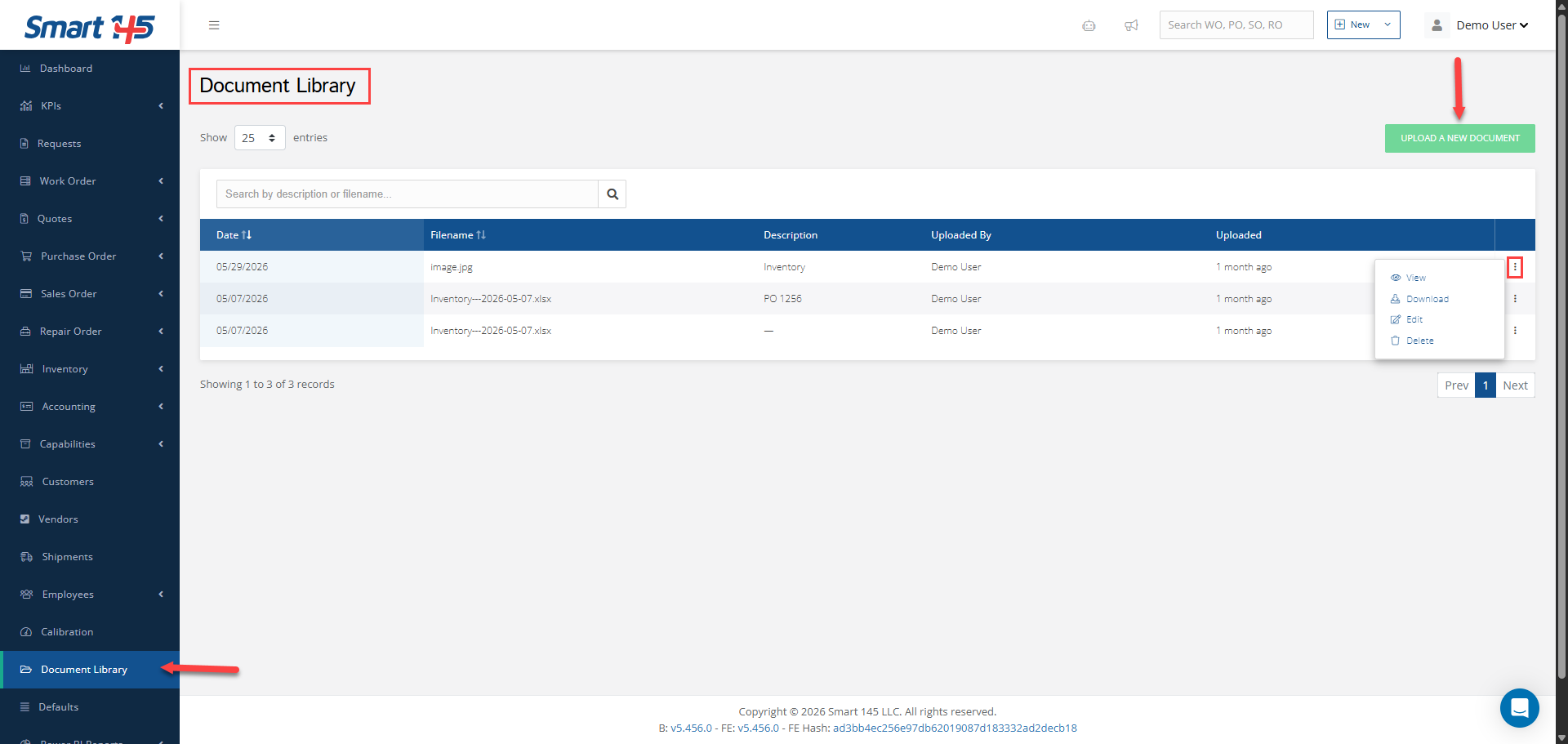
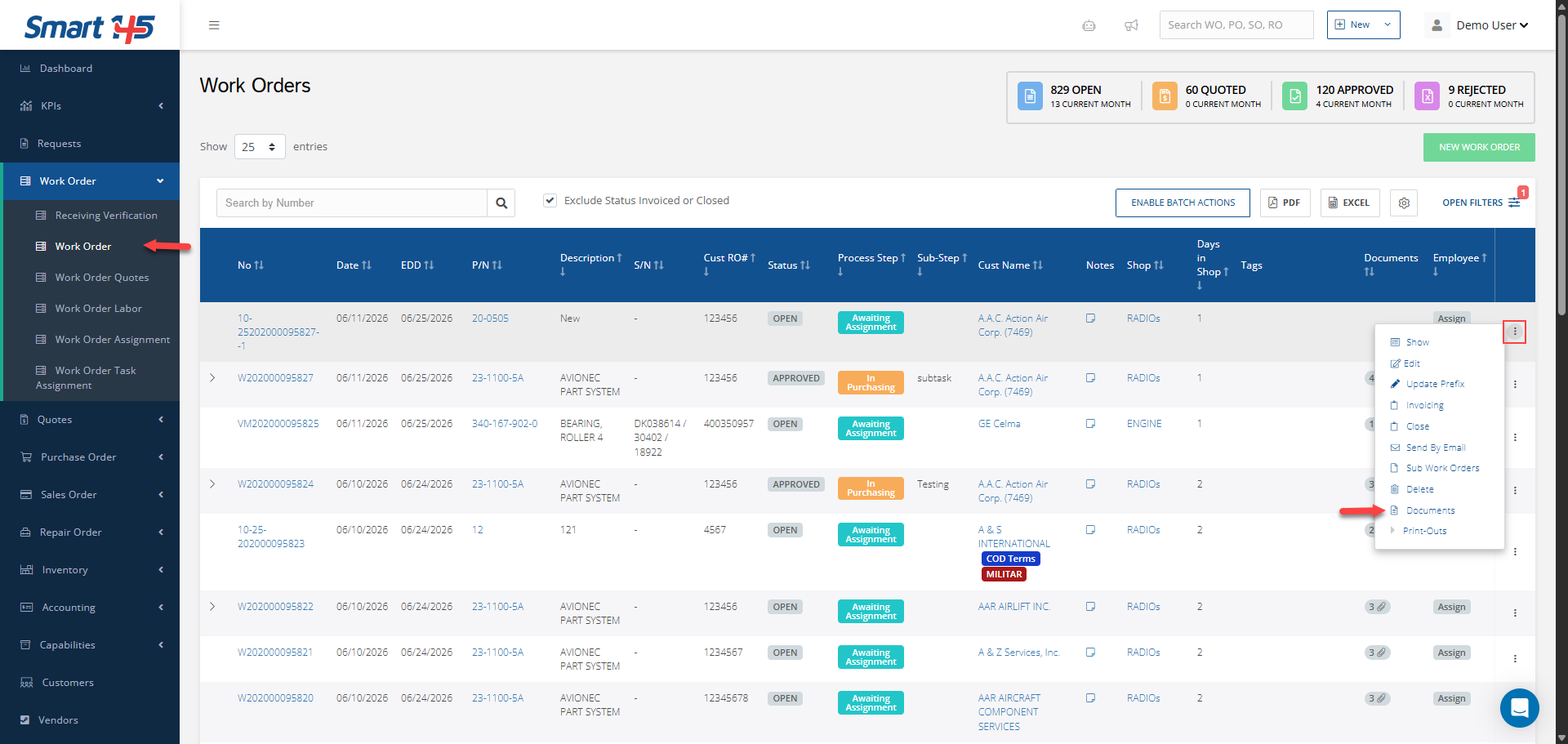
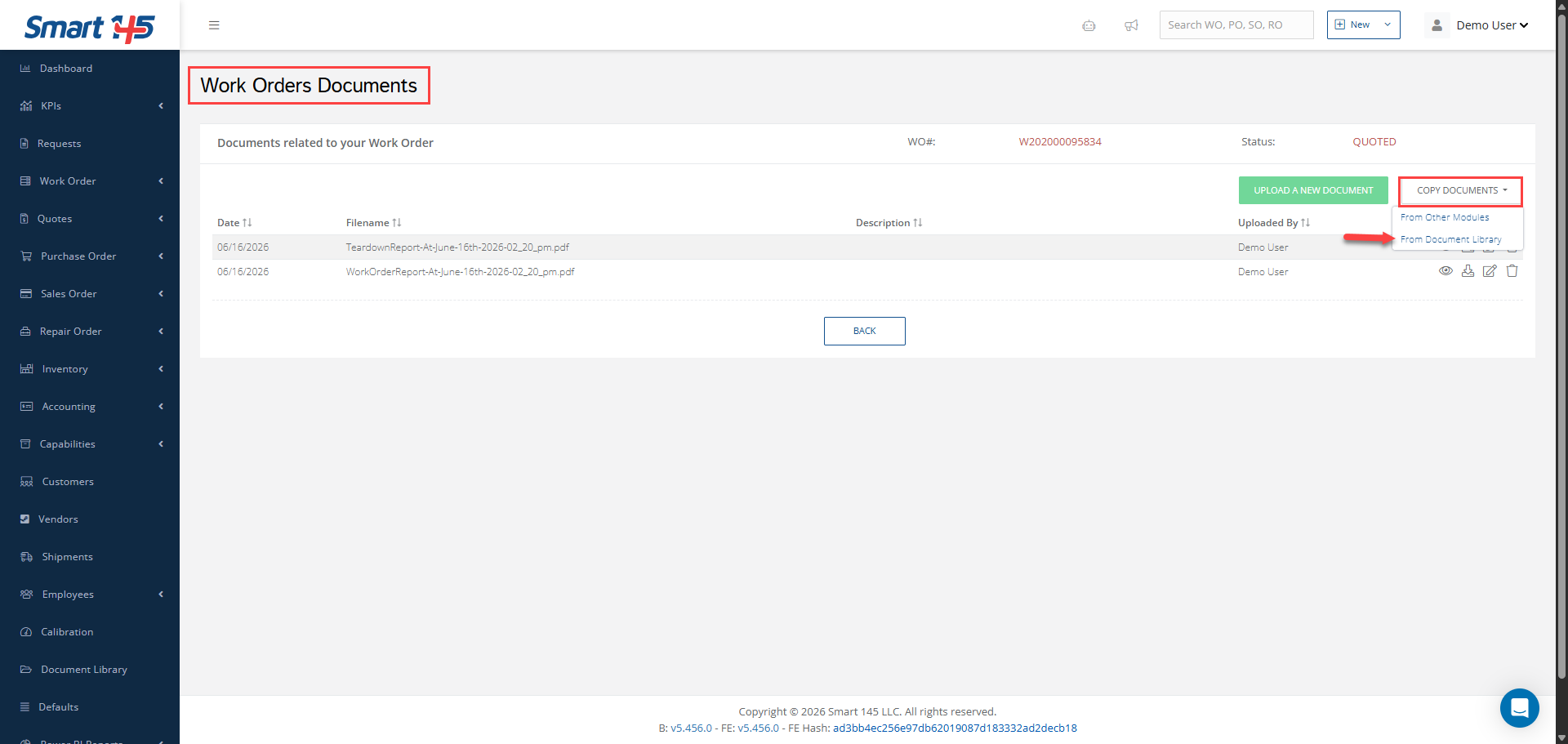
Once the new functionality has been implemented, you will see a new module called "Document Library" added to your system. Within this module, you will be able to upload documents using the "Upload a New Document" button. All uploaded documents will be displayed in the library for easy access and management: After documents have been added to the library, they can be attached to Work Orders using the "Copy From" option available in the Documents section. This allows users to quickly reuse existing documentation without the need to upload the same files multiple times:
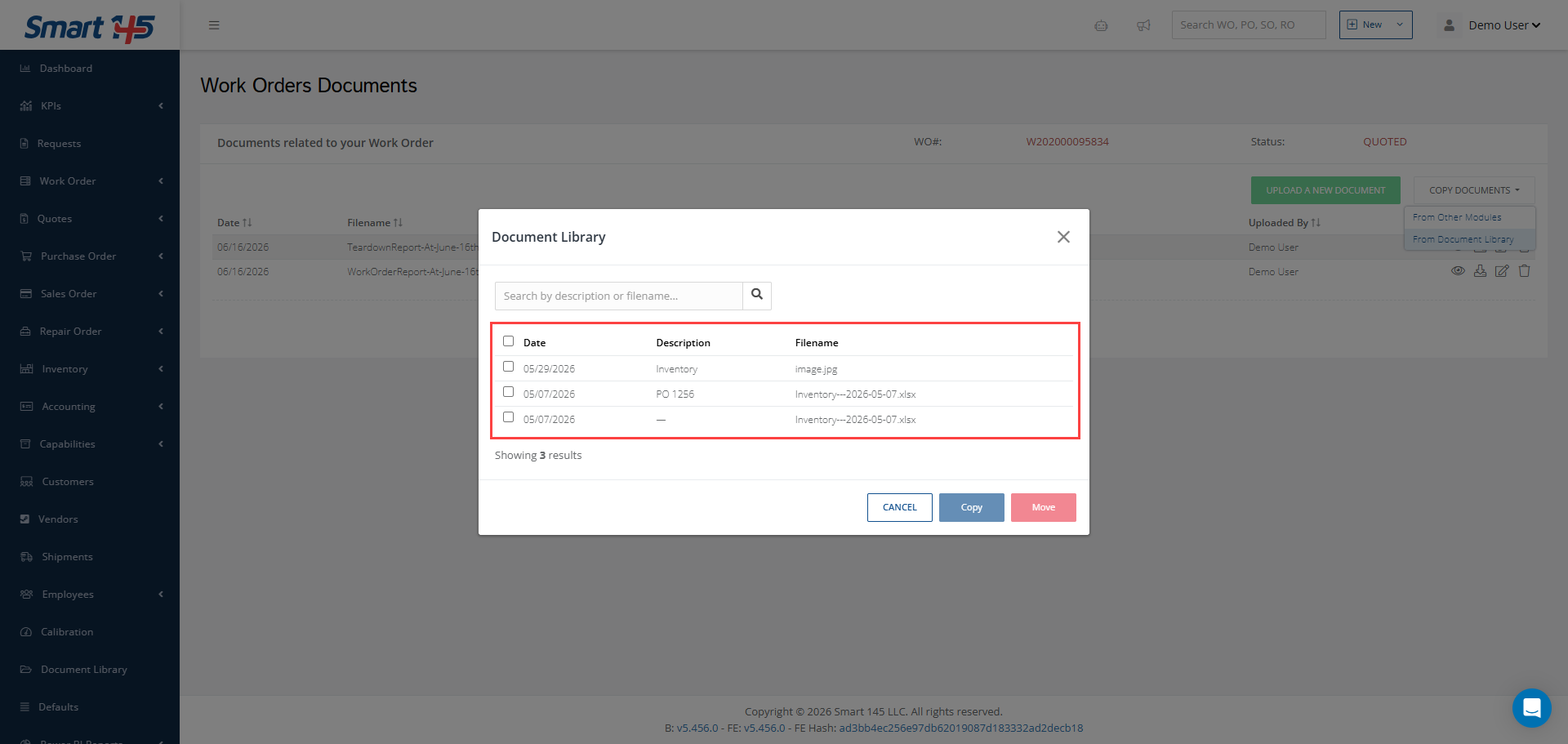
In the window displayed after selecting the "From Document Library" option within Copy From, you will have the ability to either create a copy of an existing document from the library and add it to the selected order or move the document directly, removing it from the Document Library and transferring it to the work order: