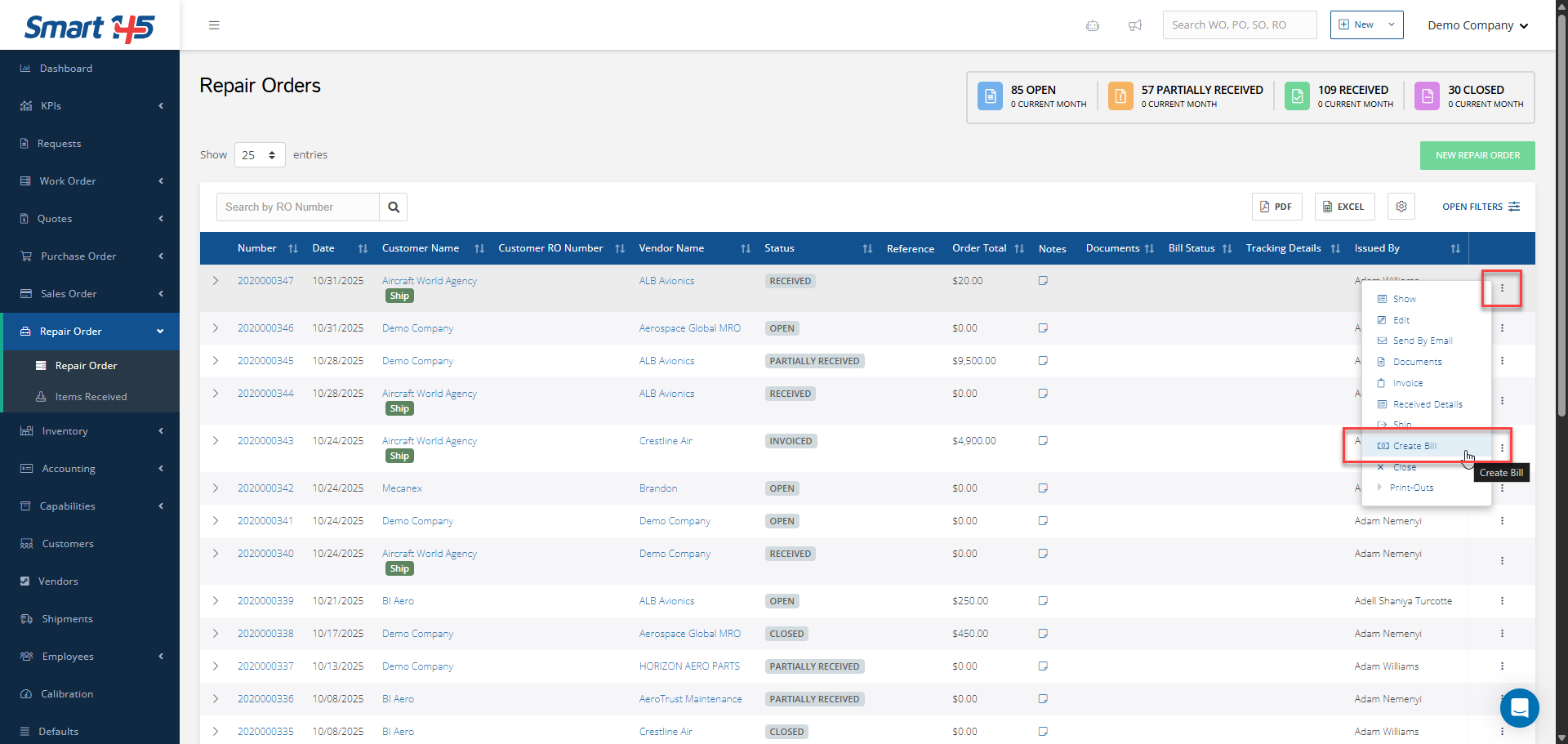
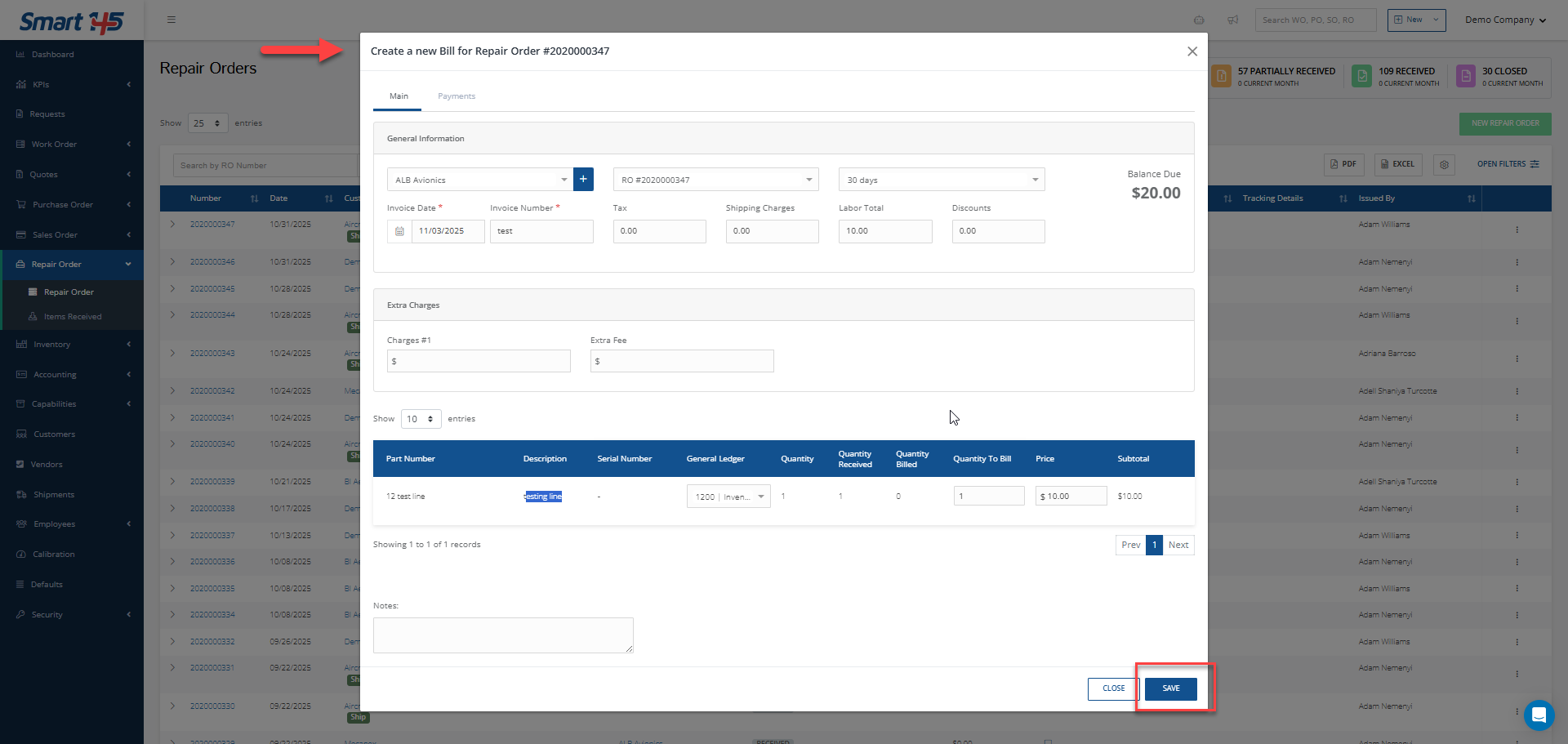
Knowledge Base / Repair Orders How can I create a bill from a RO? To create a bill within a repair order in order to process the payment to your vendor for the repair service, follow these steps: 1. Go to the three-dots menu on your right and click Create Bill2. Complete the required information and click save Related articles Repair Orders Repair Order Overview Repair Orders How can I create an Outside Service for a Work Order? Repair Orders How Do I Ship a Unit to an Outside Facility for Repair? Accounting How Can I Create a Bill from a Vendor Invoice Using AI? Sales Orders How to Sell a Part That Has Been Purchased and Sent for Repair? Next How can I receive exchanged parts in a Repair Order?