How Do I Ship a Unit to an Outside Facility for Repair?
In aviation MRO operations, components are often sent to external vendors for specialized repair, testing, overhaul, or other services that are not performed internally. When this happens, it is important to maintain a clear record of when the unit left the facility, where it was sent, what quantity was shipped, and how that movement connects back to the original Repair Order.
The “Ship to Vendor” functionality enhances traceability and control by allowing you to formally record when a part is sent to an external vendor for repair. This ensures that all movements are properly documented and aligned within the system before the unit is later received back into inventory or processed through the next workflow stage . This article explains how to use the “Ship to Vendor” functionality within Repair Orders, outlining the steps required to complete the process and highlighting key considerations before generating the Vendor Shipper Report.
Shipping Unit To a Vendor
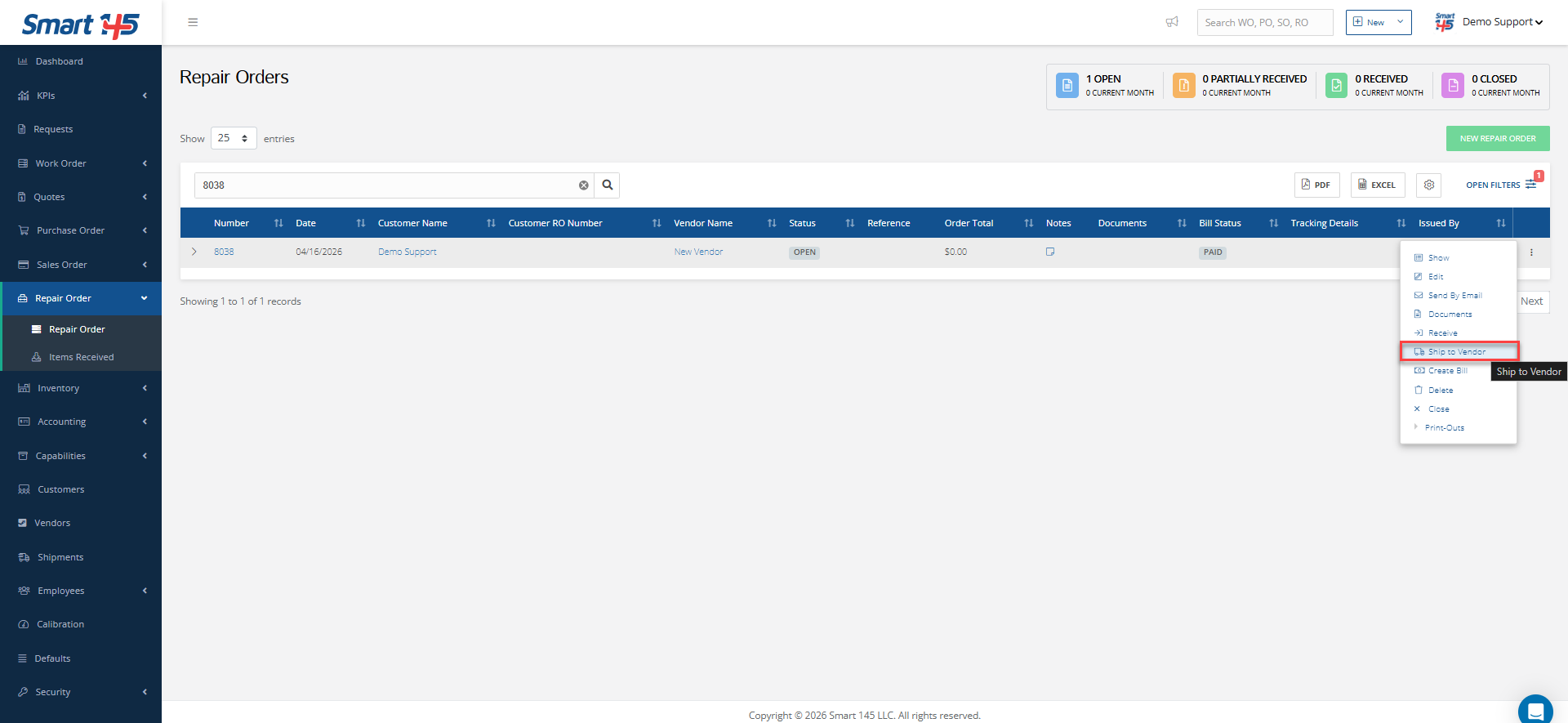
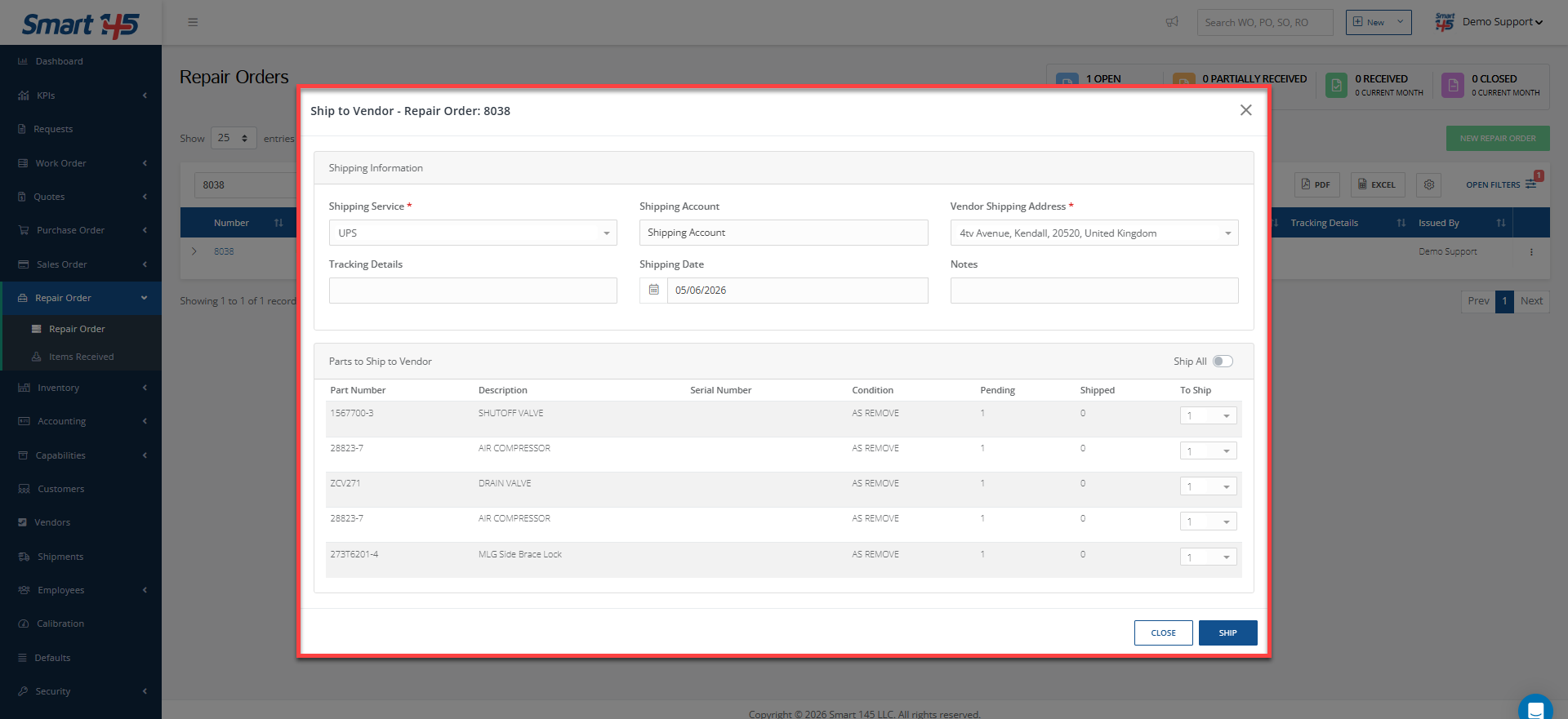
Once a Repair Order has been created and the unit is ready to be sent to the vendor for repair, the system provides the option to perform a “Ship to Vendor” action directly from the three-dot menu within the RO. Selecting this option opens a window where all relevant shipping information can be entered, including shipment details and the quantity being sent to the vendor.
Reviewing Shipping Details
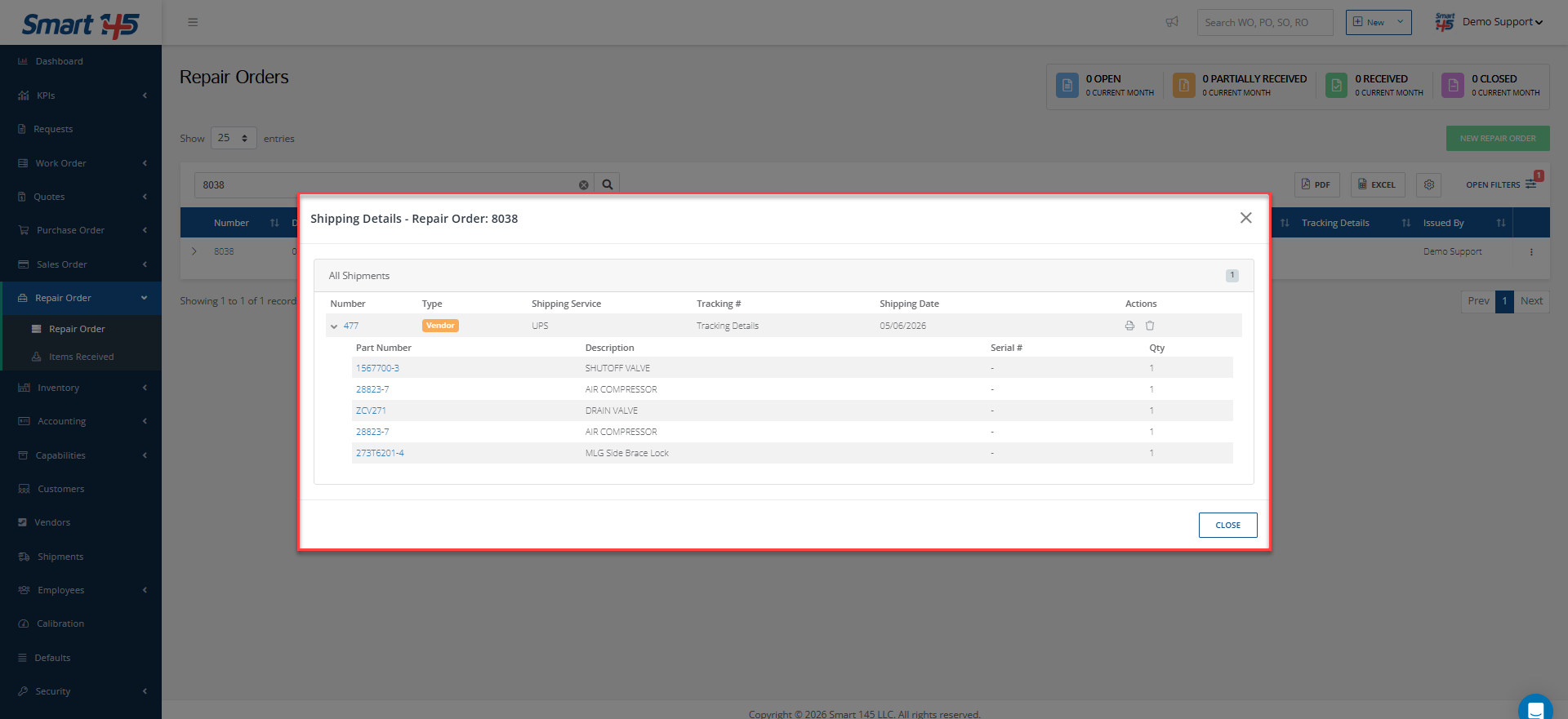
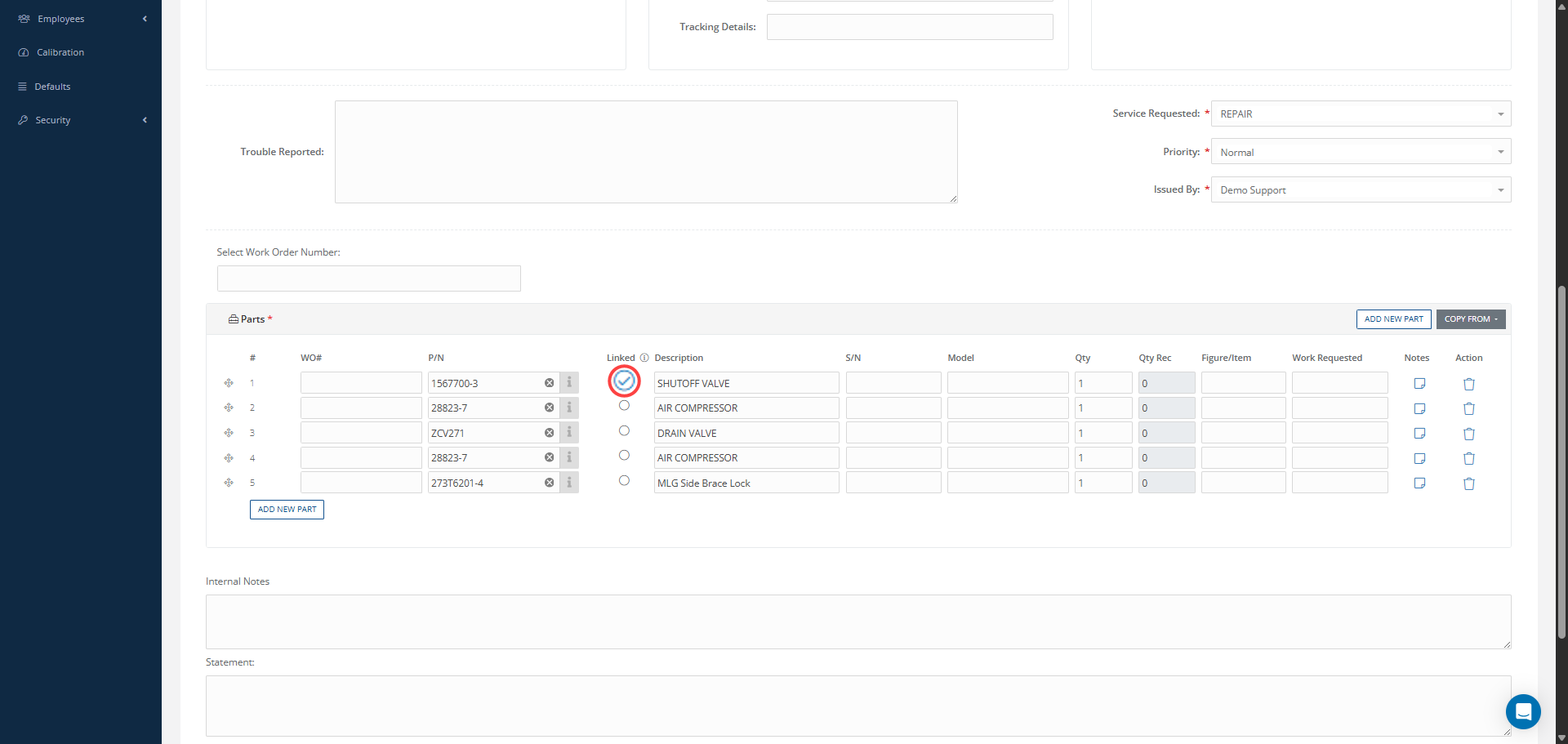
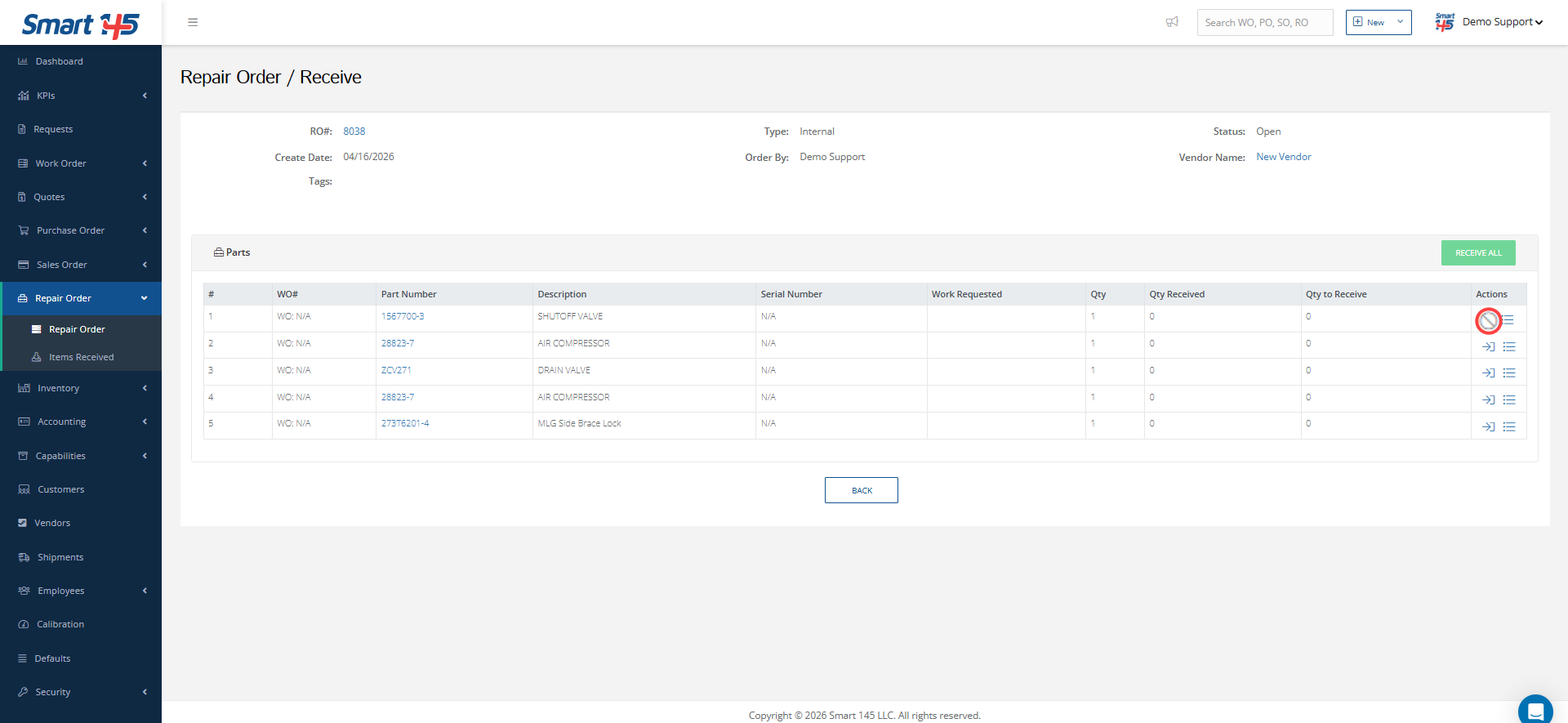
After the shipment is recorded, the system updates the Repair Order by enabling a Shipping Details tab. This section provides full visibility of the shipment, allowing users to review the information used during its creation and print the Vendor Shipper Report when needed. Additionally, the same report can also be accessed and printed from the Print-Outs. Important Note: Take into account that for units within the RO that are linked to inventory, completing the “Ship to Vendor” process is a required step before the items can be received back into inventory. This is necessary because it ensures that all inventory movements are properly recorded in the system, maintaining full traceability throughout the entire process and preventing any gaps between shipment and receipt tracking.
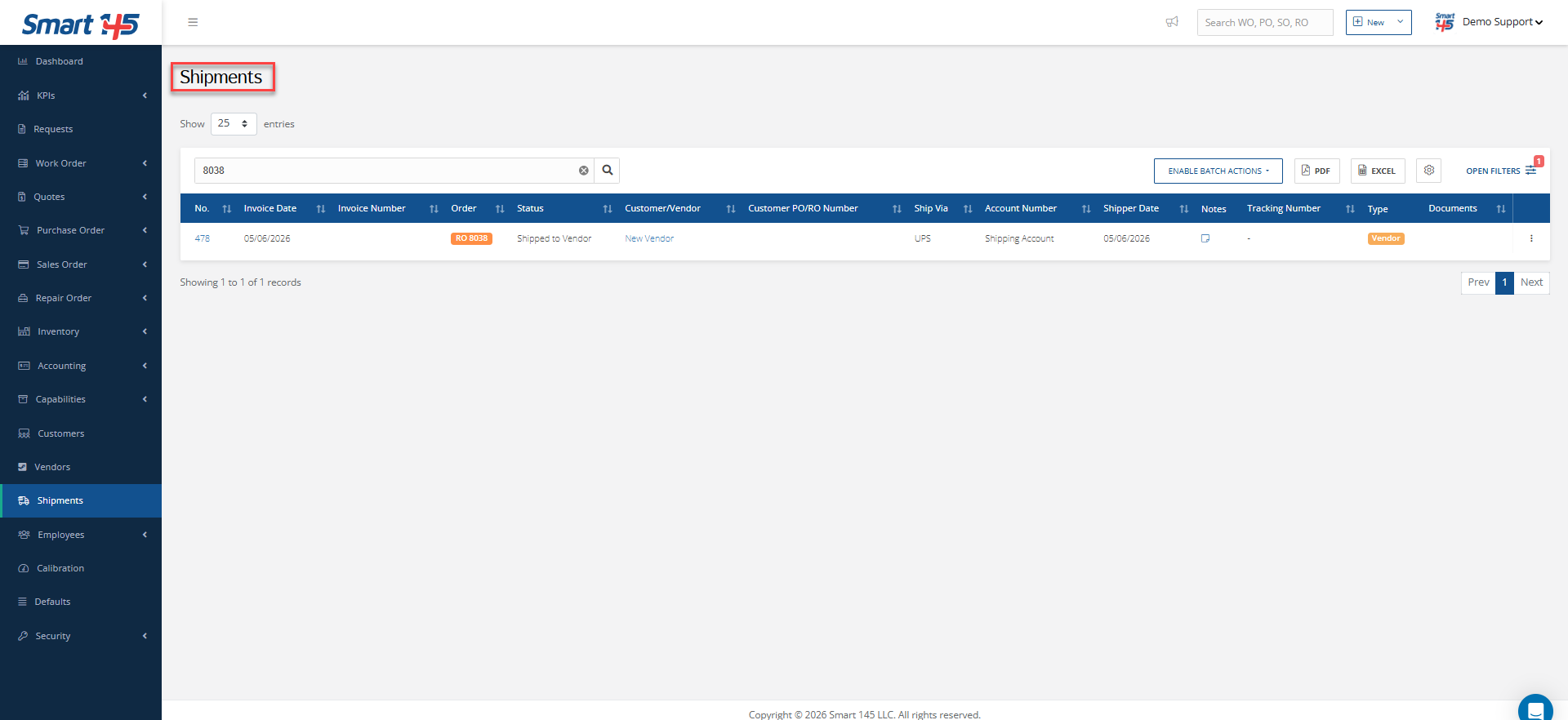
All shipment records generated through this functionality are stored in the Shipment module, providing a centralized location to track and audit the entire shipping process.