
In aviation MRO operations, the same parts often have to be ordered more than once: a second batch for another work package, an order that has to go out separately, or the same lines sent to a different vendor that can meet the required date. Re-entering every line, note, and shipping detail by hand takes time and opens the door to mistakes in part numbers, conditions, and quantities.
With the Clone action, Smart 145 lets you create a new Purchase Order from an existing one in a few clicks. The new PO opens pre-filled with the Ship To, shipping details, notes, and line items of the original, so you only select the vendor, adjust what is different, and save. The original PO stays exactly as it was.
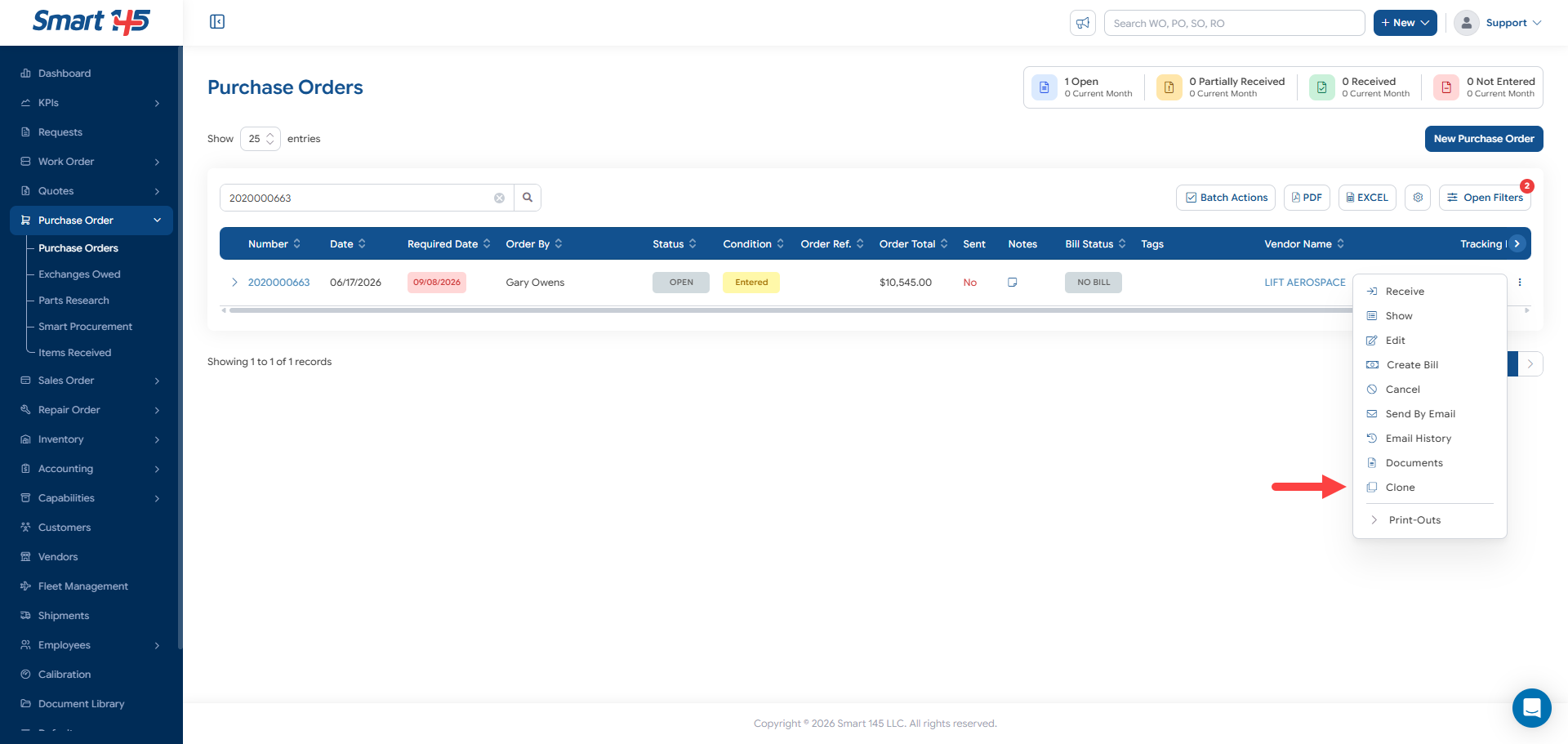
Option 1: Clone from the Purchase Orders List
Go to Purchase Order → Purchase Orders and find the PO you want to copy.
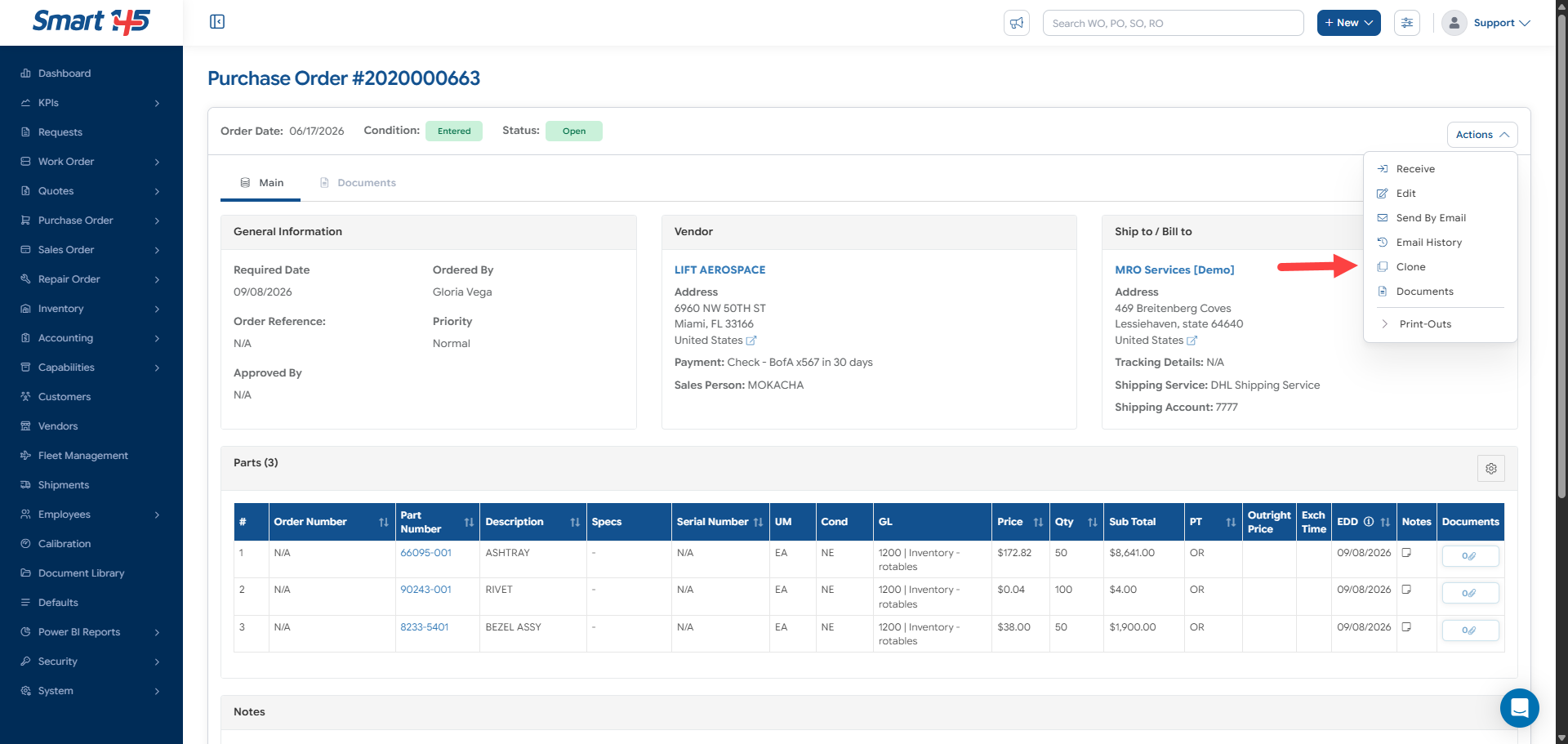
Option 2: Clone from an Open Purchase Order
Open the PO, click Actions in the top-right corner, and select Clone. The same option is in the Actions menu when the PO is open in Edit.
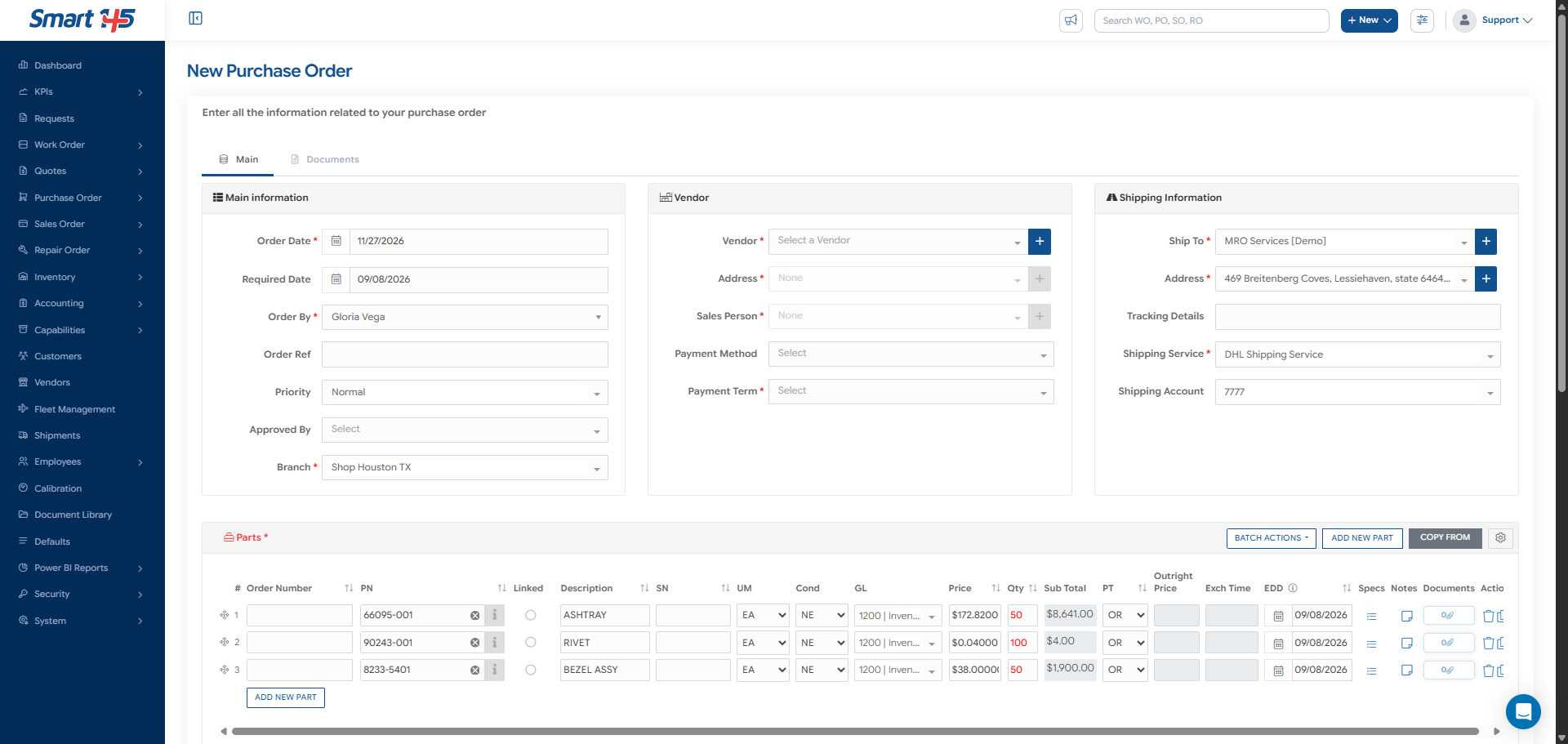
Review and Save the New Purchase Order
The new Purchase Order screen opens with the Order Date set to today. The Required Date, Ship To, Shipping Service, Shipping Account, and all the lines from the original PO are already filled in. The Vendor, Payment Method, and Payment Term fields are empty.
Select the Vendor for the new order.
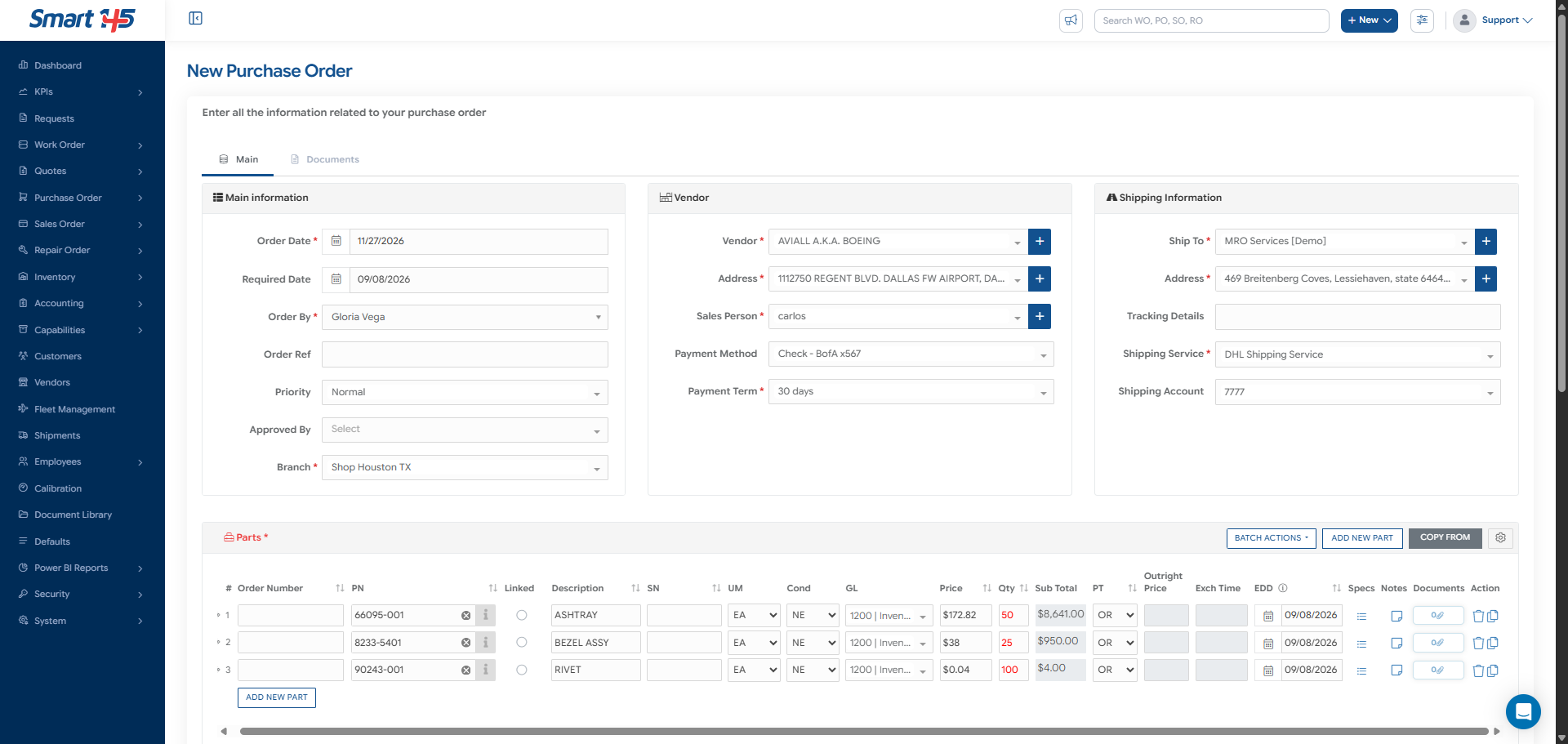
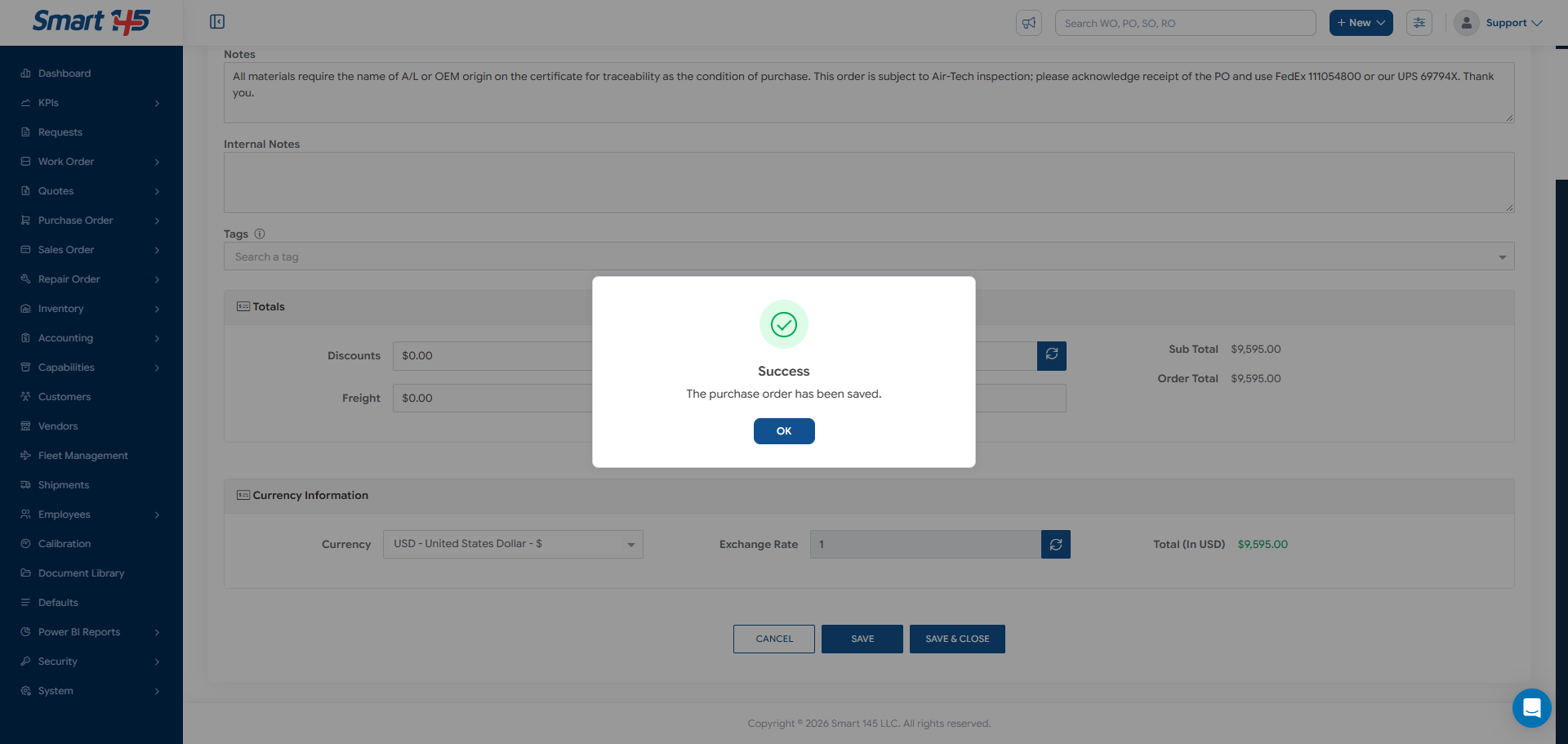
Click SAVE & CLOSE at the bottom of the screen. Smart 145 shows the message "The purchase order has been saved." and creates the PO with a new number in Open status. The original PO stays unchanged.
Why This Matters for Aviation MRO Operations
Purchasing teams in a repair station often reorder the same parts for different work packages, or need a second PO for the same lines with another vendor when lead times or prices change. Cloning removes the retyping, so a new PO is ready in minutes and parts reach the shop floor sooner, which helps protect turnaround times.
Because every line comes from a PO that was already reviewed, part numbers, conditions, and notes such as traceability and certification requirements carry over exactly. Each clone is still a separate PO with its own number and history, so receipts, bills, and audit records stay clean and easy to trace.