
If you have a team specialized in Power BI, or if you prefer to handle it on your end, how can you connect Power BI with Smart 145?
Smart 145 exposes API endpoints specifically designed for analytics tools like Power BI. Your Power BI environment can pull data directly from Smart 145 using the API credentials and endpoint URLs provided by our team. Once connected, you will be able to load your operational data—such as Work Orders, Quotes, Purchase Orders, Sales Orders, Repair Orders, Inventory, Labor, Accounting, Customers, Vendors, and more—directly into Power BI for modeling and dashboard creation.
Power BI is Microsoft’s cloud-based business intelligence and analytics platform that enables real-time dashboards based on Smart 145 data, drill-down reporting across departments, KPIs, and trend analysis, and secure sharing through role-based access throughout your organization.
Smart 145 exposes API endpoints specifically designed for analytics tools like Power BI. Your Power BI environment can pull data directly from Smart 145 using the API credentials and endpoint URLs provided by our team. Once connected, you will be able to load your operational data—such as Work Orders, Quotes, Purchase Orders, Sales Orders, Repair Orders, Inventory, Labor, Accounting, Customers, Vendors, and more—directly into Power BI for modeling and dashboard creation.
Power BI is Microsoft’s cloud-based business intelligence and analytics platform that enables real-time dashboards based on Smart 145 data, drill-down reporting across departments, KPIs, and trend analysis, and secure sharing through role-based access throughout your organization.
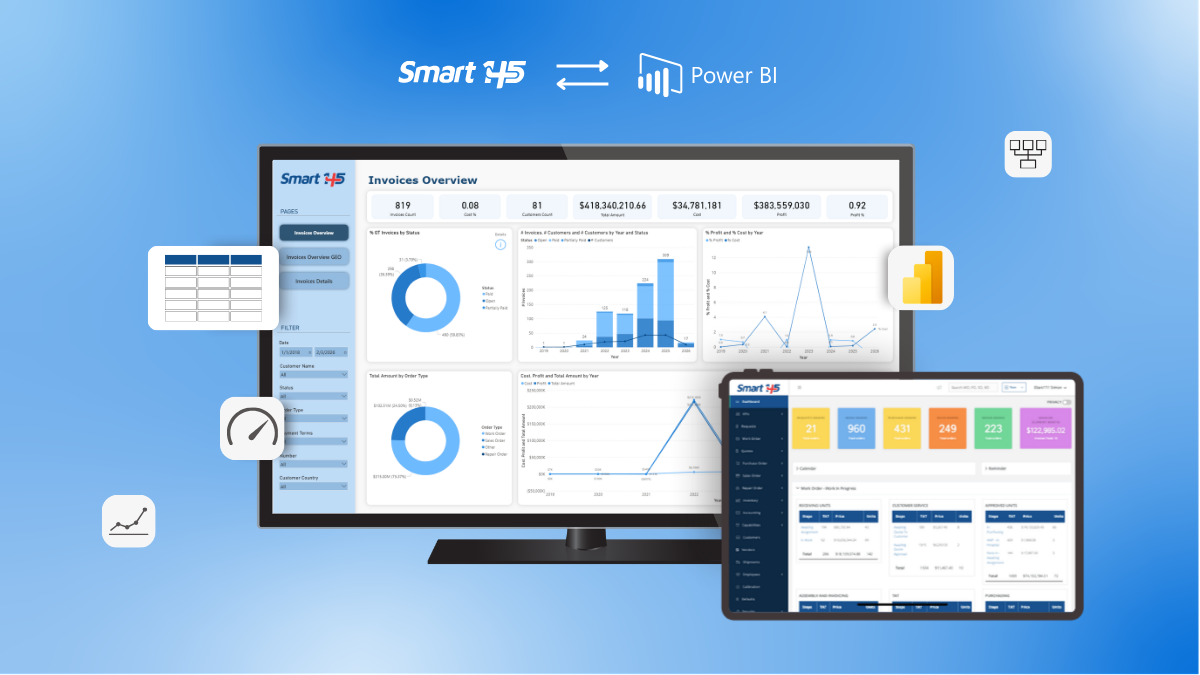
How does Power BI work?
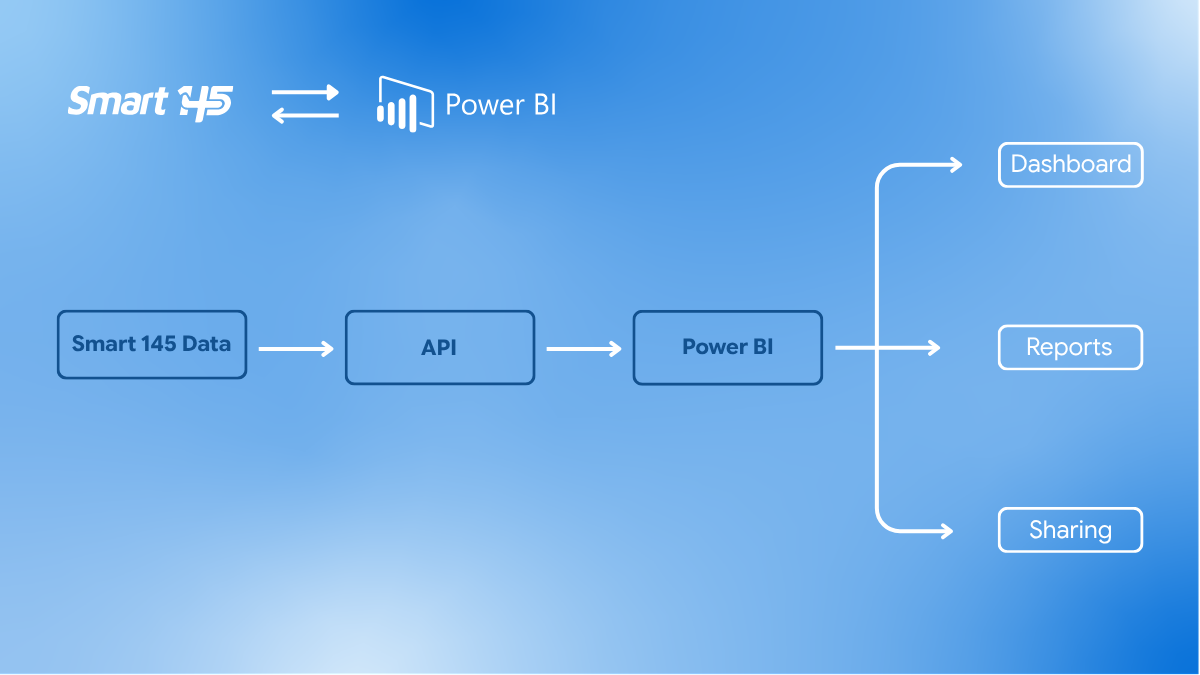
Power BI connects to a data source -Smart 145- and transforms that information into dashboards, reports, and KPIs. The typical workflow includes:
- Data Source – Smart 145 provides secure API endpoints containing your operational data.
- Modeling – Tables such as Work Orders, Parts, Repair Orders, Labor, AP/AR, Inventory, and others are linked together so Power BI can interpret relationships.
- Visualization – Dashboards display trends, metrics, and performance indicators based on your operational data.
- Security – Your company controls all access and permissions inside your Power BI workspace.
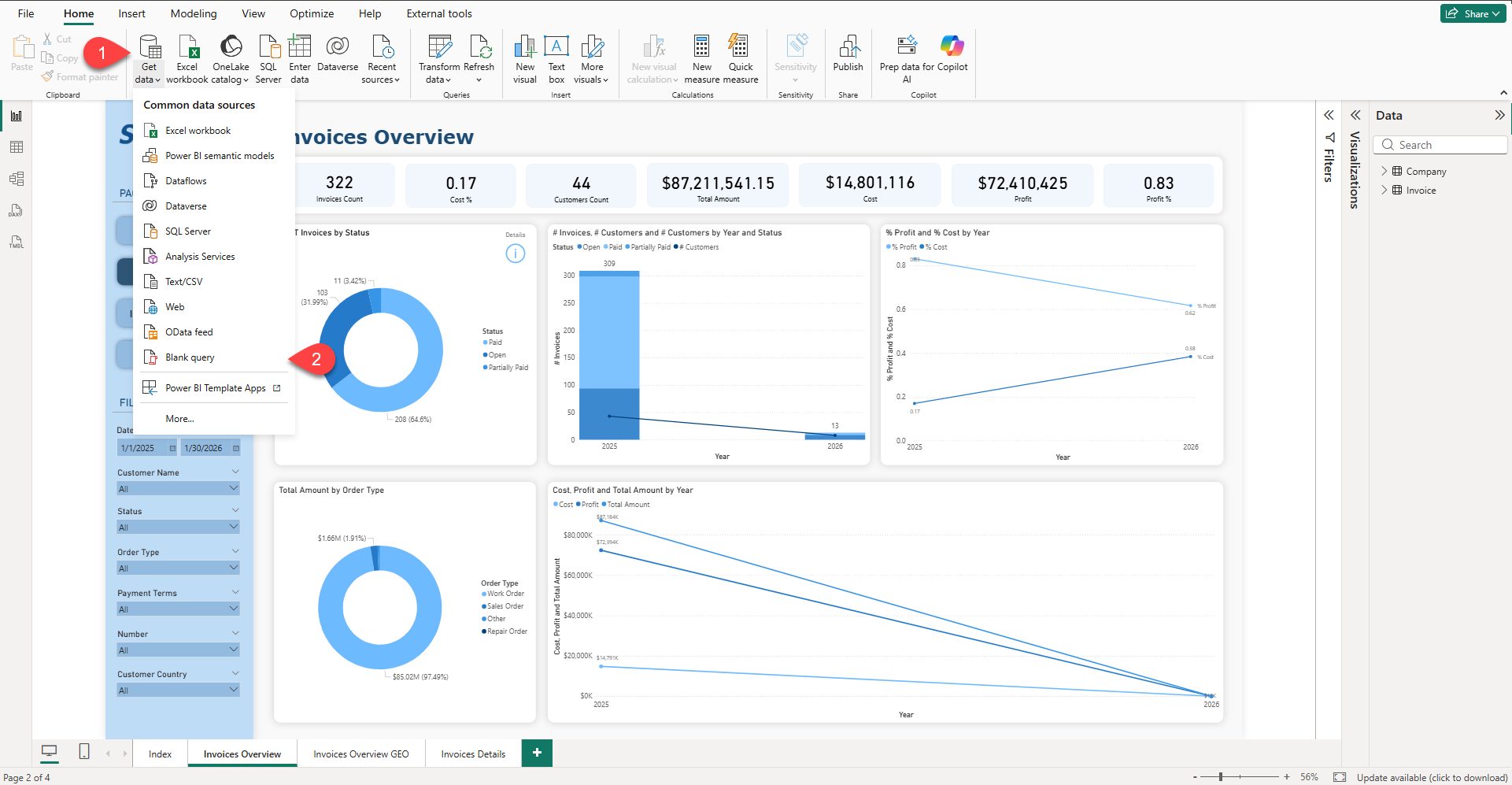
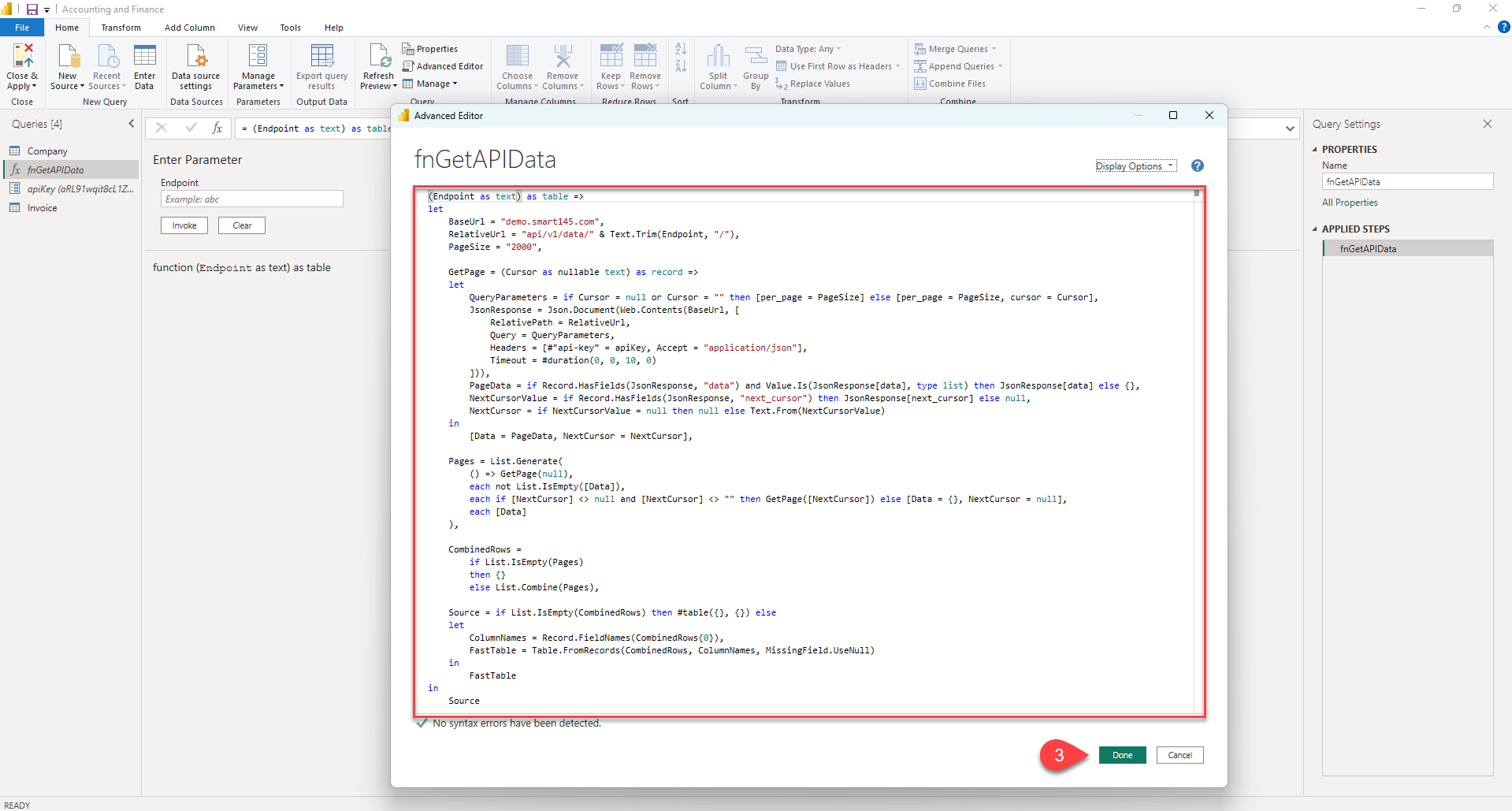
How to Connect Power BI to Smart 145?
Smart 145 exposes API endpoints specifically designed for analytics tools like Power BI. Your Power BI environment can pull data directly from Smart 145 using the API credentials and endpoint URLs that our team provides. Once connected, you will be able to load your operational data -such as Work Orders, Quotes, Purchase Orders, Sales Orders, Repair Orders, Inventory, Labor, Accounting, Customers, Vendors, and more-directly into Power BI for modeling and dashboard creation.
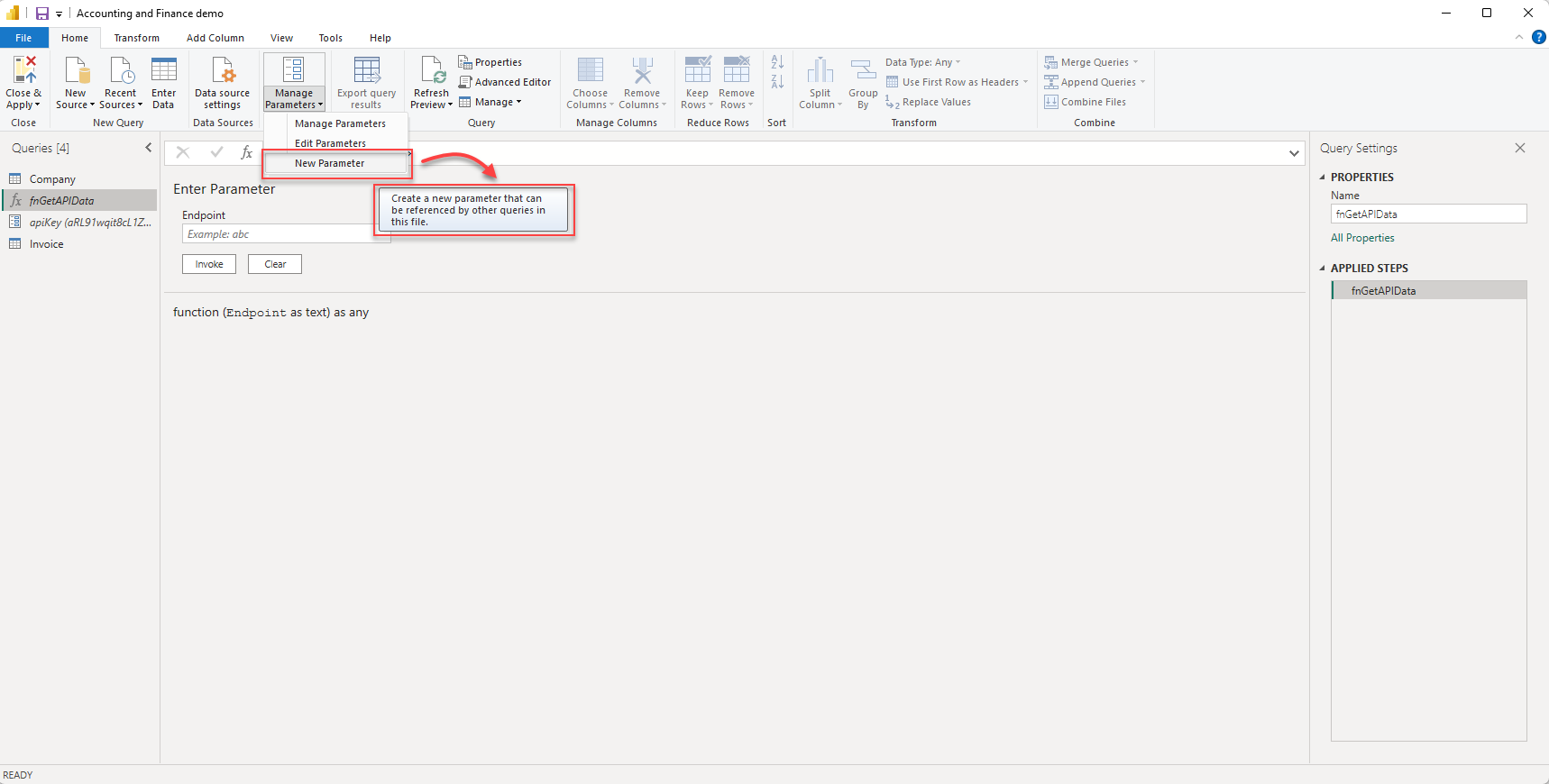
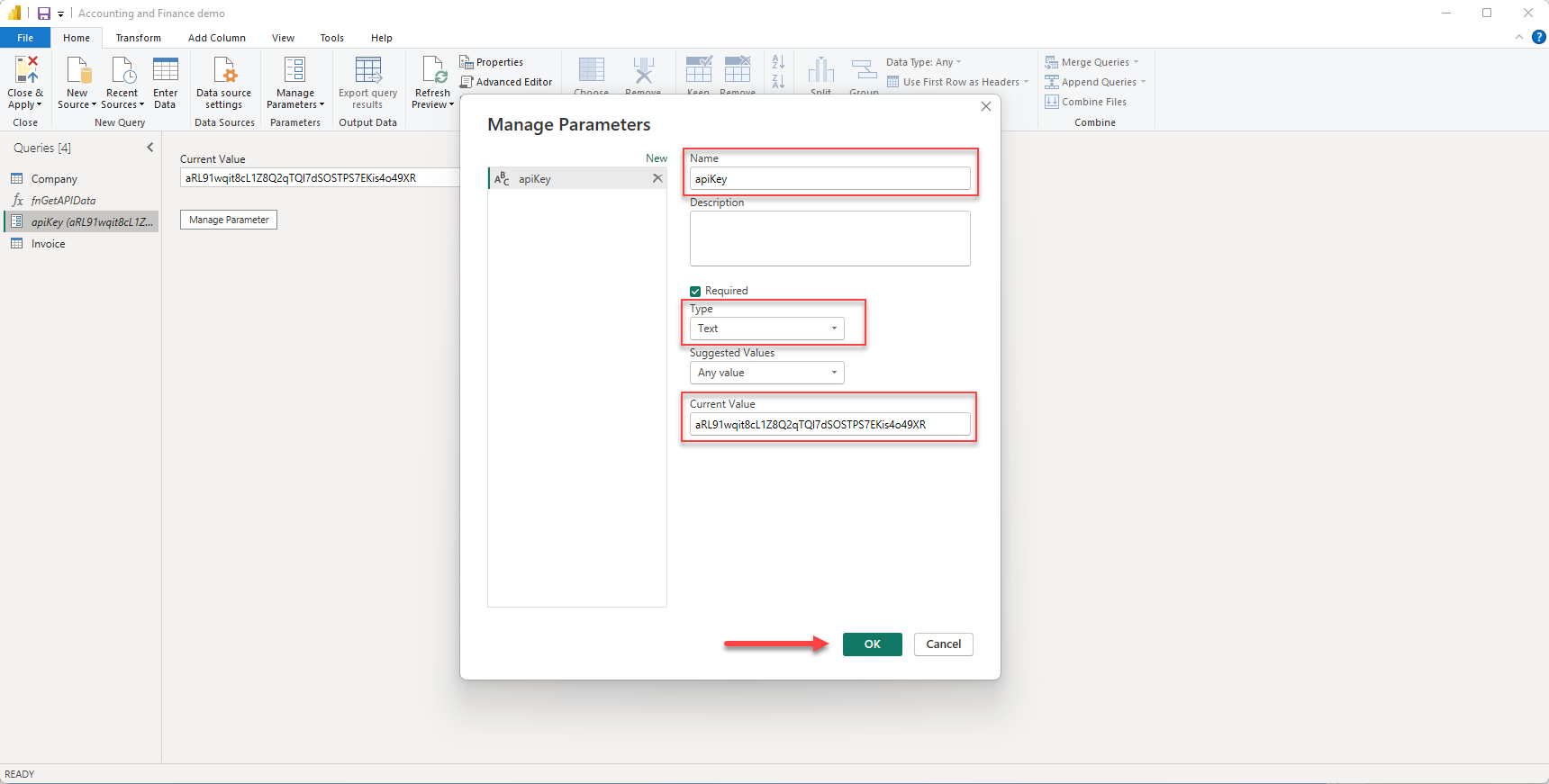
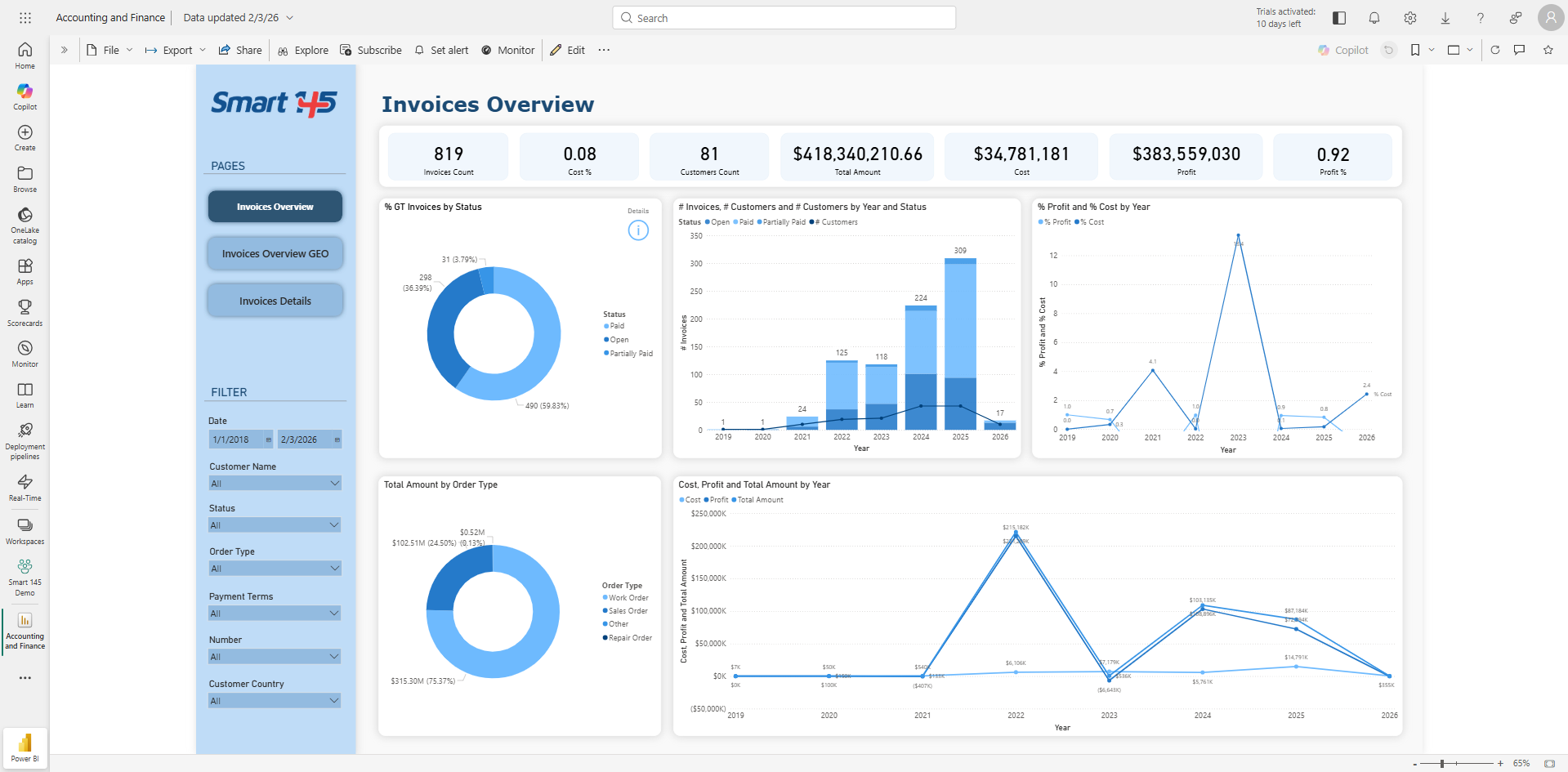
If you prefer Smart 145 to handle the workload, our team can build the full analytics solution for you. Smart 145 will deliver:
• A custom semantic model tailored to your operation.
• Clean relationships across key tables (for example, Work Order → Part Data → Labor).
• KPIs, performance metrics, and DAX measures.
• Dashboards aligned with your workflow and department needs.
• Automatic data refresh configuration.
This ensures accurate metrics, proper data relationships, and dashboards optimized for aviation MRO operations.
What do we need from you?
1. Dedicated Power BI Account:
Your company must provide a dedicated Power BI account for Smart 145 to use during the setup and publishing process. This ensures secure access and prevents interference with your internal user permissions.
2. Your Reporting Requirements, such as:
• A list of the KPIs you want to track.
• Any dashboard layouts, sketches, or examples.
• Existing reports you currently use (Excel, Quantum reports, internal KPIs, etc.).
• A list of departments that will need dashboards (Management, Sales, Purchasing, Shop Floor, Accounting, etc.).
3. API Access Approval:
Smart 145 will generate API credentials for your company.
4. Preferred Refresh Frequency:
Tell us how often you want your Power BI dataset to refresh, based on your Power BI license or capacity (Ex. daily, every 12 hours, every 6 hours, hourly).